
Category: FooPlugins Guide

using WordPress.com and foogallery to build your site
FooPlugins Guide
FooPlugins

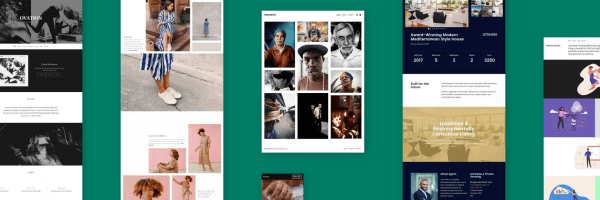
How to Create a Stunning Photographer Site with WordPress.com

As a creator, you can’t be lugging around physical copies of your art for showing off. Instead, it’s so much more convenient to display your best works on a beautifully crafted website, that you can easily share with others by providing a URL. But to have such a website, you’re

Read More »
How to create effective countdown notification bars
FooPlugins Guide
Tam Vincent

How To Create Effective Countdown Notification Bars

What’s the average time spent on one of your pages? How long is the average session? There’s a good chance that neither of these numbers are very high. In fact, the average time spent on a page could be as little as 15 seconds. This doesn’t give you a lot

Read More »
5 Steps to create your online portfolio
FooPlugins Guide
Tam Vincent

How To Make An Online Portfolio In 5 Easy Steps

The Ultimate Guide to Creating Your Own Online Portfolio As a photographer, artist or designer, you want your work to get noticed. One way to showcase your skills is to create an online portfolio. Sounds simple enough, but where do you start? And what should you do next? Whether you

Read More »
Custom Captions: Now you can build your own captions
FooPlugins Guide
Tam Vincent

Introducing Custom Captions: Build Your Own Gallery Captions

FooGallery PRO now allows you to build custom captions for your gallery thumbnails. You can create and style your own unique captions, giving you even more options when it comes to customizing your gallery. With this feature, your options for building and styling captions are unlimited. The captions make use

Read More »
4 tips for compressing images
FooPlugins Guide
Gilad David Maayan

4 Tips to Compress Image Files

Your website load time has a direct impact on user experience and your Google page ranking. Image file size has a direct impact on your website loading speed. This means that image file size can directly correlate with how many visitors see your site and the quality of their experience.

Read More »
How to sell photos online with FooBox and Fotomoto
FooPlugins Guide
Tam Vincent

How To Sell Photos Online With FooBox And Fotomoto

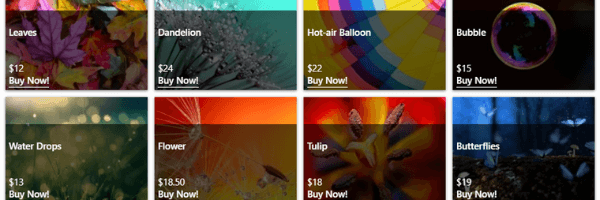
FooBox Pro and Fotomoto work together to provide you with the eCommerce solution you need. With these two platforms, you are able to sell photos from your WordPress website. Plus, it’s easy to set up and simple to use. How does it work? FooBox, as you probably know, is a

Read More »
Getting creative with FooGallery and Gutenberg
FooPlugins Guide
Tam Vincent

Getting Creative With FooGallery And Gutenberg

FooGallery is designed to work with the Gutenburg block editor. It comes with its own Gutenberg block, allowing you to add and preview galleries within the page editor. But what else can you do with FooGallery and Gutenberg? Here’s a look at how you can get creative with your blocks.

Read More »
How to Load Galleries from Other sources
FooPlugins Guide
Tam Vincent

How To Load Galleries From Other Sources

With FooGallery Pro Expert, you can load galleries from other sources. This awesome feature allows you to create a dynamic gallery from a variety of sources. These datasources include Media Tags or Categories, server folders, and post queries. You are also able to use WPLR Sync to create galleries from

Read More »
Why you should use a responsive web design
FooPlugins Guide
Tam Vincent

Why You Should Use A Responsive Web Design

Responsive web design is more than just a buzz word. It’s something every site needs to consider, and with WordPress, it’s easily achievable. But what is it? And how do you go about making sure your website design is responsive? This blog post is going to take a closer look

Read More »
WordPress Two Languages: How to Offer Your Site in Multiple Languages
FooPlugins Guide
Alex Denning

WordPress Two Languages: How to Offer A Site in Multiple Languages

We live in a multilingual world, and no matter who you’re trying to reach with your website, there’s a good chance you have a similarly multilingual audience. Adding WordPress two languages functionality – or even more languages if needed – lets your visitors choose their preferred language for interacting with

Read More »

Freemius License Migration: What You Need To Know

FooPlugins has started transferring our old legacy FooBox license holders over to our new Freemius licensing system – a process that has taken a long time to figure out. Our intention was to transfer legacy licenses to the new Freemius system much sooner but it has taken much longer than

Read More »
Use FooBox and WooCommerce to sell products online
FooPlugins Guide
Tam Vincent

How To Use FooBox and WooCommerce To Sell Products Online

Did you know you can use FooBox and WooCommerce to sell products online?  It’s super simple. With the help of great plugins, it’s possible to transform a website from merely decent to absolutely stunning. This way, your customers will receive the best experience possible.  Here are some guidelines to help

Read More »
Getting started with FooGallery
FooPlugins Guide
Tam Vincent

Getting Started With FooGallery

What is FooGallery? FooGallery is the Most Intuitive and Extensible Gallery Creation and Management Tool Ever Created for WordPress; built to be simple for users and highly flexible for developers. FooGallery is a WordPress Gallery Plugin that allows you to easily create beautiful photo galleries. The plugin provides for an

Read More »
How to use FooBox with Gutenberg
FooPlugins Guide
Tam Vincent

How To Use FooBox With Gutenberg

Gutenberg, the new editor for WordPress, will soon come standard with WordPress. You may have even installed it already. But given that it is a fairly new addition, not all of your plugins may be compatible with Gutenberg just yet. Luckily for you, FooBox is. Below you can find out

Read More »
How to Bulk copy gallery settings in FooGallery Pro
FooPlugins Guide
Tam Vincent

How to Bulk Copy Gallery Settings in FooGallery PRO

With FooGallery PRO, you are able to bulk copy gallery settings across to all or just some of your galleries. This is a great feature, and in this post we’ll look at the benefits of using the Bulk Copy metabox, and how to do this. Benefits of Bulk Copying One

Read More »
How To Add Hover Effects To Your Image Gallery with FooGallery
FooPlugins Guide
Tam Vincent

How To Add Hover Effects To Your Image Gallery

FooGallery Free and FooGallery PRO both come with hover effects for your thumbnails. You can put these to good use on your image galleries; here’s how. Hover Effects and How They’re Handy The Hover Effect is the animation that appears when you hover over a thumbnail in your image gallery. The

Read More »
Ways to Optimize images for WordPress for better performance
FooPlugins Guide
Tam Vincent

How To Optimize Images For WordPress And Other Useful Tips

We all know that webpages need images. But what you may not know is that you need to optimize images for your site. If you don’t, you’re putting yourself at a disadvantage. Here’s why you need to optimize images, and how to go about doing this. Why You Should Optimize

Read More »
FooBox settings and themes let you customize images
FooPlugins Guide
Tam Vincent

How To Use FooBox Settings To Customize Your Images

FooBox is a responsive image lightbox. It allows you to open images, forms or other custom html code in a lightbox that automatically adjusts to the size of your screen. The FooBox PRO settings and themes allow you to customize your images to create a unique look and feel. Here’s a guide

Read More »
Advanced Filtering FooGallery Pro
FooPlugins Guide
Tam Vincent

How To Setup Advanced Filtering In FooGallery PRO

FooGallery PRO’s latest feature, Gallery Filtering, comes with a number of Simple and Advanced Filtering settings. The Advanced Filtering gives you a bit more versatility when it comes to customising your gallery. Below are the settings, with a guide on how to set each up. Selection Mode You can change

Read More »
FooGallery Pro Filtering how to set up
FooPlugins Guide
Tam Vincent

How To Setup Gallery Filtering In FooGallery PRO

Gallery Filtering, the latest feature on FooGallery PRO, allows you to filter your gallery using Media Tags and Categories. Here is a step-by-step walkthrough of how to create a filtered gallery, including assigning tags to individual images. Step 1: Add Images As with any image gallery, you first need to

Read More »
Recreate your FooGallery with these loaded effects and paging settings
FooPlugins Guide
Tam Vincent

How to Create a Gallery with Loaded Effects and Paging

FooGallery can help you create an image gallery on your WordPress site, using Loaded Effects and Paging. Take a look at the sample gallery here, or read on to find out how you can recreate this look for yourself. Loaded Effect The loaded effect is the animation effect used to

Read More »
FooGallery is the Best NextGen Alternative
FooPlugins Guide
Tam Vincent

FooGallery is the best NextGen Alternative

The NextGen gallery plugin recently had some trouble with PHP 7 compatibility, and we had a lot of people asking how they can migrate hundreds of galleries that they had created using NextGen, into a good alternative, like FooGallery. It turns out this is really simple and effortless to do,

Read More »