
FooGallery PRO Expert video gallery features include several ways to import YouTube videos into a media gallery.
Single Video
Simply enter the video’s URL into the search input to fetch a single video. The following URL formats are supported:
- http(s)://www.youtube.com/watch?v=[VIDEO_ID]
- http(s)://youtu.be/[VIDEO_ID]
- http(s)://www.youtube.com/embed/[VIDEO_ID]
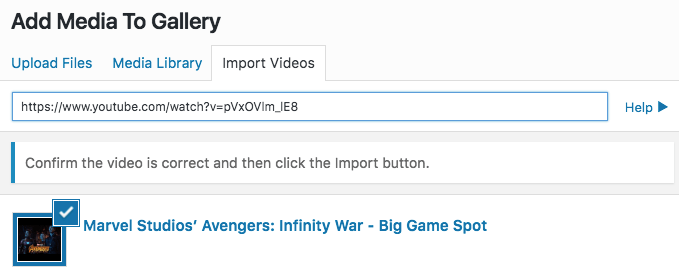
You can also provide just the video’s ID in the search input.
Playlists
Import an entire playlist or a sub-selection of its’ videos by entering its’ URL into the search input. Note that you will need a YouTube API key to do this.
Once the playlist has been fetched, you can select individual videos to import, or import the entire playlist. The following URL format is supported:
- http(s)://www.youtube.com/playlist?list=[PLAYLIST_ID]
You can also provide just the playlists’ ID in the search input.

Search
You can also perform a search on YouTube and select the videos to import from the results by simply typing your query into the search input. Note that you will need the YouTube API key for this as well. This will fetch relevant results, from which you can select the video or videos you want to include in your gallery.


