
Add Frontend Uploads with Moderation to FooGallery
Let visitors submit images to a FooGallery gallery, with optional image optimization in their browser before upload. You set the rules, review submissions, and control what appears publicly. MP4 uploads are available when FooGallery video support is active.

FooGallery add-on
Compatible free & pro
30-day guarantee
Live Demo
Add an Upload Form To Your WordPress Galleries
Try the current upload form: choose up to two images, watch them prepare, and send them for review. The gallery owner decides which submissions appear.








New in 1.3.0
Optimize images before upload
Turn on browser image optimization for an individual gallery. Visitors see preparation progress before submission, and a clear message if an image cannot be prepared.
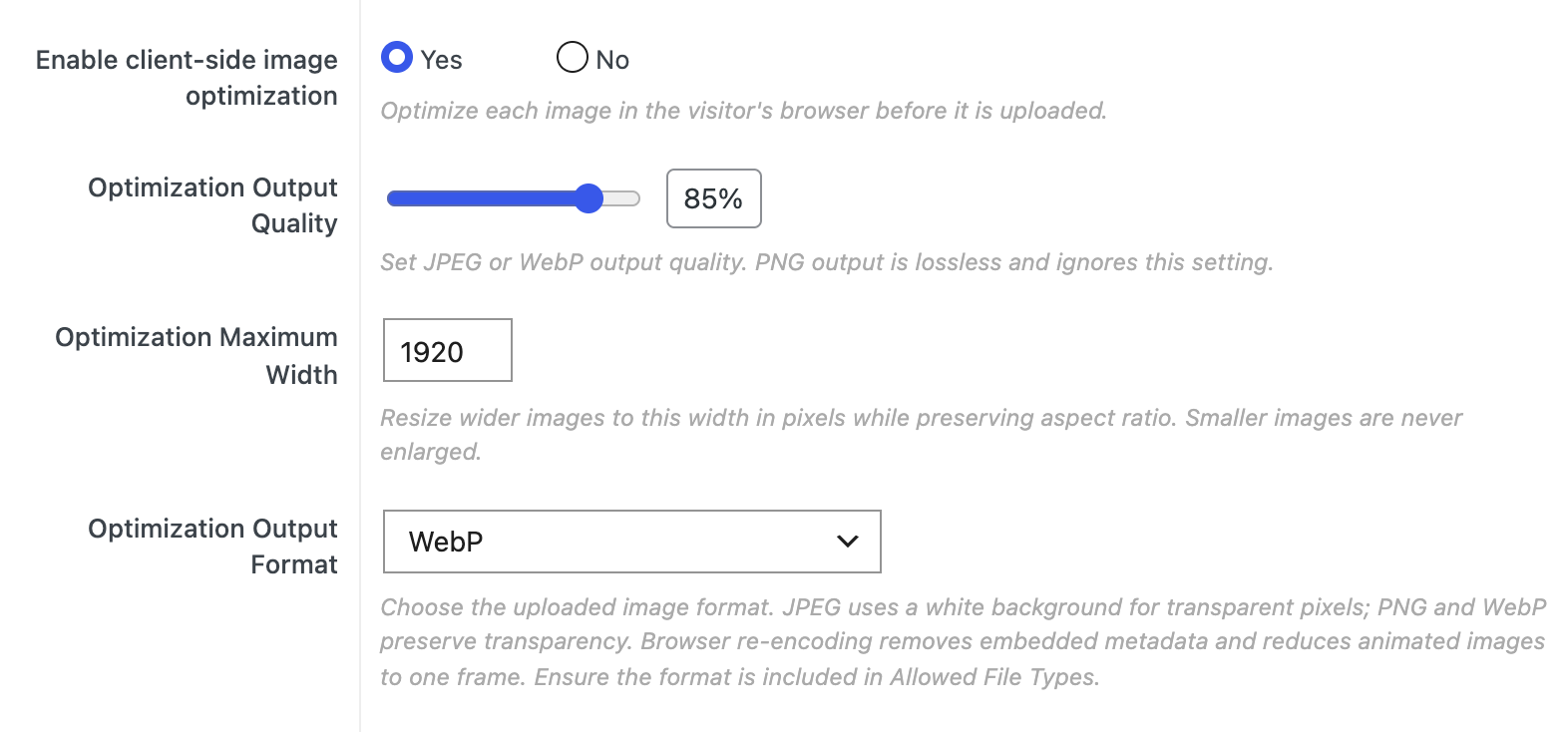
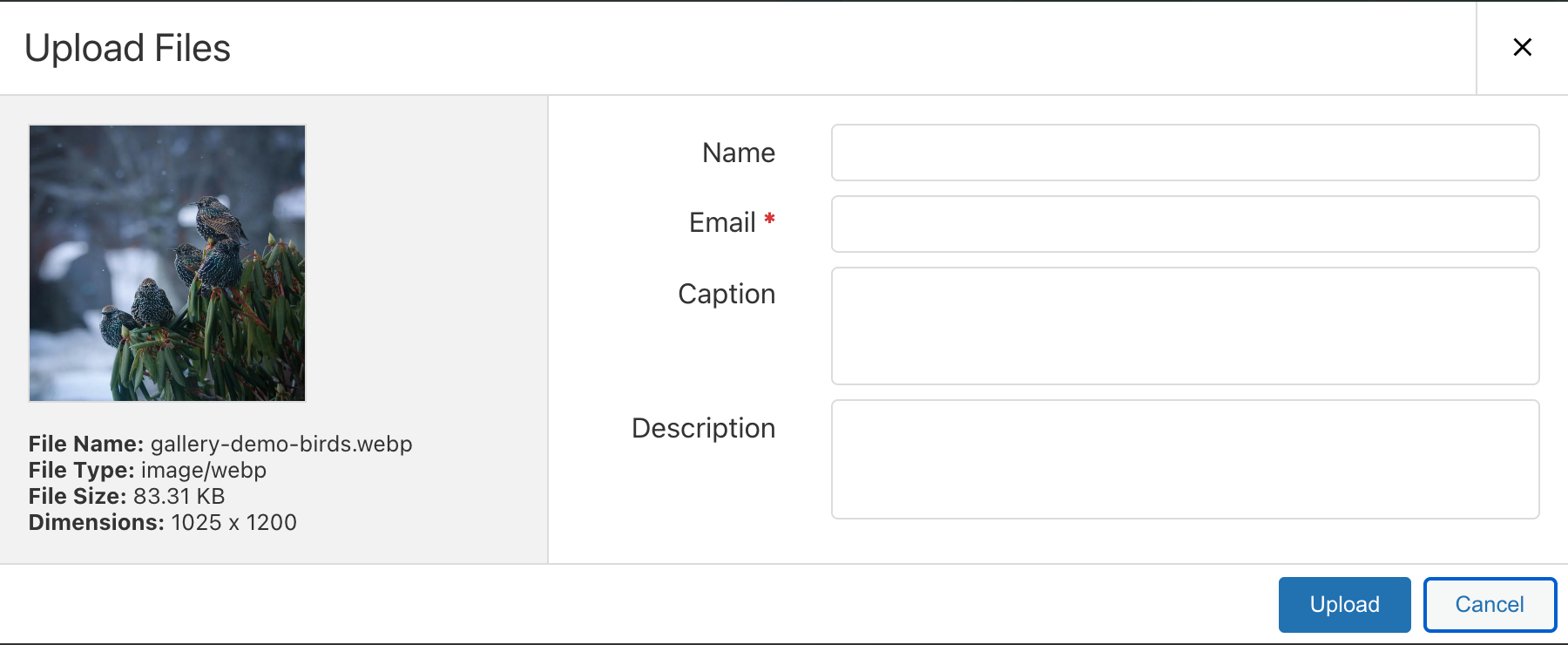
Set a maximum width and JPEG or WebP output quality, then choose JPEG, PNG, or WebP output. PNG is lossless, so its quality setting is ignored. The output format must also appear in that gallery’s allowed file types. Optimization is optional and off by default; MP4 video is not processed.
UGC workflow
User Generated Content for WordPress Galleries
FooGallery User Uploads is built for user-generated photo campaigns, competitions, client submissions, and community galleries where every upload still needs rules.
Community
Invite uploads from visitors.
Place the upload form after a gallery or embed it with a shortcode where the campaign needs submissions.
Lead capture
Collect useful submitter details.
Request names, email addresses, image metadata, tags, captions, descriptions, and custom URLs.
Moderation
Approve what appears publicly.
Review uploads per gallery or from the central Moderation screen before approved media is added to the Media Library and gallery.
Compatibility
User Uploads Add-on works with
FooGallery Free or PRO
The add-on supplies the upload, field, moderation, and confirmation workflow to any FooGallery gallery.
Supported
FooGallery Free + User Uploads
Add front-end image submissions to standard FooGallery galleries.
Supported
PRO Starter + User Uploads
Use upload workflows alongside Starter layouts and options.
Supported
PRO Expert + User Uploads
Use uploads with Expert gallery capabilities when the gallery needs them.
Supported
PRO Commerce + User Uploads
Use uploads alongside Commerce gallery features when selling or product-gallery workflows are involved.
User Uploads Features
Collect Media Without Opening
WordPress admin
The add-on creates a front-end path from upload form to moderation queue to published gallery item.

Let visitors upload from the front end
Add the upload form below a gallery or place it with a shortcode for a dedicated submission page.
- Collect user names and email addresses when needed.
- Capture captions, descriptions, alt text, tags, and custom URL fields.
- Keep users out of the WordPress admin while still collecting gallery media.
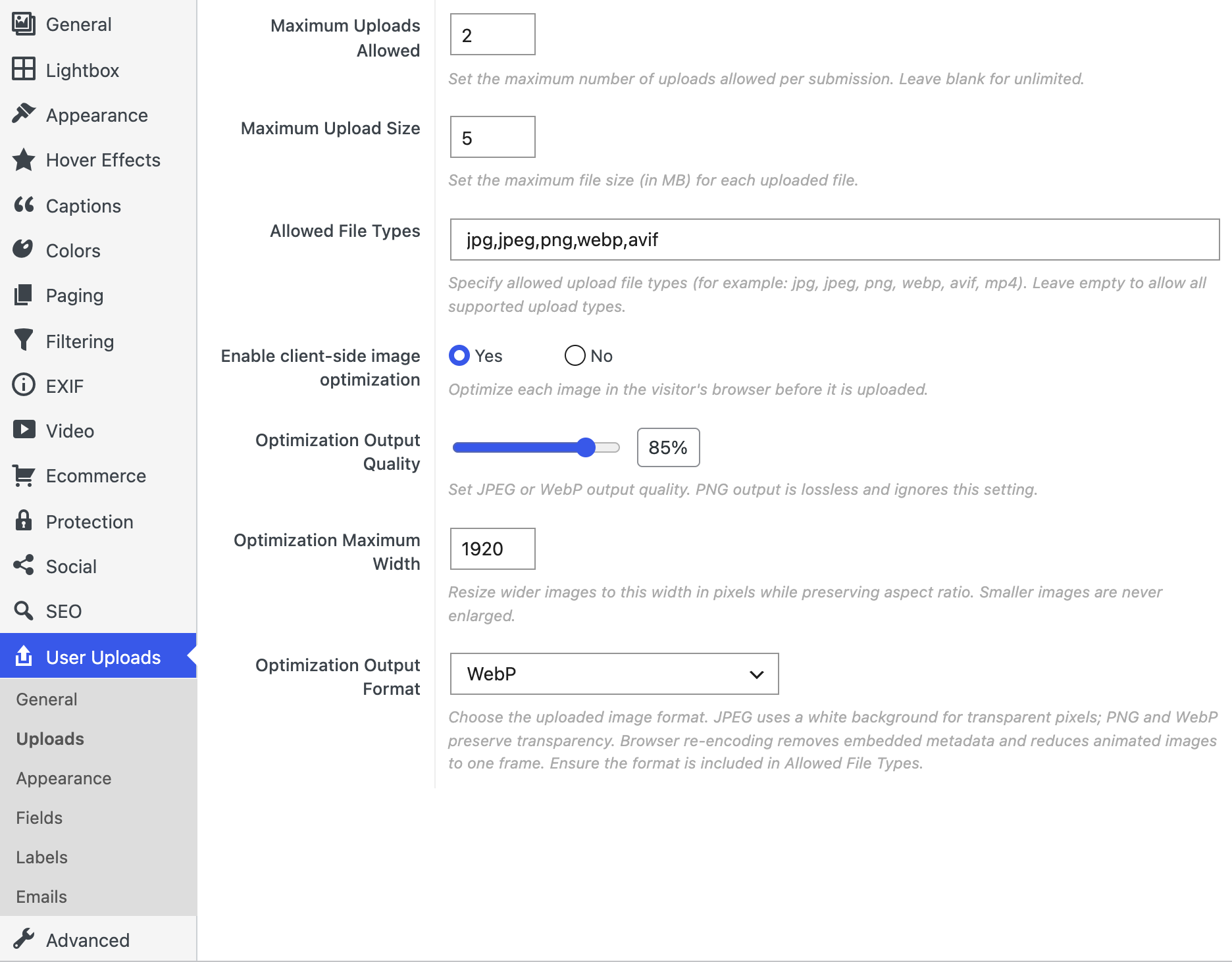
Set upload limits and permissions
Set per-gallery rules for who can submit and what each submission can contain.
- Allow anyone to upload or require logged-in users.
- Set a maximum file size and upload count; leave the count blank for unlimited uploads.
- Choose allowed file types. New galleries allow JPG, JPEG, PNG, WebP, and AVIF by default; existing custom lists keep their saved choices.
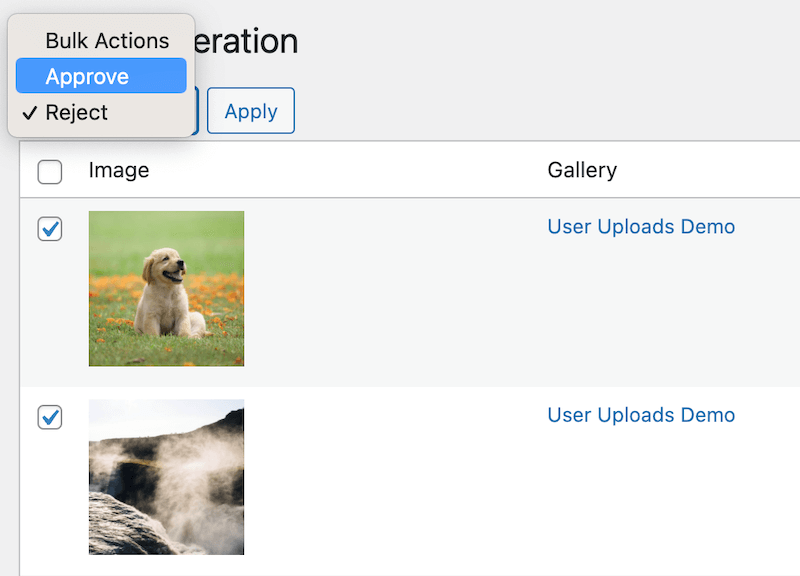
Approve, reject, or bulk process submissions
Review submissions from the gallery or central Moderation tab before publishing them.
- Approved uploads are added to the Media Library and gallery.
- Rejected uploads are not added to the gallery.
- Send email confirmations when submitter email addresses are collected.
Per-gallery controls
Set up the form for each gallery
The current gallery editor groups User Uploads settings under General, Uploads, and Appearance. Open a screenshot for a closer look.
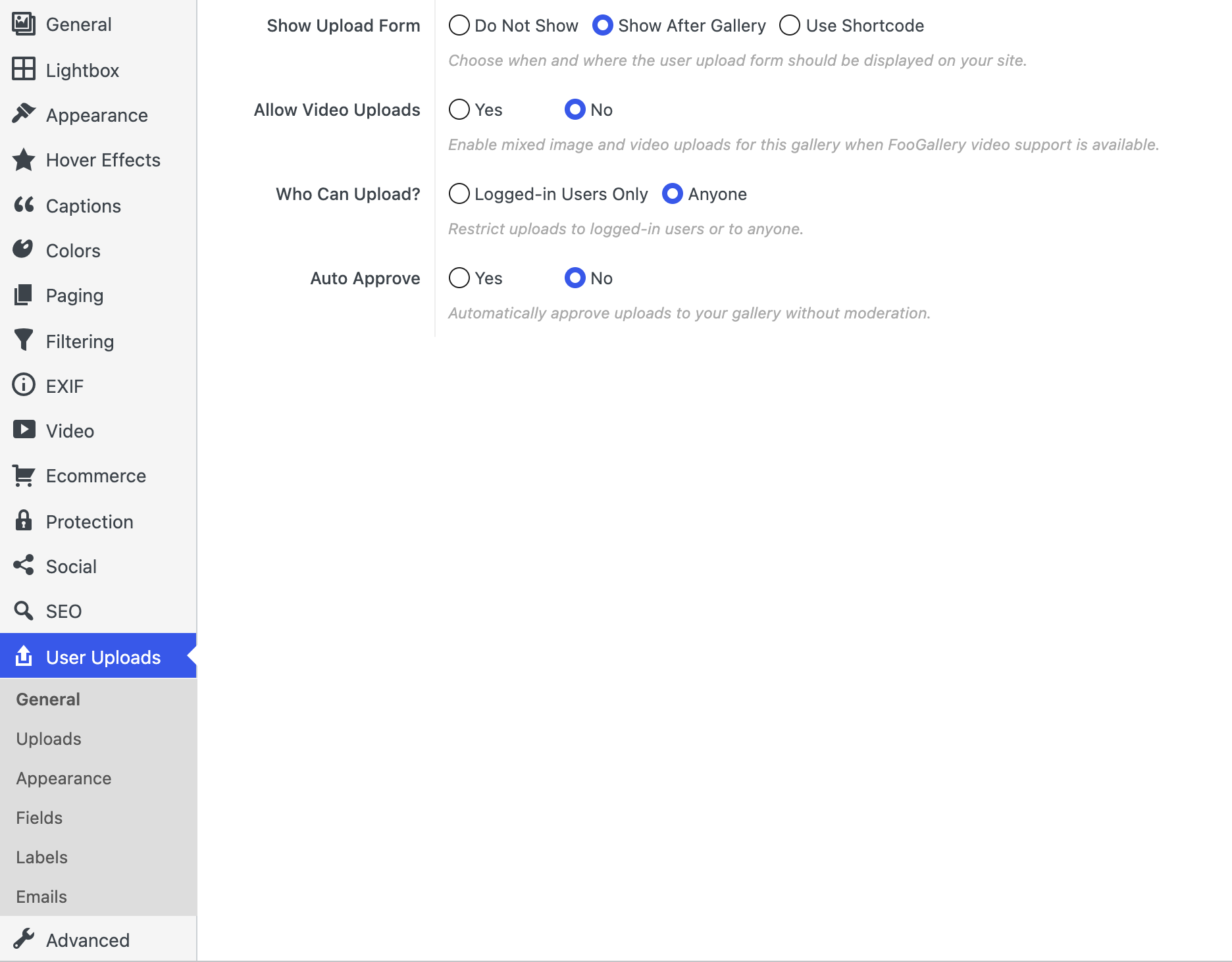
General: form placement, video option, visitor access, and approval.
Uploads: file limits, allowed types, and optional image optimization.
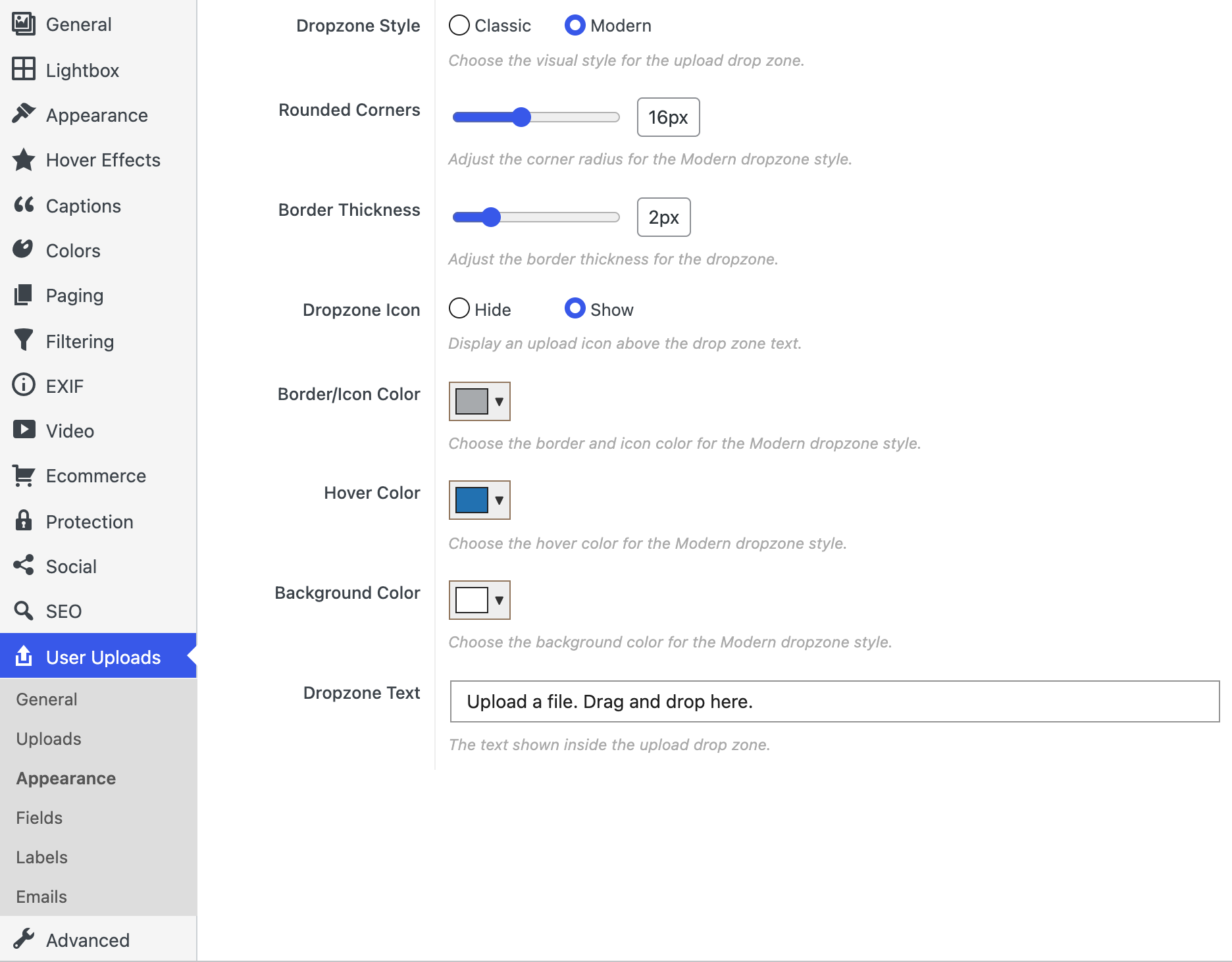
Appearance: Modern is the default dropzone style for new galleries; Classic remains selectable.
Pricing
FooGallery User Uploads Add-on Pricing
Choose a site count and billing term below. The linked pricing card displays the current checkout options, trial, and guarantee.
Most Popular
User Uploads – 5 Sites
User-generated galleries for a small portfolio of sites.
Works with Free and Pro plans
Allow visitors to upload media
Images & Video uploads
Capture leads with uploads
Configure upload rules and fields
Moderation before publishing
Customize email notifications
Invite visitor contributions
Optional image optimization before upload
$89.99
$
89
.99
/ year
Most popular license.
Lifetime is a one-time payment for the selected plan and site allowance.
7-day free trial + 30-day money-back guarantee
FAQ
WordPress image upload plugin questions
Learn how visitor submissions, image preparation, and moderation work in each gallery.
Use FooGallery with the User Uploads add-on. It adds a front-end upload form that can appear after a gallery or be embedded with a shortcode, then routes submitted images through the add-on workflow.
It is off by default and can be enabled separately for each gallery. The visitor’s browser prepares images to your maximum width and chosen JPEG, PNG, or WebP output. JPEG and WebP use the selected quality; PNG is lossless. The output format must be allowed by the gallery. The dialog shows preparation progress and useful feedback if an image cannot be prepared. MP4 video is not optimized.
Yes, if you enable MP4 uploads for the gallery and FooGallery video support is active on the site. Videos can follow the same moderation workflow, but image optimization does not process MP4 files.
Only if you enable automatic approvals. By default, site owners will have to review uploads and approve or reject them before approved images are added to the Media Library and shown in the gallery.
Yes. Set access to anyone or logged-in users, limit the file size and uploads per submission, and choose allowed file types. Leave the maximum count blank for unlimited uploads.
Yes. The add-on can collect names, email addresses, captions, descriptions, alt text, tags, and custom URL information. Email collection also supports approval or rejection confirmation messages.
No. User Uploads is a separate add-on that works with FooGallery Free or any PRO plan. Choose PRO only if the gallery also needs PRO-only layouts, filtering, video, dynamic sources, or Commerce features.
Purchase User Uploads for FooGallery
Invite image submissions from the front end and decide what appears in your gallery. Enable MP4 uploads when FooGallery video support is available.