

FooGallery PRO Starter: Design Better Galleries for Mobile
Create polished galleries for every screen with mobile gallery settings. Layouts, motion effects and color sorting that turn every photo gallery into a visual showcase.

100K active installs
4.8 / 5 rating
980+ reviews
30-day guarantee
Instantly Upgrade Your Galleries
The Most Affordable Premium Upgrade for FooGallery
FooGallery PRO Starter gives your galleries a polished, premium look with more layouts, mobile gallery settings, image & hover effects, and color tools — no code required.
Best for
Site owners who want better-looking galleries
Choose PRO Starter when FooGallery Free works for you, but your galleries need premium layouts, mobile gallery settings, image filters, hover presets, and color tools.
What you unlock
A visual upgrade without advanced setup or code
Add professional presentation features to existing galleries without moving into dynamic galleries, ecommerce, or heavier workflows.
Upgrade when
Free no longer gives you the look you want
Move to PRO Starter when your galleries need premium layouts, mobile overrides, thumbnail and hover presets, and color sorting.
Features
Beautiful. Fast. Engaging.
Pro WordPress Galleries
Take your WordPress galleries from basic to breathtaking in minutes — no code, no hassle. Now with mobile setting overrides!

PRO Layouts
Swap plain layouts for premium gallery layouts like Grid, Slider, Spotlight & Polaroid.
Thumbnail Effects
Apply Instagram-style thumbnail effects to create a consistent aesthetic across your gallery with a single click.

Hover Presets
Add animated hover presets with motion, depth, and polish — no coding required.
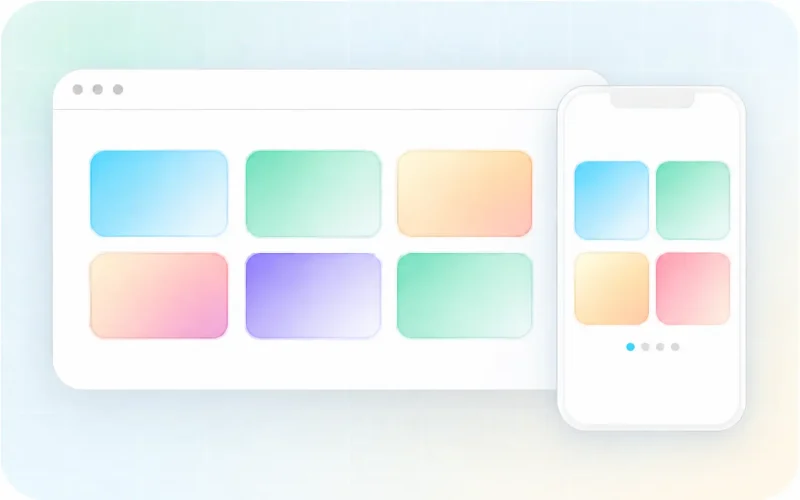
Mobile Overrides
Keep the desktop design you love, then fine-tune the phone layout and preview your changes before you publish.
FooGallery PRO Pricing
Unlock premium layouts, mobile gallery settings, hover and thumbnail effects, and color sorting and tinting. Choose PRO Starter below, or compare all FooGallery plans if you need more advanced features.
Starter
PRO Starter
Best for site owners looking for more customization and gallery layouts.
Slider layout
Grid layout
Polaroid layout
Spotlight layout
hover effect presets
Thumbnail effects
Color sorting + tinting
Mobile Gallery Settings
$59.99
$
49
.99
/ year
For polished gallery presentation.
Pay once – get updates and support for life
30-day money-back guarantee + world-class support
Feature Breakdown
Features That Give FooGallery a Pro Look
Explore PRO layouts, mobile gallery settings, image effects, hover presets, and color tools for galleries that need to look polished on every screen.
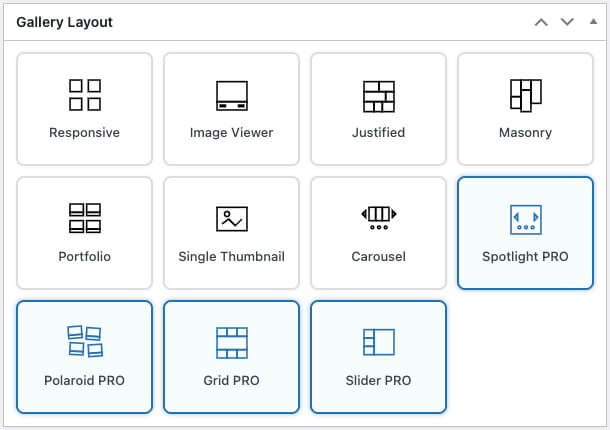
Professional Layouts That Keep Visitors Scrolling
Swap “just okay” layouts for premium, attention-grabbing layouts that keep visitors scrolling and clicking.
- Grid PRO for clean, ultra-scannable galleries
- Slider PRO for hero-worthy carousels
- Polaroid PRO for a relaxed framed-photo look
- Spotlight PRO for one-image cinematic focus
Explore PRO layouts in action or follow the setup guides.

Make Every Image Pop Instantly
Apply Instagram-style thumbnail effects to create a consistent aesthetic across your gallery with a single click.
- Curated set of 12 polished effects for consistent branding
- Helps mixed-quality photos look cohesive and premium
See thumbnail effects in action or follow the setup guide.
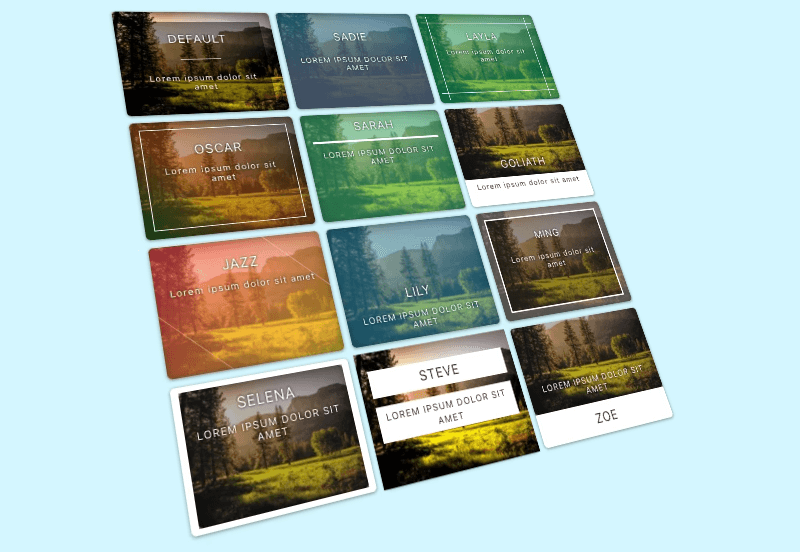
Hover Effects That Hook Viewers
Gorgeous animated hover effect presets add motion, depth, and delight (no coding required). Select your favorite and go.
- Prebuilt animations that highlight key details and draw clicks
- Zero configuration — pick a preset and publish
- Designed to look smooth across devices and browsers
See hover presets in action or follow the setup guide.
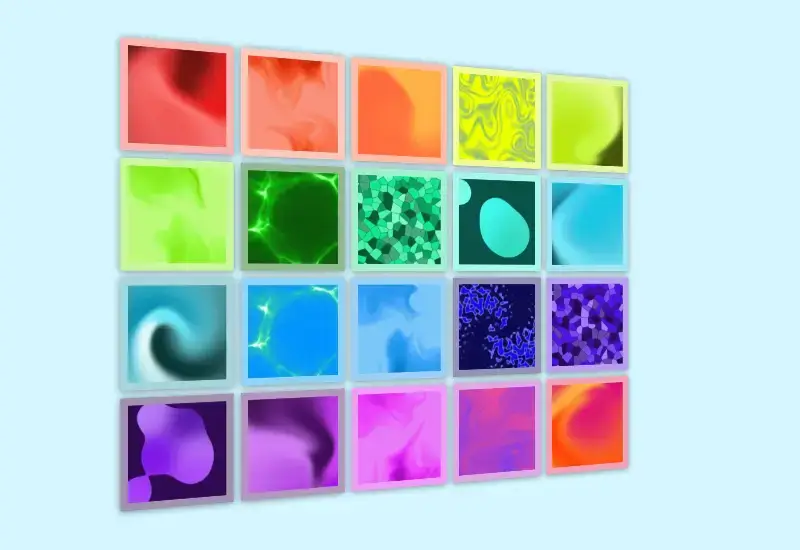
Dominant Color Backgrounds + Sorting
Extract each image’s dominant color, then use it to turn color into part of the gallery browsing experience.
- Sort your gallery by color
- Add a matching color background to each image
- Change the lightbox background to match the color
See color sorting in action or follow the setup guide.

Fine-Tune Every Gallery for Mobile
Start with the desktop gallery you already designed, then adjust supported settings only where the phone layout needs a different touch.
- Keep your desktop styles as the starting point
- Adjust supported settings for phones
- Override columns, spacing, sizing, controls, paging, captions
- Preview the mobile layout before you publish
See mobile gallery settings in action or follow the setup guide.
Compare Plans
Looking for Something Else?
FooGallery gives you three PRO plans, each with a rich feature set to cover different needs and budgets.
Current plan
PRO Starter
Best for site owners looking for more customization and gallery layouts.
PRO Expert
For photographers and power users who want full creative control.
PRO Commerce
For professionals who want to monetize and protect their work.
FAQs
Your Questions, All Answered
Find answers to common questions about FooGallery, from plan features to upgrades and refunds.
PRO Starter includes everything in FooGallery Free, plus:
- additional layouts such as Slider, Grid, Spotlight, and Polaroid.
- Mobile Gallery Settings with a live mobile preview, so you can override specific settings on mobile devices.
- Thumbnail effects to make your images pop.
- Hover effect presets for animated upgrades.
- Color sorting + color tinted backgrounds.
FooGallery identifies a dominant color in each photo — a color that helps define its overall look. You can use that color as a matching background behind the thumbnail, carry it into the lightbox background, or arrange your gallery by color. It is a simple way to give a mixed collection of photos a more coordinated feel, create a flowing color sequence in a portfolio, or show products in a visually pleasing order. These options change how your gallery is presented; they do not recolor your original photos.
The pricing card above shows the current single-site prices for all available billing options.
Need more sites? PRO Starter also offers licenses for 5 or 25 sites; choose your site allowance in checkout before paying. Annual licenses include updates and premium support for the paid term. Lifetime licenses are a one-time purchase with lifetime updates and support.
Yes. You can move from PRO Starter to PRO Expert or PRO Commerce, or increase your license to cover more sites. Open the Pricing tab in FooGallery or enter your existing license key in checkout and choose the upgrade option. Your upgrade price is calculated pro rata, taking account of previous payments and how long you have used your current license. You can also explore FooPass for access to all FooPlugins products under one lifetime license.
FooGallery includes a 30-day no-questions-asked refund policy. There is also a 7-day free trial path, so you can try FooGallery PRO before deciding whether it is right for your site.
No. Upgrading from FooGallery Free to PRO Starter lets you keep your existing FooGallery galleries, images, and settings. Once PRO is installed and your license is activated, you can open an existing gallery and start using the extra layouts and styling options. You do not need to upload your photos again or replace the gallery blocks or shortcodes already on your pages.
Yes. FooGallery Free already includes responsive layouts that adapt to different screen sizes. Mobile Gallery Settings in PRO Starter give you more control over how a gallery looks on phones. For example, you can choose fewer columns or different spacing for mobile while keeping your desktop design. Your desktop settings remain the starting point, and you only override the supported settings you want to change. The mobile preview helps you check the result before publishing.
Choose PRO Starter if you want to improve how your photo galleries look with premium layouts, mobile gallery settings, thumbnail effects, hover presets, and color tools. Choose PRO Expert if you also need video galleries, filtering and search, dynamic gallery sources, or advanced captions and pagination. Choose PRO Commerce if you want to sell through your galleries with WooCommerce or add watermarking and image protection. Expert and Commerce include the Starter features, and you can upgrade later as your needs grow.
Thumbnail effects change the appearance of the small preview images in your gallery, such as adding an Instagram-style color treatment. Hover presets add a styled response when someone moves a mouse pointer over a thumbnail, such as an animated overlay or caption. Touchscreens do not have a mouse hover, and tap behavior can vary by device and browser. Keep important captions visible on mobile rather than relying on a hover effect to reveal them, and check your gallery on a phone before publishing.
If your annual license expires, you can keep using the installed version and its premium features, but you will no longer receive new PRO updates or premium support. Renewing keeps you covered for new features, fixes, and help from our team. Annual licenses renew automatically unless you turn off auto-renew in your account; turning it off leaves your license active until the end of the paid term. A lifetime license is a one-time purchase and does not need annual renewal.
Upgrade My Gallery
Turn every photo gallery into a visual showcase
Start with PRO Starter for premium layouts, Mobile Gallery Settings, image filters, hover presets, and color tools that make FooGallery look polished fast.