
FooGallery PRO has integrated with Real Media Library to allow you to load galleries from media library folders. This feature is only available with FooGallery PRO Expert and FooGallery PRO Commerce.
Real Media Library is a WordPress plugin that allows you to organize your media into folders. You can create folders and sub-folders within your library and drag n drop your media files into these.
How to use Real Media Library to load galleries
You will first need to install Real Media Library, which is available on Code Canyon. Once you have activated the plugin, you can go to your media library and start creating folders. You can drag each image into a relevant folder. Once you have organised your media files, you can use these folders to load galleries.
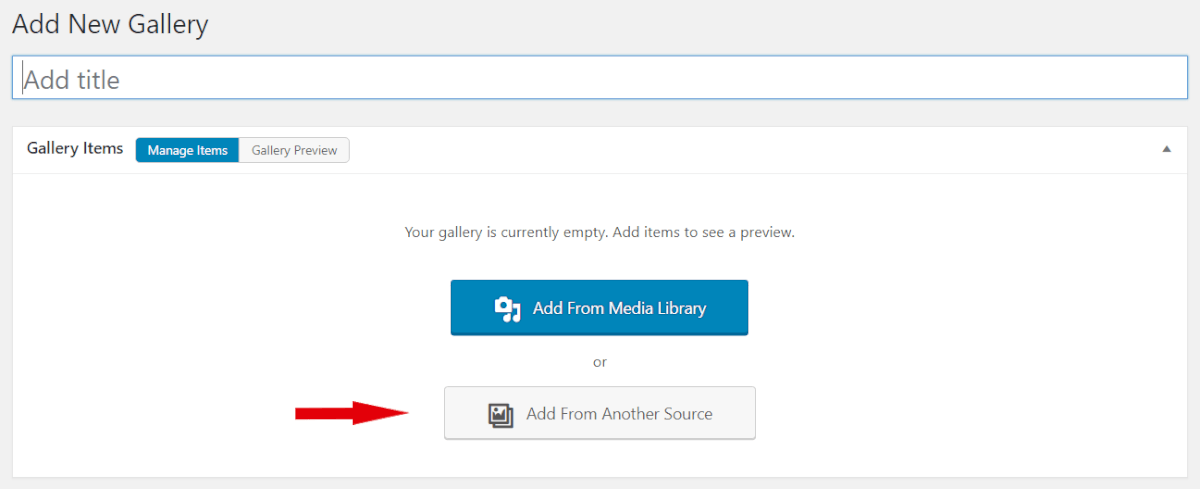
To do this, goto FooGallery –> Add Gallery. You will see two options; select Add From Another Source.
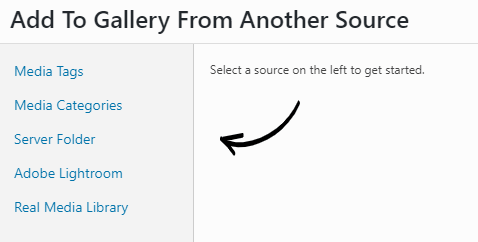
You will now see a selection of datasources from which you can load a gallery. Choose Real Media Library.
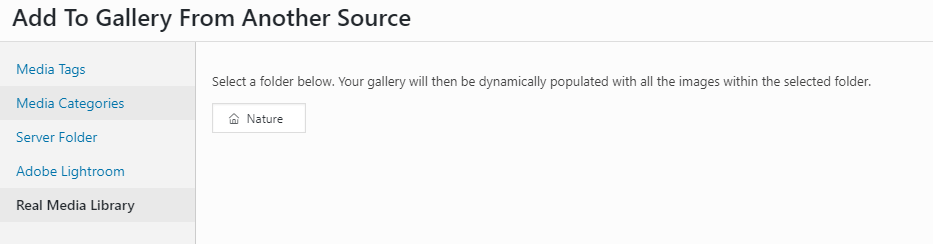
If you have already created your folders, you will be be able to select the folder you want to appear as your gallery. If you have not yet created folders, you will need to go back to the media library and organize your images into folders. Once you refresh your gallery page, you should see any new folders you have created.
Click on the folder you want to use, then click on Ok in the bottom right corner.
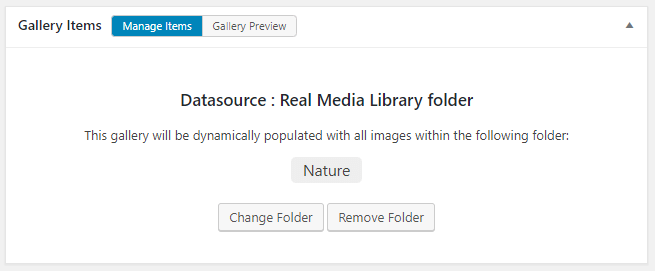
Your gallery will now confirm that the Datasource you are using is Real Media Library, and it will show you the folder you have selected. If you toggle over to the Gallery Preview tab, you will see the images that will appear in your gallery.
If you need to edit the images or add or remove images to the folder, you will need to do so from the media library. You can then simply refresh your gallery for the changes to appear.
You can now edit and customize the gallery as per normal.


