
FooBar PRO includes an HTML bar that allows you to add HTML to your bars, and has the option to add multiple slides to the bar.
The HTML Bar works in the same way as any of the other bar types, allowing you to add content, customize and set the visibility. However, with this bar you can add HTML content, allowing you to tailor your bars. You can also add multiple HTML sections, each of which will display as a section/slide through which users can scroll.
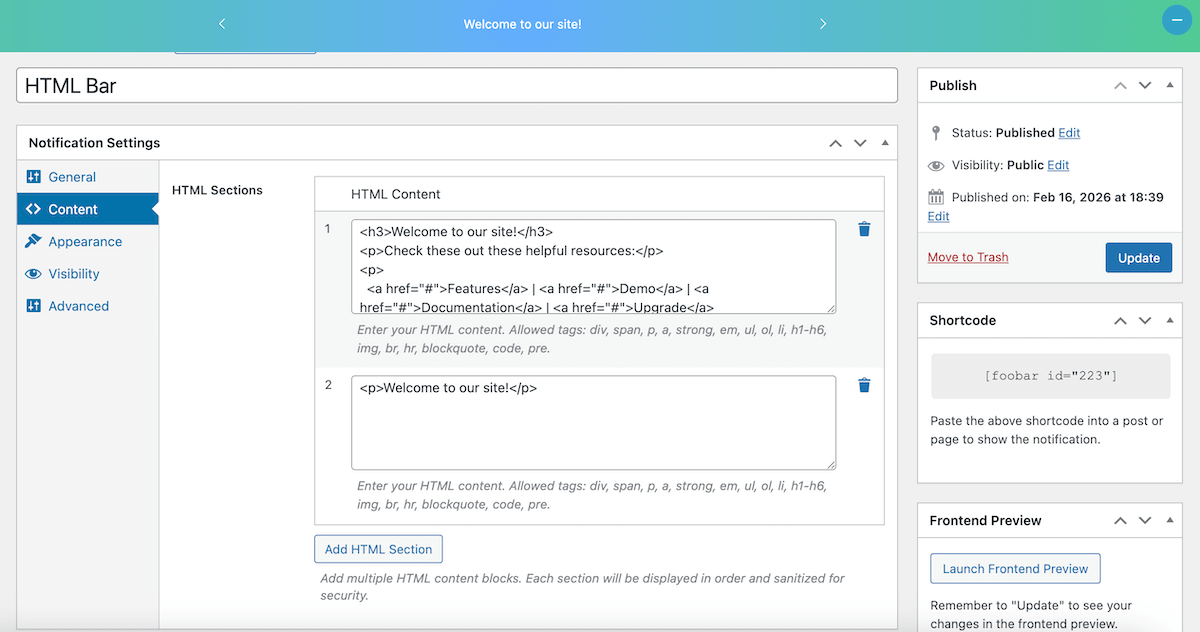
In each HTML Section, users can add any HTML within the set parameters. Allowed tags include: div, span, p, a, strong, em, ul, ol, li, h1-h6, img, br, hr, blockquote, code, pre.
Below is a screenshot displaying some of the ways in which HTML can be added to the bar, along with a preview of the bar.
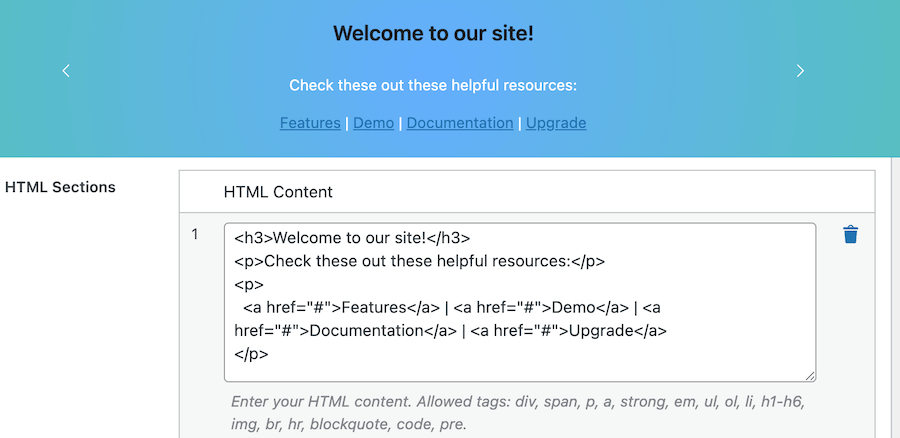
The HTML bar includes several other noteworthy features:
- Slides/Sections can be added, deleted or reordered from the Content tab for the bar.
- Each section will be displayed in order and sanitized for security.
HTML Bar Navigation
Previous / Next buttons allow users to scroll through the slides. These will display when the bar shows 2 or more slides/sections and can be set in the General tab for the HTML bar. This will include the size and shape of the buttons.
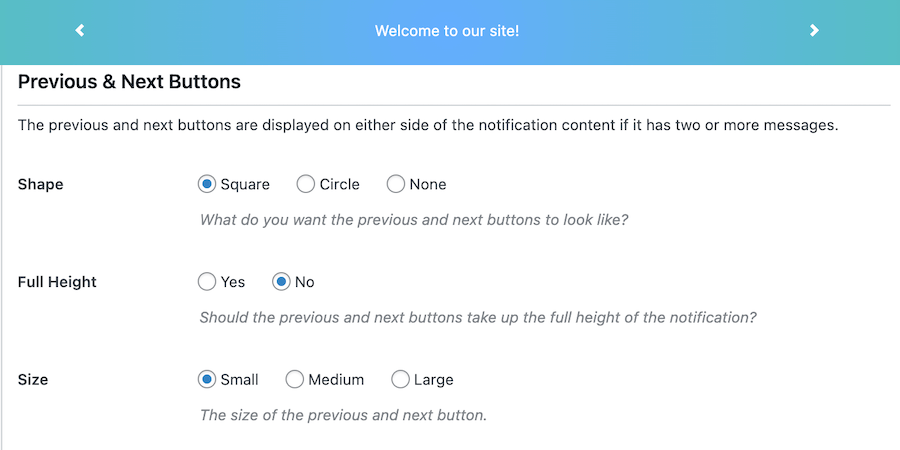
The icon and color can be changed in the Appearance settings.


