
One of the main purposes of FooBar is to motivate visitors to interact with your notification bars. To help accomplish this, we’ve added attention-grabbing effects to our premium plugin.
Below is an example of how these appear. In this bar, we’ve set the toggle to Bounce and the button to wiggle. The bar is initially set to open, where you’ll see the button wiggle. If you collapse the bar, you will be able to see the effect applied to the toggle.
These effects can be found in the Appearance settings for your bar.
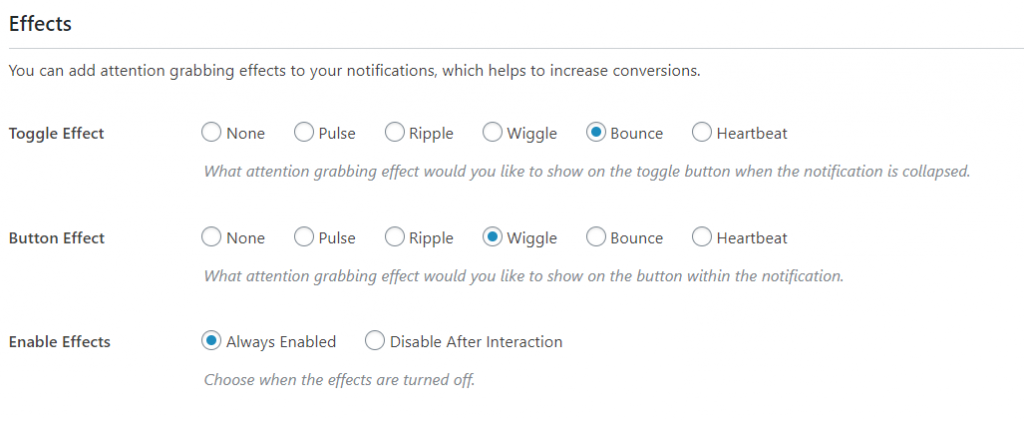
You can set an effect for the toggle, the button, or both. The effects include the following:
- Pulse – a single pulse of the element
- Ripple – several consecutive pulses
- Wiggle – the element moves up and down and side to side
- Bounce – the element moves up and down
- Heartbeat – the element expands and contracts twice
If you choose to use the effects, you can set them to always be enabled, or you can choose to disable them once someone has interacted with the bar.


