

Introducing our new PRO Starter plan!
FooGallery, as you may have seen, includes a ton of features. Our Free plugin comes with plenty of customizations, themes and other awesome features. And then our FooGallery PRO Expert plan comes with all of the premium features.
But for someone just getting started, this may be too much. You might not need all of the premium features, and the price might be a bit much if you’re not planning on using all of these features. For this reason, we’ve built in a PRO Starter license!
What Does FooGallery PRO Starter Include?
Our Starter plan includes a selection of our core premium features. This includes three premium templates, the FooGallery PRO Lightbox, and several additional customization options. Let’s take a look at these in a bit more detail.
Premium FooGallery Templates
FooGallery PRO Starter includes the Slider PRO, Grid PRO and Polaroid PRO gallery layouts.
Here’s a demo of our popular Slider PRO Gallery:
The Slider PRO gallery uses a panel as the viewport, with the thumbnails ranging alongside or on top or below the panel.
The Grid PRO gallery uses a similar layout to the responsive gallery, in that all of your thumbnails form an evenly spaced grid. But when you click on an image, a panel opens below that row, from which you can view the full-size image.
Neither the Slider PRO nor the Grid PRO template make use of a lightbox, but you can adjust the panel settings to create a unique look for you gallery.
The Polaroid PRO layout is a fun theme, where your thumbnails appear as Polaroid photos. This layout does make use of a lightbox for viewing the full-size images. You can take a look at our demos for a better understanding our how these layouts appear.
FooGallery PRO Lightbox
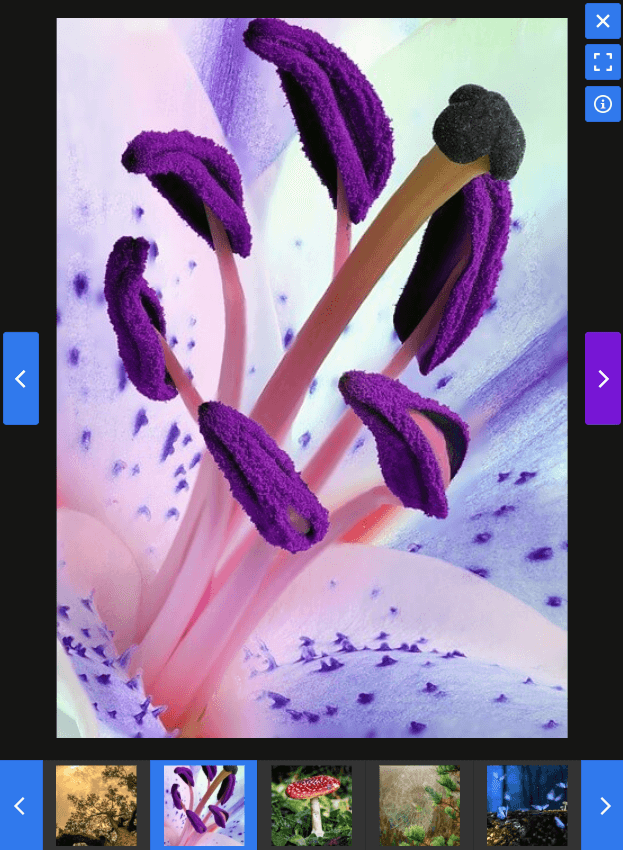
Our PRO Starter plan also includes the built-in lightbox. With our free gallery plugin, you need to install a separate lightbox, such as FooBox. But with the Starter plan, this is not necessary. You can simply select the Pro lightbox in the settings, to open your gallery images in a stunning lightbox.
The built-in lightbox is also fully customizable, allowing you to select various colors, caption positions, thumbnail positions, and so on.
Here’s a look at the built-in lightbox on mobile.
Hover Presets
The Starter plan will come with the same hover settings as you have in free. But to make your life even simpler, it will also include our custom hover presets. Using one of these presets saves you from having to style your own hover effects, and it will lend your gallery a professional appearance.
Thumbnail Effects
The new PRO Starter plan also includes a bonus feature: Thumbnail Effects. You can use these filters to add an Instagram-like effect to your gallery thumbnails. Take a look at the Thumbnail Effect Demos for yourself.
Support & Upgrades
All of our premium plans come with priority support. This includes the new Starter plan! This means that you can reach out to our support team, should you have any queries or concerns, for the duration of your license.
The Starter plan also includes upgrades for the term of your license. Should we make any core changes to FooGallery, or add to the features included in the plan, then you will be able to upgrade and enjoy these features.
See the FooGallery pricing table for current PRO Starter plan options, site limits, and billing terms. Eligible purchases include our 30-day no-questions-asked refund policy. If you find that this plugin isn’t for you, then we will refund your payment if it is within 30 days of your purchase.
Is the PRO Starter Right For You?
Now that you know what’s included in the Starter plan, let’s look at whether this is the right plan for you.
If you find that you need a bit more customization, or easy-to-use effects, then the Starter is a good option. With the added pre-styled hover effects and thumbnail effects, you can easily add more visual appeal to your galleries.
Similarly, the additional three gallery templates give you more options for styling a gallery. And all of the additional features, including the built-in lightbox, will make it much quicker to set up and style your galleries. The lightbox gives you even more customization options and saves you from having to download an additional plugin.
However, the Starter is just that – a starting point for more professional-looking galleries. It’s a way to advance your gallery appearance, without having to pay for features that you’re not going to use.
But if you are looking for advanced features, like video galleries, filtering, paging and dynamic galleries, then the PRO Expert plan is probably a better choice.
FooGallery PRO Expert
The Expert plan is better suited for experts. If you’re a website owner, freelance developer or someone building extensive and varied galleries, then we would recommend the Expert plan.
This plan comes with video importing, advanced pagination, filtering and multi-level filtering, bulk tagging and more, to help you set up more advanced WordPress galleries.
You can compare both plans, to see which one sounds like the right fit for you.
Free Trial
If you’re still undecided, we would recommend using the Free 7-day No Obligation Trial. This will let you explore the features of your chosen plan before you purchase, which can help you decide which plan is the best fit for you.
Still have questions? Feel free to contact us directly.