

HTML Captions
Add HTML captions to your WordPress gallery with FooGallery. Include clickable photo credits, links and simple formatting in your image captions.
Add links and formatting in the Media Library.
Link photo credits to the original photographer.
HTML captions are included in FooGallery Free.

Free included
100K active installs
4.8 / 5 rating
980+ reviews
Try the HTML captions gallery
Hover over a photo to see its caption. Linked photographer names open their Pixabay profiles. On a desktop? Try the phone icon to see how the gallery fits a smaller screen.






Device preview switcher available on desktop devices
Create your first gallery with HTML captions
Follow the HTML captions setup guide to add links and photo credits with FooGallery Free. For reusable custom caption templates that include image metadata and custom fields, choose PRO Expert.
Included in PRO Starter
Mobile Gallery Settings
Fine tune how captions appear on phones, including changing the visibility, alignment and more. For the demo used here, mobile also adjusts pagination for less scrolling. These extra controls are included in PRO Starter and higher plans; HTML captions remain free.
Add context and credits to your photos
Give visitors a source, a credit or a related page to explore alongside each image.
- PublishersLink to sources and references from your image captions.
- Product teamsLink captions to product details or related pages.
- Portfolio sitesAdd photographer credits and links to project pages.
More FooGallery features
Explore more ways to style your galleries and display your photos, with a working demo for each feature.

Animated Hover Effect Presets
FooGallery Pro Starter comes with a selection of pre-styled hover effects. These unique hover presets save you from having to style your own and add a unique style to your galleries.

Color Sorting
Extract dominant colors from your images, then use the dominant color to sort and add tinted backgrounds to your galleries.
Custom Captions
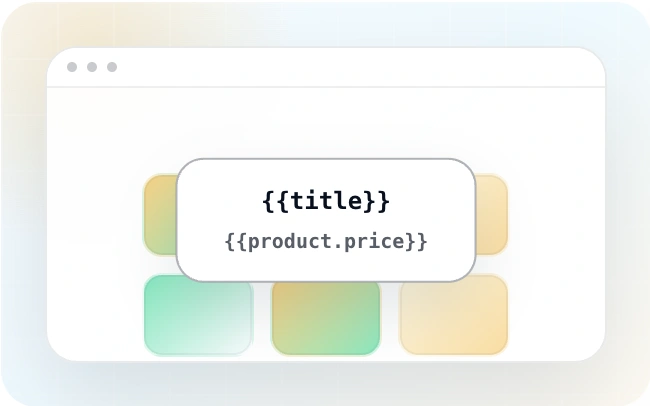
Are you looking for a quick way to add custom captions? FooGallery PRO Expert allows you to add custom captions to images inside your WordPress galleries.
Frequently Asked Questions
HTML captions let you include links and simple formatting in gallery caption text. Add the HTML to an image’s Caption field in the Media Library, then choose Attachment Caption as the caption source in FooGallery. Unsupported or unsafe markup may be removed.
Yes. Add a link in the Caption field, for example: <a href="https://example.com/">Photo credit</a>. Use the full destination URL, including https://.
Yes. HTML captions are included in FooGallery Free and all paid plans.
HTML captions display links and formatting saved with each image in the Media Library.
Custom captions use reusable templates to insert values from image metadata or custom fields. That separate feature requires PRO Expert or PRO Commerce.
Explore the custom captions demo for examples of caption templates, or follow the HTML captions guide to add links to individual images.
Check that the image’s Caption field contains your text, then select Attachment Caption as the title or description source in the gallery’s Captions settings. Also check caption visibility under Hover Effects: captions may appear only when you hover over an image.
Yes. Caption visibility is controlled in the Hover Effects settings for supported layouts. This demo shows captions on hover, including clickable photographer credits. The HTML supplies the caption’s links and formatting; the gallery settings control when it appears.
They can. This demo uses FooBox, where visitors can open a photo and click the photographer’s link in its caption. Caption support depends on the lightbox you use.
Caption placement depends on the gallery layout. FooGallery’s Simple Portfolio layout lets you place captions above or below the images. This demo uses the Responsive layout with captions over the thumbnails.
A caption gives visitors visible information, such as a photo credit or related link. Alt text describes the image’s purpose for people using screen readers. Adding an HTML caption doesn’t automatically provide suitable alt text. Our guide to adding image captions in WordPress explains where to edit captions and alt text.
Start free
Build this gallery with FooGallery Free
Install FooGallery Free to add HTML captions with photo credits, links and simple formatting.