
FooConvert includes a bar popup. With this, you will either be able to use one of the predesigned bar templates, or create your own from scratch.
To begin, go to FooConvert in your WordPress dashboard and select Add New Popup. The popup selector will be displayed. Select Bar in the menu on the left.
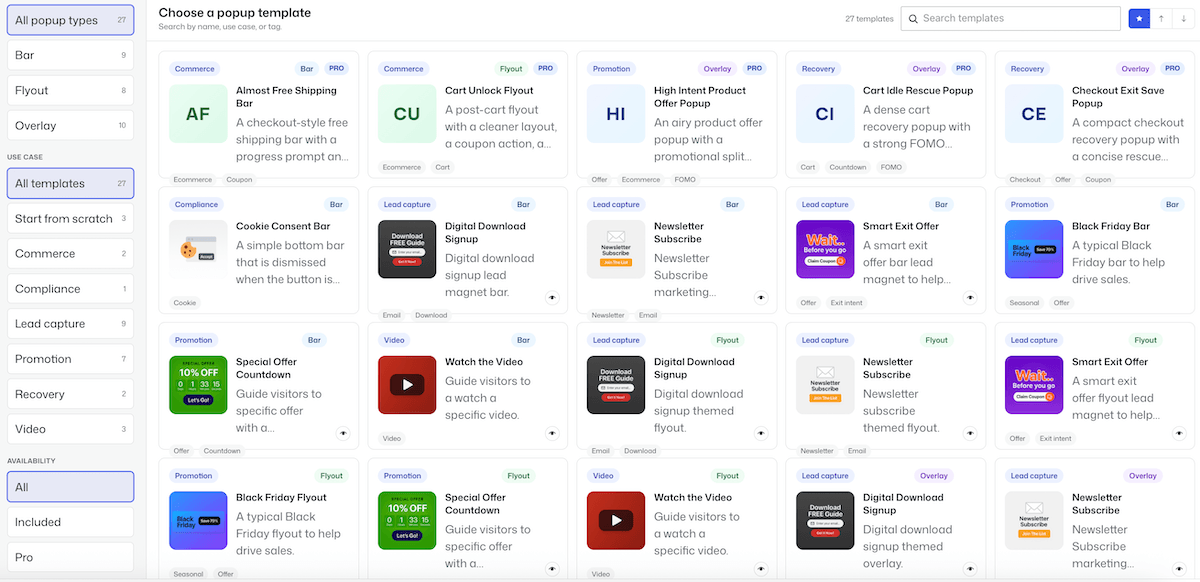
You can select from the available bar templates, refine your search by selecting the type of template you want, or choose to start from scratch. If you select an existing template, the bar editor will open with the predesigned bar displayed. You can then change any of the elements to suit your needs.
Adding a New Bar on FooConvert
If you choose to create your own bar, a new page will open where you can add content to your bar and style it.
To add content, simply click on the ‘+’ icon and select the type of content you wish to use – this could be text or a button, for example. You can also change the background color, use a background image, add a border and change the radius of the corners. In the example below, we’ve used a gradient color for the bar, added a small white border and made the corners slightly rounded.

The next step is to set up the visibility of your bar. By clicking on Bar on the right of the page, click on Display Rules, where you will be able to set where the bar is displayed and who is able to see it. In the Block settings for the bar itself, you will also see a number of Trigger options – use these to set when the bar is displayed to users.
Once you have set your rules and triggers, you can publish your bar.


