

WordPress Portfolio Gallery
Create a WordPress portfolio gallery to show your photography, designs or project images. FooGallery’s Portfolio layout pairs uniform thumbnails with captions below each image.
Show project names and descriptions below your photos.
Choose borders, rounded corners and image gap.
The Portfolio layout is included in FooGallery Free.
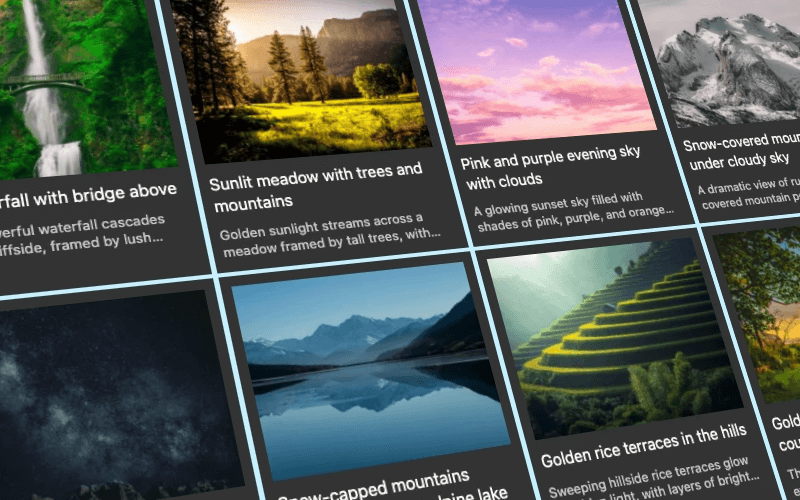
Free included
100K active installs
4.8 / 5 rating
980+ reviews
Try the portfolio gallery
Compare the bordered and borderless examples below. Click a photo to open the lightbox. On a desktop? Try the phone icon to see how each gallery fits a smaller screen.
Portfolio Demo 1 : Simple portfolio gallery with borders








Device preview switcher available on desktop devices
Portfolio Demo 2 : Portfolio without borders
Device preview switcher available on desktop devices
Create your own portfolio gallery in WordPress
Install FooGallery Free, add your photos and choose the Portfolio layout. Follow the setup guide to adjust the thumbnail size, spacing and captions.
Included in PRO Starter
Mobile Gallery Settings
Set different gaps between portfolio images on phones. You can also choose which thumbnail titles and descriptions appear, change their alignment, and show pagination. Your desktop settings stay as they are.
These demos show different pagination controls on mobile, as well as making small tweaks to the captions. The phone preview shows how they fit a smaller screen. The FooGallery portfolio layout itself remains free.
Who this is for?
Show your work with context.
Keep a selection of your work together, with captions that explain each photo or project.
- CreativesDisplay photography, illustrations or designs with a title for each piece.
- AgenciesShow client projects and describe the work alongside each image.
- FreelancersAdd work samples from your media library without writing gallery code.
More FooGallery features
Explore more ways to style your galleries and display your photos, with a working demo for each feature.
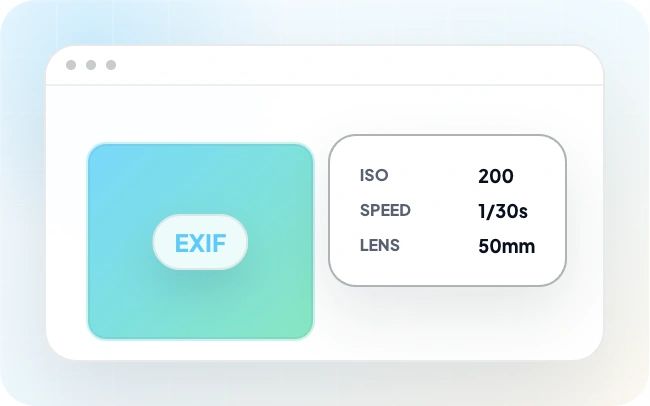
EXIF Metadata
With FooGallery PRO Expert, you can include EXIF data with your gallery images. This exif data tells you about technical aspects of the image and how it was taken.

Dynamic Gallery
Dynamic galleries load gallery content from another source instead of requiring every image to be selected manually.

Slider Layout
Display gallery images in a slider layout.
Questions about portfolio galleries
A WordPress portfolio gallery displays a selection of your work on your site. FooGallery’s Portfolio layout uses uniform thumbnails with space below for titles and descriptions.
Yes. The Portfolio layout used in both demos is included in FooGallery Free.
Yes. Change the thumbnail size, spacing, border and background theme in the gallery settings. You can also use rounded corners or remove the border, as the second example shows.
Photographers, designers, artists and agencies can use it to show work samples. Captions below the images give visitors room to read project names and descriptions without hovering.
To compare the portfolio gallery with other FooGallery layouts, take a look at the demo page. You might like the Polaroid Pro layout, available in FooGallery PRO Starter, which displays photos as Polaroid-style prints.
Install FooGallery Free, create a gallery and select images from your Media Library. Choose the Portfolio layout, adjust the thumbnail size and spacing, then save your gallery. Add it to a page using the FooGallery block or the gallery’s shortcode.
Add text to your images in the WordPress Media Library or through Manage Items in FooGallery. In the gallery’s Captions settings, choose which fields supply the title and description. The Portfolio layout can display that text below each thumbnail, so visitors can read about your work without hovering.
Yes, with FooGallery PRO Expert or Commerce. Assign Media Tags or Categories to your images, then enable gallery filtering so visitors can narrow the collection by project type or subject. The Simple Portfolio layout is free; visitor-facing category filters require a paid plan.
Yes. FooGallery PRO Expert and Commerce support video galleries, including galleries that mix photos and videos. You can import supported video URLs and display them alongside your images. Video support requires one of these plans.
Start free
Build this portfolio gallery
with FooGallery Free
Add your photos, choose the Portfolio layout and publish your WordPress portfolio gallery with FooGallery Free.