
If you are an existing customer, in other words, if you already own a FooGallery, FooBox, or FooBar license, you can still upgrade your license.
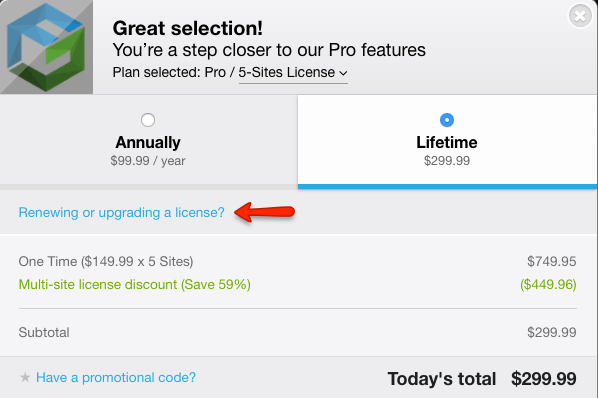
To do this, go to the pricing section on the FooGallery, FooBox, or FooBar page on FooPlugins. Click on the plan to which you would like to upgrade. Here you’ll see a question asking if you would like to renew or upgrade your license. Click on this.
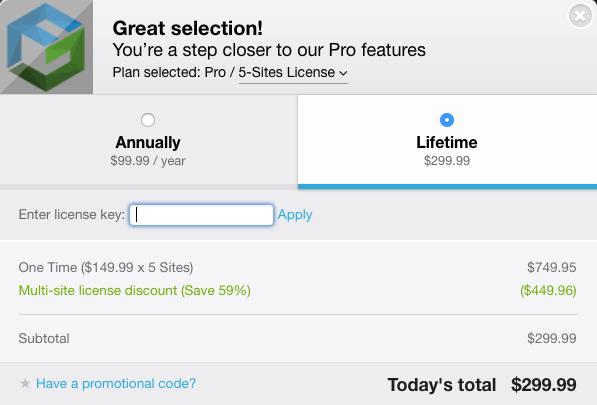
You’ll be asked to fill in your license key. You can find your license key in the Account tab of your plugin, in your WordPress menu. Copy the key, paste it into the field provided, and then hit Apply.
Complete the remaining details on the checkout panel and review your order.
Upgrading From Your Account
You can, alternatively, upgrade your license from your plugin account page.
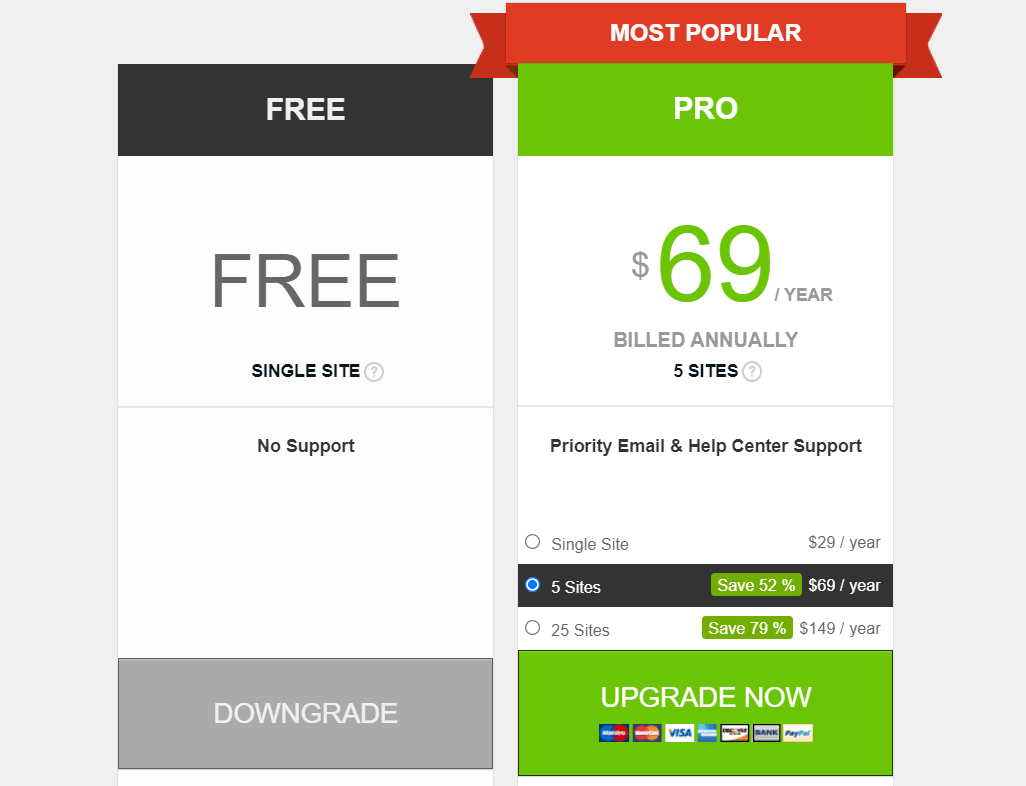
To do this, go to either FooGallery, FooBox or FooBar in your WP menu, and select the Pricing tab. Here you’ll see a selection of plans, with your current plan showing. Select the plan to which you would like to upgrade, and click on Upgrade Now.
Note that with FooGallery, you will also be able to upgrade to PRO Expert (if you’re using PRO Starter), or to PRO Commerce.
The checkout panel will now appear, with your upgraded license details. Double check that the correct plan has been selected – you’ll see this in the top section of the checkout panel, next to the plugin logo. Also ensure that you have selected Upgrade my current license. The checkout shows the upgrade options currently available for your license.
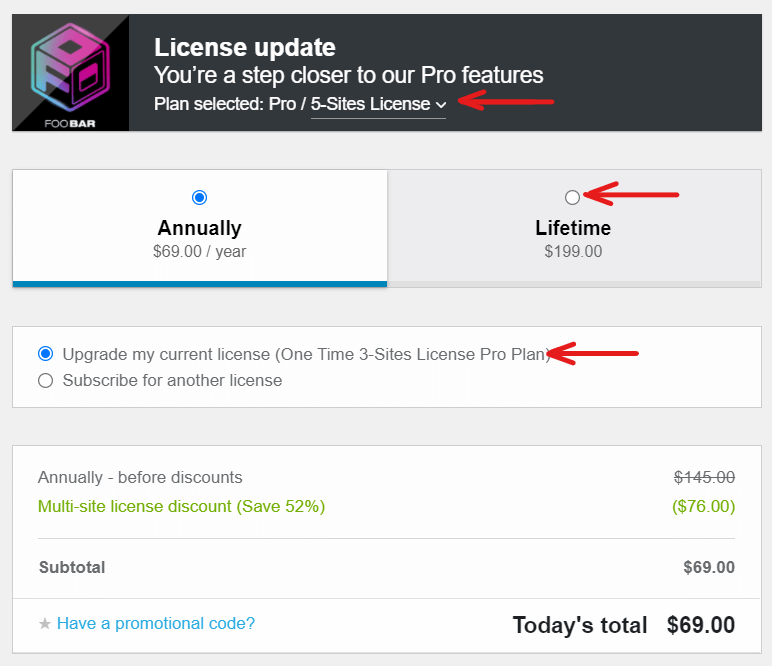
The total should now have adjusted to reflect a pro-rata amount, taking into account your previous payments and the time over which you have been using your current license.
If you have any trouble upgrading your license, please contact us so that we can assist.


