
In today’s competitive digital landscape, converting website visitors into customers or subscribers isn’t just important — it’s essential. WordPress site owners face a crucial decision when choosing a conversion optimization plugin, as this choice can significantly impact their business success. With numerous options available in 2025, finding the right solution that balances functionality, performance, and cost can be challenging.
In this article, we’re going to explore some of the must-have features for a conversion-focused plugin, and look at some of the best options available to you.
Understanding Conversion Optimization Plugins
Before diving into specific comparisons, it’s important to understand what makes a conversion optimization plugin truly effective. The best solutions should offer as many of the below features as possible:
- Seamless WordPress integration: An effective conversion plugin should integrate smoothly with your existing theme and plugins without conflicts. Using a plugin that offers a familiar interface that matches the WordPress admin experience makes the learning curve and overall experience easier.
- Minimal impact on performance: Your conversion plugin should be lightweight and optimized, adding minimal overhead to your page load times and Core Web Vitals scores. The best plugins use efficient code and lazy loading techniques to ensure they don’t negatively impact your site’s speed or SEO rankings.
- A user-friendly interface: An intuitive interface allows both beginners and experienced users to create and manage conversion elements without needing technical expertise. This includes drag-and-drop functionality or visual editors that provide immediate feedback on your changes.
- Flexible customization options: Look for a plugin with customization options for colors, layouts, animations, and targeting rules, and that doesn’t require custom code. The ability to match your website’s design while maintaining flexibility for different campaigns is crucial for maintaining brand consistency.
- Reliable analytics: Clear, actionable analytics that show how your conversion elements are performing are essential for optimizing your marketing efforts. The plugin should provide easy-to-understand metrics about impressions, conversions, and A/B test results that integrate with popular analytics platforms.
- Cost-effective pricing: The plugin’s pricing should provide clear value for money, balancing functionality with affordability, ensuring a positive ROI for your business. Be aware, also, that many conversion plugins set restrictions on usage, charging by campaign, views or clicks for example.
- Ecommerce awareness. For WooCommerce stores, a conversion plugin that knows what’s in the cart is fundamentally more useful than one that only knows what page someone is on. Look for triggers that respond to cart and checkout events, display rules that target WooCommerce pages and customer roles, and analytics that attribute actual order value rather than just clicks.
Let’s explore how today’s leading plugins measure up against these criteria, with a special focus on why FooConvert has emerged as a game-changing solution.
WordPress Conversion and Popup Plugins: An Overview
Here’s a quick look at the top options:
| Plugin | Type | Free version | A/B testing | WooCommerce cart awareness | Revenue attribution | View / traffic limits | Price From |
|---|---|---|---|---|---|---|---|
| FooConvert | Native WP plugin, block editor | Yes; premade templates, triggers, display rules, basic analytics | PRO | PRO; cart, checkout and product-intent triggers, WooCommerce display rules | PRO | None on either tier | $39.99/yr (1 site) |
| Popup Maker | Native WP plugin, self-hosted | Yes; unlimited popups, core triggers | Paid tiers | Paid tiers; cart contents targeting, automatic discounts | Pro+ | None | $59.50/yr |
| OptinMonster | SaaS with WP plugin | Plugin is free; campaigns need a paid account | Higher tiers | Ecommerce targeting on higher tiers | Higher tiers | Yes; pageview caps by plan | $7-49 per month (billed annually) |
| Poptin | SaaS with WP plugin | Yes; includes exit intent and A/B testing | Yes, including free | Limited; behaviour-based, not native cart state | No | Yes; monthly visitor cap on free tier | $240/yr |
| Thrive Leads | Native WP plugin (Part of Thrive Suite) | No | Yes | No native cart awareness | No | None | $199/yr or $599 for Thrive Suite |
| Common Ninja | External widget platform, manual embed | Limited | Yes | No | No | By widget count and tier | $21/year (1 widget) |
Note: Pricing checked against each vendor’s pricing page in September. OptinMonster plans are billed annually with introductory rates that renew higher, and each tier carries a monthly pageview limit. Popup Maker also renews at a higher rate and premium features are tiered, with WooCommerce cart features in the upper tier. Poptin’s free plan is capped by monthly visitors. FooConvert places no limit on popups, views or clicks in either the free or paid version.
TL;DR
Which is the best WordPress popup plugin for you?
For WooCommerce stores wanting native cart integration without a SaaS subscription, FooConvert PRO is your best bet. For large-scale lead generation with advanced segmentation, look at OptinMonster. For sites already using Thrive Themes, Thrive Leads, and for a free starting point, try FooConvert Free or Popup Maker.
FooConvert: The Modern Approach to Conversion Optimization
FooConvert represents a new generation of WordPress conversion plugins, designed specifically to address the common pain points of website owners. Unlike other alternatives, FooConvert focuses on delivering maximum impact with minimal overhead.
FooConvert is owned and maintained by FooPlugins. When we mention or recommend FooConvert in this article, that relationship may influence how the product is covered; product details should be checked against current documentation, demos, pricing, and release notes.
Some of FooConvert’s key features include:
- Easy popup design: with bars, flyouts, and modal popups available, you can craft a multitude of conversion elements for your specific needs and to appeal to your specific audience. FooConvert includes a range of templates for different conversion goals from lead generation bars, to exit-intent popups or countdown flyouts. FooConvert PRO integrates with WooCommerce for targeting shoppers. Plus free and Pro users can create popups with the AI Builder, using your own brand context and natural language prompts.
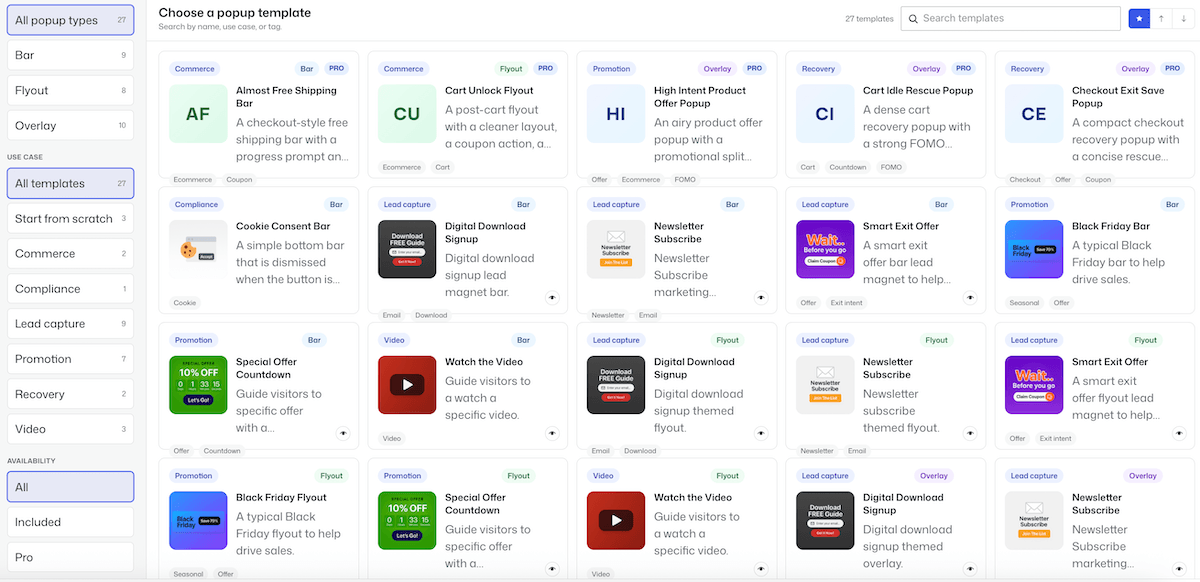
- Lightning-fast loading times: FooConvert is a lightweight plugin, ensuring minimal impact on page load times.
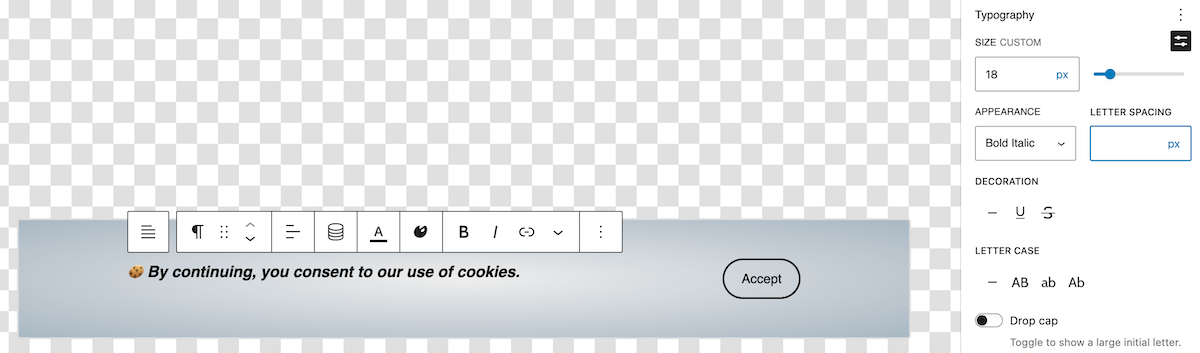
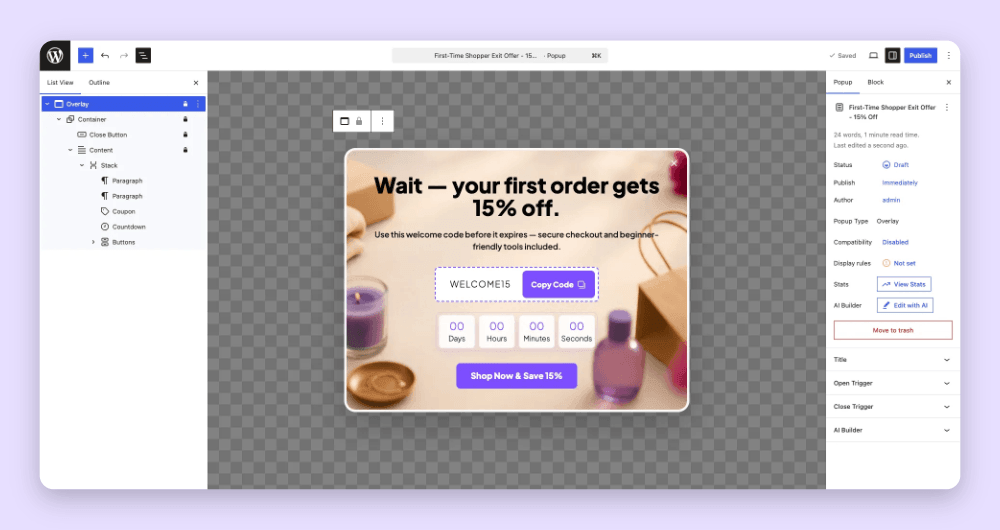
- Intuitive editor: FooConvert uses the WordPress block editor for creating or editing popups, keeping the learning curve to a minimum and allowing users can get popups set up in just minutes. Whether you create your own, use the AI Builder, or select from the supplied templates, you can edit any popup easily.
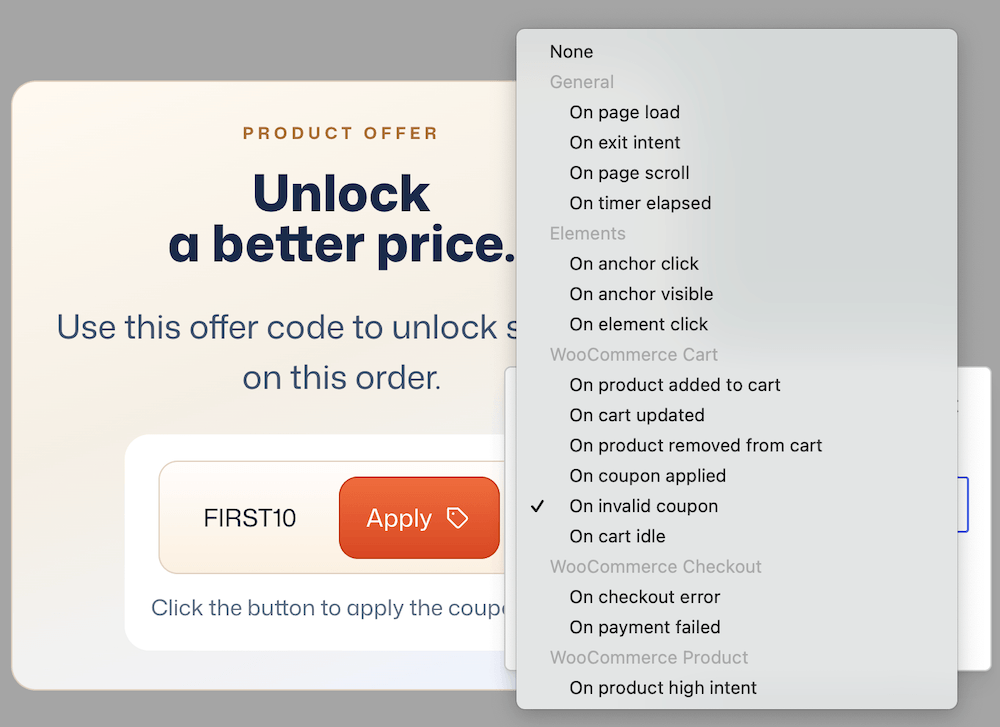
- Advanced targeting options: Popups can be placed on any page or post on your website, and you can set which users are able to view them. But perhaps best of all, FooConvert includes various triggers, such as Anchor Click, Page Scroll or Exit Intent, allowing you to display widgets when they will have the biggest impact. Pro users also have access to WooCommerce-specific triggers, such cart, coupon or checkout-related actions.
- Mobile-first design: all popups are responsive, keeping user experience front of mind.
- Unlimited usage: with FooConvert (Free and Pro) you can build as many popups as you like for the WordPress site on which it is installed. There is also no cap on views or clicks.
FooConvert works to achieve a balance of functionality and performance: it provides everything you need to optimize your conversions, without unnecessary extras that slow down your site.
Industry Giants: A Closer Look
OptinMonster
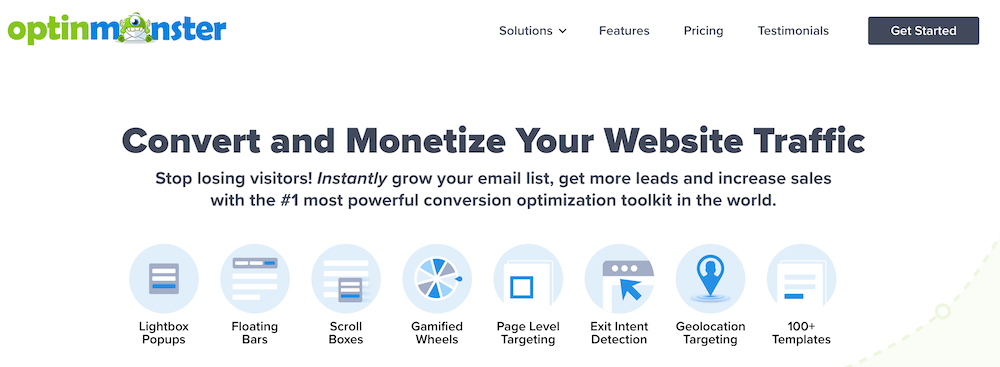
Long considered the industry standard, OptinMonster offers an extensive feature set designed to convert website visitors into leads. It comes with a comprehensive template library, a drag-and-drop builder for easy form building and a robust A/B testing feature. One of its biggest advantages is its extensive targeting and segmentation features, allowing users to display personalized messages based on visitor behavior, location, or referral source.
However, there are some drawbacks. Unlike many WordPress plugins, it operates as a cloud-based SaaS (Software as a Service) requiring users to log in separately to manage campaigns, which can be inconvenient for those who prefer an all-in-one WordPress experience. Additionally, pricing may be an issue for smaller businesses, as advanced features are locked behind higher-tier plans. Some users may also find the interface slightly complex when dealing with advanced rules and conditions.
Thrive Leads
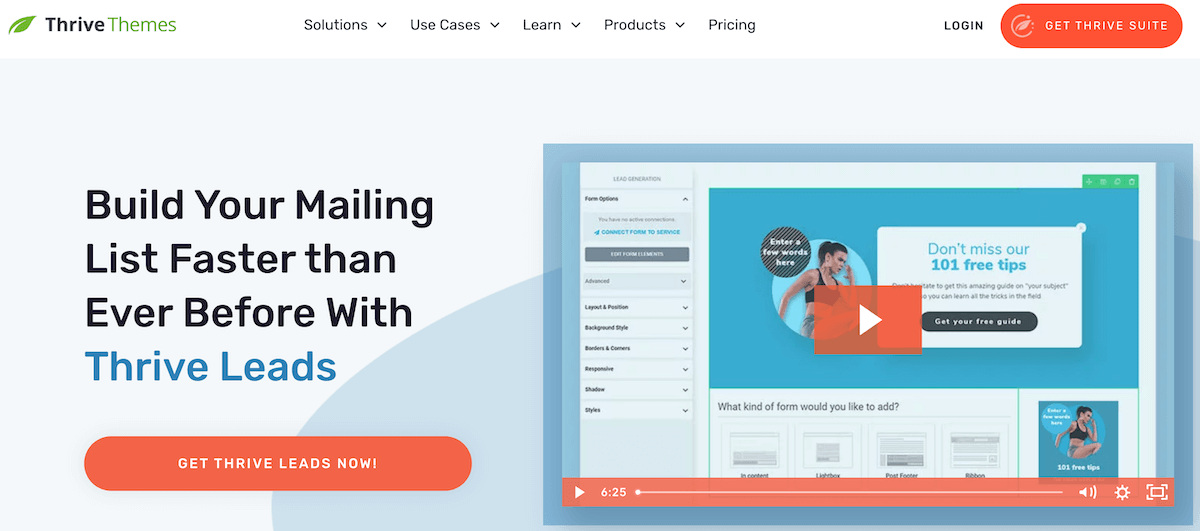
A popular choice for Thrive Themes users, Thrive Leads is a solid lead generation plugin. It boasts a range of features such as an intuitive drag-and-drop editor, extensive form templates, and powerful targeting features. It also has built-in A/B testing and can give you an overview of how your opt-in forms are performing.
While you can get Thrive Leads on its own, it also comes as part of Thrive Suite (which falls under the Awesome Motive umbrella along with OptinMonster). So if you’re looking for an entire set of integrated plugins, this could be a good solution for you, however, you would need to consider the overall cost. The plugin comes with a lot of customization options, which could make it heavy on resources, and would make for a steeper learning curve.
Common Ninja

While this option is relatively new to the conversion market, Common Ninja is becoming a popular choice thanks to it being an all-in-one widget platform. This tool allows you to create multiple widget types using modern, customizable templates, and it comes with some fairly advanced analytics. It can also be an affordable solution, but depending on the number of widgets and the pricing tier you choose, your costs could quickly add up.
While it isn’t a WordPress plugin, it does offer integration with WordPress. However, you would need to create your widgets in Common Ninja and then manually embed them onto your WordPress posts or pages, which could make for a more complicated process. Additionally, statistics are stored on your Common Ninja dashboard, not on WordPress.
Poptin

Poptin sits between a WordPress plugin and a hosted service. You install the plugin, but “it runs on a SaaS model — after installing you create a Poptin account and connect it to your WordPress site”. The builder itself is drag-and-drop and easy-to-use, with a good template library and targeting by traffic source, country, date and time, and page.
Its standout is the free tier, offering the exit-intent trigger (which most competitors charge for), and free users get A/B testing and analytics too. That makes it one of the more capable free options. However, the free tier does limit monthly website visitors.
The trade-offs are the ones common to SaaS-backed tools. Your campaigns and statistics live in Poptin’s dashboard rather than in WordPress, so you’re managing conversions in a second place. The visitor cap means costs scale with your traffic rather than staying fixed. And as your site grows, the plan you need grows with it.
Popup Maker
Popup Maker is the most widely used free popup plugin in the WordPress ecosystem, with over 700 000 active installations. Unlike most freemium tools, the free version is a working product rather than a trial: unlimited popups, click, scroll and time-delay triggers, conditional display rules, and no account with an outside service required.
For WooCommerce stores it’s the most direct alternative to FooConvert PRO, as it integrates with WooCommerce and Easy Digital Downloads, allowing targeted upselling based on cart contents and browsing behaviour. Its pro tiers add features like cart management, automatic discounts, and revenue attribution showing which popups drive actual sales; the WooCommerce and analytics features also sit in the paid tiers rather than the free one.
However, because everything renders from your own server, it can be more weighty than a cloud-based tool. Several reviewers also note the setup can feel involved at first.
Specialized Solutions
Nelio A/B Testing is a powerful A/B testing plugin for WordPress that allows users to test different versions of pages, posts, themes, and even WooCommerce products with detailed analytics. But it can be resource-intensive, which could potentially slow down your website, and its pricing (particularly for premium features) may be high for small businesses.
TrustPulse is an excellent social proof plugin that boosts conversions by displaying real-time notifications of user activity, increasing credibility and urgency. It is a popular option for social proof, but beyond that, it doesn’t offer any other way in which to convert customers. There are limited customization options and pricing is based on website traffic which may make it expensive for high-traffic sites.
WPForms is a beginner-friendly drag-and-drop form builder with pre-made templates, integrations, and advanced features like conditional logic and payment processing. This is a great option for a form builder, but you are limited to form conversions. Additionally, the free version (WPForms Lite) has limited features, requiring a premium upgrade for more advanced functionality.

WooCommerce and Ecommerce Conversion
Generic popup tools often fall short for online stores. They don’t include WooCommerce page-based triggers which can tell you if someone is on the cart page. They can’t tell you if a customer just removed an item, or that they’re $12 short of free shipping. That gap is where most ecommerce conversion opportunities live, and is therefore an important consideration when choosing a popup tool for ecommerce sites.
How each tool here handles it:
- FooConvert PRO: includes native WooCommerce triggers (cart updated, product removed, checkout, high product intent), WooCommerce display rules (shop, product, cart, checkout, order confirmation, customer role), Apply Coupon and Free Shipping Progress blocks, and revenue attribution per popup
- OptinMonster: has ecommerce targeting on its higher tiers, but it’s a SaaS layer over your store rather than a native integration, and the ecommerce features sit behind the more expensive plans
- Popup Maker (Pro / Pro+): Integrates with WooCommerce and Easy Digital Downloads for cart-contents targeting, and Pro+ adds cart management, automatic discount application and revenue attribution.
- Poptin: offers ecommerce targeting and coupon features, but the cart awareness is shallower than a native WooCommerce integration: it can respond to page and behaviour signals rather than live cart state. Campaign data also lives in Poptin’s dashboard rather than alongside your WooCommerce orders, which makes tying popup performance to revenue harder.
- Thrive Leads: built for list building rather than store conversion; no native WooCommerce cart awareness
- Nelio A/B Testing: can test WooCommerce products, which is genuinely useful, but it’s a testing tool rather than a conversion tool
- Common Ninja, TrustPulse, WPForms: no meaningful WooCommerce cart integration
Of the tools here, Popup Maker Pro+ is the closest direct alternative to FooConvert PRO for WooCommerce stores; both offer cart-aware targeting and revenue attribution from within a self-hosted plugin. The practical differences come down to how each is priced, how much page weight each adds, and whether you prefer building in the block editor or in a dedicated interface.
As a short checklist, here’s what to check before you buy:
- Does the tool read cart state?
- Can it apply a coupon directly?
- Does it attribute revenue?
- Does it work without a separate SaaS subscription?
Cost-Benefit Analysis
When comparing costs and value, FooConvert offers compelling advantages in that it has a straightforward pricing structure and no hidden costs. FooConvert is available for free on WordPress.org; this version lets you create your own popups (bars, flyouts or modal popups) and place them on any page or post on your website. Predesigned templates, triggers and display rules are also included in the free plugin, along with the AI Popup Builder (using your own connector) and the Brand Context tools. Plus, there is no limit to the number of widgets, campaigns, views or clicks that you get, in either the free or paid versions!
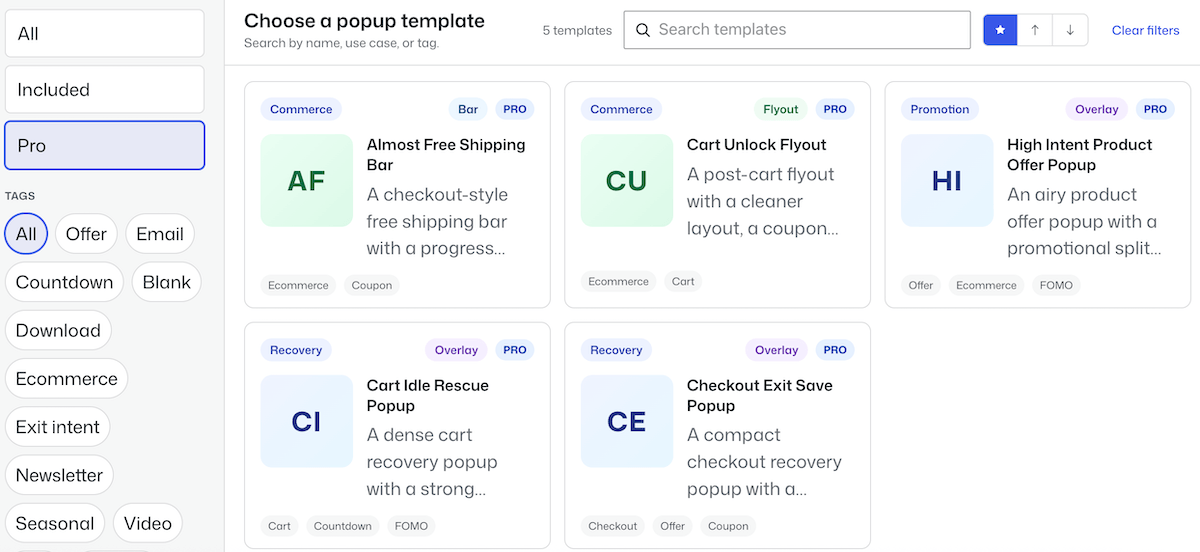
FooConvert PRO gives you the same options as free, but includes WooCommerce templates, such as free shipping, cart idle or high-intent product offer designs. You can use these as is, or customize to suit your needs, and there’s a Pro Confetti block that you can add to offers. These templates come with the trigger and location settings already in place by default, but again, these can be changed as needed.
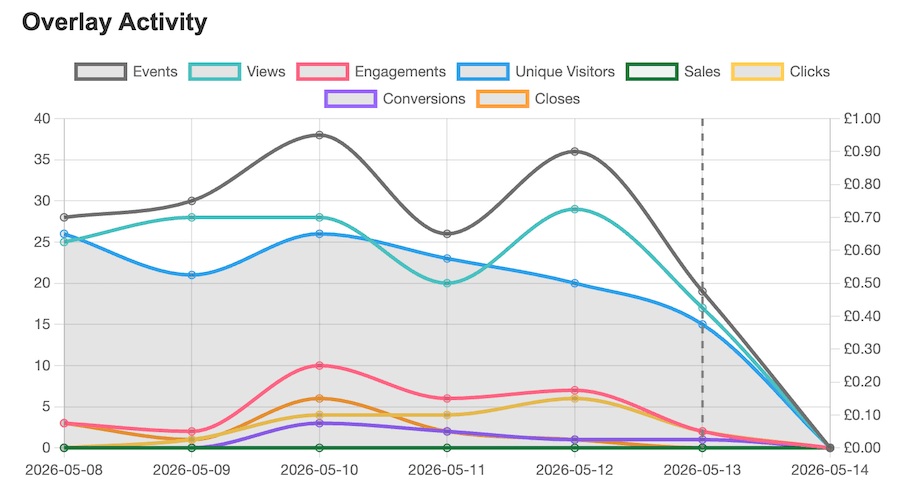
The main advantage of the premium plugin is the ‘behind-the-scene’ tools such as A/B Testing and Analytics. The A/B Testing, or Experiments, allow you to set up variants of a single popup and test these with your audience. The auto-enable winner feature means you can set up the test, run it for a specified time and apply the winning variant without any manual intervention. While basic analytics are included in free, the Pro analytics give you real-time data for how each of your widgets is performing, including engagement, conversions, clicks and, for WooCommerce stores, sales and revenue generated by the popup. You can see when changes are made, and track how these impact widget performance.
FooConvert PRO is available for $39.99 a year, for the single-site license. 5- and 25-site licenses are also available, as are lifetime options.
Competitor Pricing
Each of the options that we’ve looked at offer different pricing structures and models, and each includes a different set of features. We’ve provided a quick breakdown of the plugin pricing below.
- OptinMonster: starts from $7-49 per month (billed annually), depending on your plan. However, this renews at 60% more. All plans offer unlimited campaigns and subscribers but campaign impressions are limited, starting at just 2500 for the basic plan.
- Thrive Leads: $199 per year, or $599 a year for Thrive Suite, although the offer at the time of writing this is 50% off for the first year.
- Nelio A/B Testing: from $39 to $399 per month (incl VAT); the different plans account for more sites and views, along with some extra features for the higher plans.
- Common Ninja: prices are based on the number of widgets you select, and the pricing tier (e.g. Ultimate, Pro or Essentials). For example, 1 widget on the Essential tier (the cheapest option) will cost $21 per year, while 10 widgets on the ultimate tier would be about $327 per year.
- Poptin: the free plan gives you the majority of the features but limits your monthly visitors. For more visitors, and improved features, plans start at $20 per month, billed annually.
- PopupMaker: the pro tier starts at $59.40 per year, giving you advanced analytics, better targeting and exit and scroll triggers. Pro+ gives you ecommerce integration, sales analytics and more advanced features, for $149.40. Both plans renew at 40% more.
- Others: average between $50-$200 per year
Note: Costs checked in September 2026
Choosing the Right Conversion Optimization Plugin
When selecting the right plugin for your website, you need to weigh up the varying factors and choose the best option for you. However, you should consider these key factors:
- Performance Impact: Take note of how the plugin or conversion elements impact your page speed. FooConvert’s lightweight architecture ensures your site remains fast and responsive. Heavier alternatives may compromise your core web vitals or user experience.
- Ease of Use: Plugins like OptinMonster and Thrive Leads offer more features, but this often means that there is a steeper learning curve. FooConvert’s intuitive interface allows you to create effective conversion elements within minutes.
- Cost Effectiveness: When looking at costs, take note of any potential limitations, such as the number of campaigns or views. FooConvert provides all essential features at a competitive price point, without locking crucial features behind expensive tiers or limiting your conversions.
- WordPress Integration: As a purpose-built WordPress plugin, FooConvert integrates seamlessly with your site, unlike some competitors that work as external tools which then need to be implemented into the WordPress ecosystem.
Grow Your Conversions with the Right WordPress Popup Plugin
While the WordPress plugin marketplace offers numerous conversion optimization solutions, FooConvert emerges as the smart choice for website owners who value performance, ease of use, and cost-effectiveness. It offers a performance-first plugin with a user-centric approach, providing an interface that is designed for both beginners and advanced users. It includes all the tools you need for effective conversion optimization without unnecessary complications, and it does so at competitive pricing without feature limitations.
Of course, it might not be the best option for your needs. If you need a full email marketing platform, FooConvert isn’t it; if you’ need ‘re looking for multivariate page testing rather than popup testing, Nelio is a better option; and if you’re not on WordPress, FooConvert isn’t an option at all.
However, in a real-world instance, FooConvert offers WordPress website owners a quick implementation time with a low learning curve, and the potential for better conversion rates. Whether you’re running a small business website or managing a large ecommerce store, FooConvert offers a good balance of functionality and simplicity. Its performance-first approach ensures your site remains fast and responsive while delivering the conversion tools you need to grow your business.
Ready to experience the difference? Try FooConvert today and see why it’s becoming the preferred choice for WordPress conversion optimization.
Start your journey to better conversions with FooConvert!
FooConvert WordPress conversion plugin
The Best WordPress Conversion Plugin
FooConvert is an easy-to-use WordPress conversions plugin, draw attention, increase sales and engagement.
FAQs
Get the Answers You Need
Use native Accordion blocks so questions stay easy to edit in the block editor.
It depends on what you need it to do. For WooCommerce stores that want cart-aware popups and revenue tracking inside WordPress, FooConvert PRO or Popup Maker Pro+ are the strongest options. For large-scale lead generation with advanced segmentation, OptinMonster. For a capable free starting point with no external account, FooConvert Free or Popup Maker. For sites already running Thrive Suite, Thrive Leads. The right answer depends more on your platform and your budget model than on any single feature list.
Yes, several. FooConvert’s free version includes three popup types, various predesigned templates, triggers, display rules and basic analytics, with no limit on views or clicks. Popup Maker’s free tier gives you unlimited popups and core triggers. Poptin’s free plan includes exit intent and A/B testing but caps you by monthly visitors. The main thing to watch is what each free tier limits: features, sites, or traffic.
Look for native cart awareness rather than page-based targeting. A generic popup tool can tell that someone is on the cart page, but it can’t tell that they just removed an item or that they’re $12 short of free shipping. FooConvert PRO and Popup Maker Pro+ both offer cart-state targeting and revenue attribution. OptinMonster has ecommerce targeting on its higher tiers but runs as a SaaS layer over your store rather than a native integration.
Not inherently, but intrusive interstitials on mobile can. Google may penalize popups that obscure content immediately on arrival, particularly on mobile. Popups triggered by behaviour (e.g. exit intent, scroll depth, time on page) and sized appropriately on mobile are not penalized. The bigger practical risk is page weight: a heavy popup script can affect Core Web Vitals, which does influence rankings.
Generally speaking, a native plugin keeps everything in one place, has no view limits, and doesn’t need a second login, but it runs on your server, so code quality matters. A SaaS tool typically offers deeper segmentation and doesn’t add server load, but charges by traffic and keeps your data in its own dashboard. For most WordPress and WooCommerce sites, a native plugin is simpler and cheaper; for very high-traffic sites needing enterprise segmentation, SaaS may be worth the cost.
WordPress-native plugins generally run between $40–$250 per year depending on site count. SaaS tools are usually priced by traffic and cost considerably more at scale. The figure to watch isn’t the advertised price but the renewal price and the limits; several tools in this comparison advertise an introductory rate that renews significantly higher, and cap monthly pageviews on lower tiers.
Yes. FooConvert PRO includes A/B testing with goal selection, variant weighting and automatic winner application. Thrive Leads and Poptin both include testing, and OptinMonster offers it on higher tiers. If you want to test full pages rather than popups, a dedicated tool like Nelio A/B Testing might be a better solution.
No. If you need a full email marketing platform rather than lead capture that feeds into one, you’ll want a dedicated tool alongside it. If you want to test entire page layouts rather than popup variants, Nelio A/B Testing covers ground FooConvert doesn’t. If you’re not on WordPress, it isn’t an option at all. FooConvert is built for WordPress and WooCommerce sites that want conversion tools inside the block editor without traffic-based pricing — outside that, other tools here will serve you better.