
FooConvert Pro‘s A/B Testing feature lets admins create experiments with a control popup, variants, traffic weights, goals, result summaries, confidence thresholds, and optional auto-winner automation.
Here’s how to set this up.
Before you start, you need to set up a popup as your control and publish it before beginning the experiment.
A/B Testing Steps
Now follow these steps to run your experiment:
- Go to FooConvert > A/B Testing.
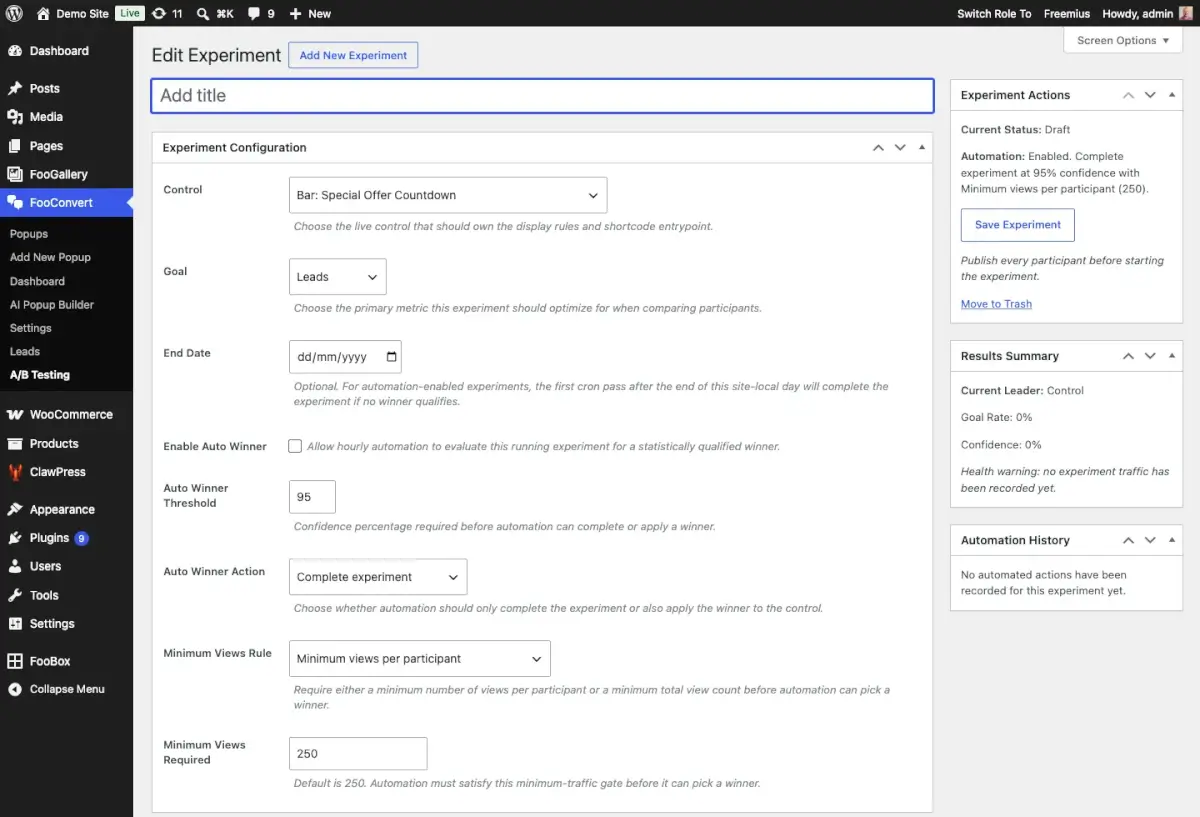
- Create your experiment and choose a live control popup. When building the test, you should use one primary goal: clicks, conversions, or leads.
- Choose an end date for the experiment. Ideally this should run for at least two full weeks to give you an accurate reflection.
- Enable Auto Winner (optional). This will automatically apply the winning variant once the threshold has been met. You can set the parameters for this, such as the minimum number of views and confidence percentage.
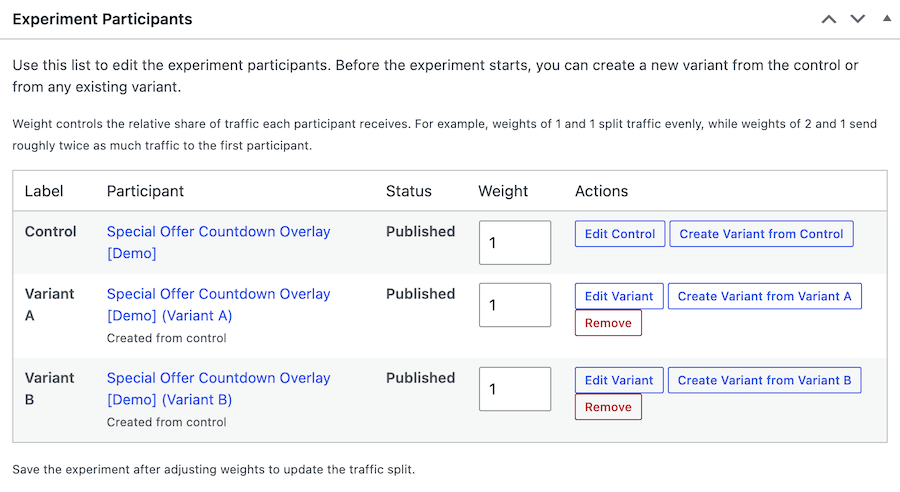
- Next, create variants from the control or from an existing variant. Once you’ve created the variant, edit the popup – it is best to change only 1 element for each variant. Then publish the variant.
- Set traffic weights to split traffic evenly or favor one participant.
- Once you start the experiment, you can pause, update or complete at any point.
- The winner will be applied (if enabled) only after the result is statistically meaningful. Alternatively, when the test has run it’s course, you can apply the winning popup manually.
Tips for Successful A/B Testing
- Avoid changing the content of your variants while a running test is still collecting data.
- Use clear variant labels so results are easy to explain later.
- Ensure the test is run over a long enough period to give you a statistically significant result.


