

Gallery Pagination
Use gallery pagination to split your WordPress photos into smaller groups. Start with Simple Dots in FooGallery Free, or use numbered pages, Load More and Infinite Scroll with PRO Expert.
Simple Dots pagination is available in FooGallery Free.
Jump between numbered pages with PRO Expert.
Show more photos with a button or as visitors scroll with PRO Expert.

Free Simple Dots
100K active installs
4.8 / 5 rating
Try the gallery pagination demos
Try each paging style below. On a desktop? Use the phone icon to compare desktop and mobile pagination. Separate mobile page sizes are included in PRO Starter.
Demo 1 : Simple Dots pagination – Free
Select a dot below the gallery to move to another page of photos.









Device preview switcher available on desktop devices
Demo 2 : Numbered pagination – PRO Expert
Choose a page number below the gallery, or use the arrows to move between pages.

Device preview switcher available on desktop devices
Demo 3 : Load More pagination – PRO Expert
Click the “Load More” button to add the next group of photos below the ones already on screen.


Device preview switcher available on desktop devices
Demo 4 : Infinite Scroll – PRO Expert
Scroll down through the gallery to reveal the next group of photos automatically. There is no button to press.





Device preview switcher available on desktop devices
Create your first gallery with pagination
Install FooGallery Free, add your photos and open the Paging tab. Choose Dots and set the number of images per page. Follow the paging setup guide to see more settings.
Included in PRO Starter
Mobile Gallery Settings
Set a different number of images per page on phones without changing the desktop page size. With PRO Expert, you can also simplify numbered navigation by hiding the first and last page buttons.
The demos above use different pagination setups for mobile, so the pagination adapts to smaller devices in a more intuitive way, to avoid the need for longer scrolling on a mobile.
Included in PRO Expert
PRO Pagination
Use numbered pages when visitors need to jump to a particular set of photos. Choose Load More to let them add photos with a button, or Infinite Scroll to reveal photos as they scroll.
PRO Expert includes all three pagination options, while Simple Dots remains available in FooGallery Free.
Make large photo collections easier to browse
Give visitors a few photos at a time, with a clear way to see the rest of the collection.
- Large portfoliosLet visitors browse your work in smaller sets.
- Event galleriesLet visitors move through big collections without overwhelming the page.
- Performance-focused sitesCombine paging with lazy loading to defer images visitors have not reached.
More FooGallery features
Explore more ways to style your galleries and display your photos, with a working demo for each feature.

Grid Layout
A grid display with the full-size image opening in the gallery.
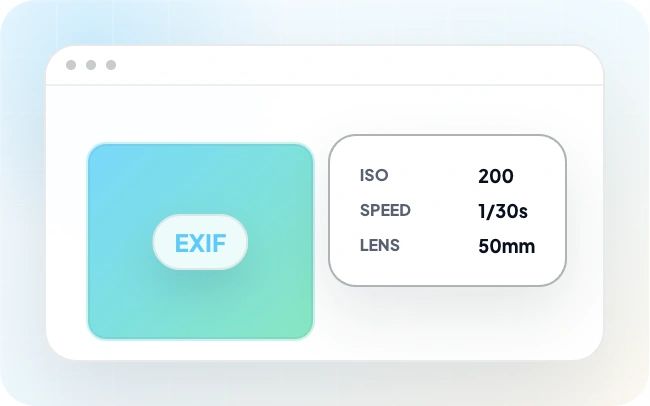
EXIF Metadata
With FooGallery PRO Expert, you can include EXIF data with your gallery images. This exif data tells you about technical aspects of the image and how it was taken.

Social Sharing
This demo shows how the FooGallery Social add-on can add likes, comments, and sharing to gallery thumbnails and lightbox views.
Frequently Asked Questions
Gallery pagination divides a photo collection into smaller groups. Visitors can switch pages with dots or numbers, select Load More, or scroll to reveal more photos.
Yes. FooGallery Free includes Simple Dots pagination and a page-size setting. Numbered pagination, Load More and Infinite Scroll are included in PRO Expert and higher plans. See the Compare Plans page for the full feature list.
Load More adds the next group of photos below those already visible when a visitor clicks the button. Numbered pagination replaces the current group with the selected page instead.
Infinite Scroll reveals the next group of photos as a visitor scrolls down, without a Load More button.
Use pagination when a long collection would be easier to browse in smaller groups, such as an event gallery or portfolio. Image size, lazy loading and paging output also affect loading performance; pagination alone does not guarantee a faster page.
In FooGallery, edit your gallery and open the Paging tab. Select Dots, then set the page size to choose how many thumbnails appear at once. Save the gallery. Dots pagination is included in FooGallery Free. Follow the paging setup guide for the available settings.
Choose numbered pages when visitors need to jump between groups of photos. Load More lets them decide when to reveal another batch. Infinite Scroll adds more photos as they scroll, which suits browsing without a specific destination. Try the demos above to compare the controls.
Yes. FooGallery’s Mobile Gallery Settings let you set a separate mobile page size. These controls are included in PRO Starter. Numbered pagination, Load More and Infinite Scroll require PRO Expert.