
Shortcode output can be opened as inline HTML content by placing a Shortcode block inside a hidden FooBox Group. This works for FooGallery, forms, and other shortcodes that render correctly inside normal page content.
The hidden HTML content handler requires FooBox Pro.
1. Add the shortcode to a Group
Add a Group block, then add a Shortcode block inside it. Enter the shortcode normally. For example:
[foogallery id="123"]Code language: JSON / JSON with Comments (json)Select the outer Group, enable Use as hidden FooBox content, assign a unique HTML ID, and leave Hide on front end enabled.
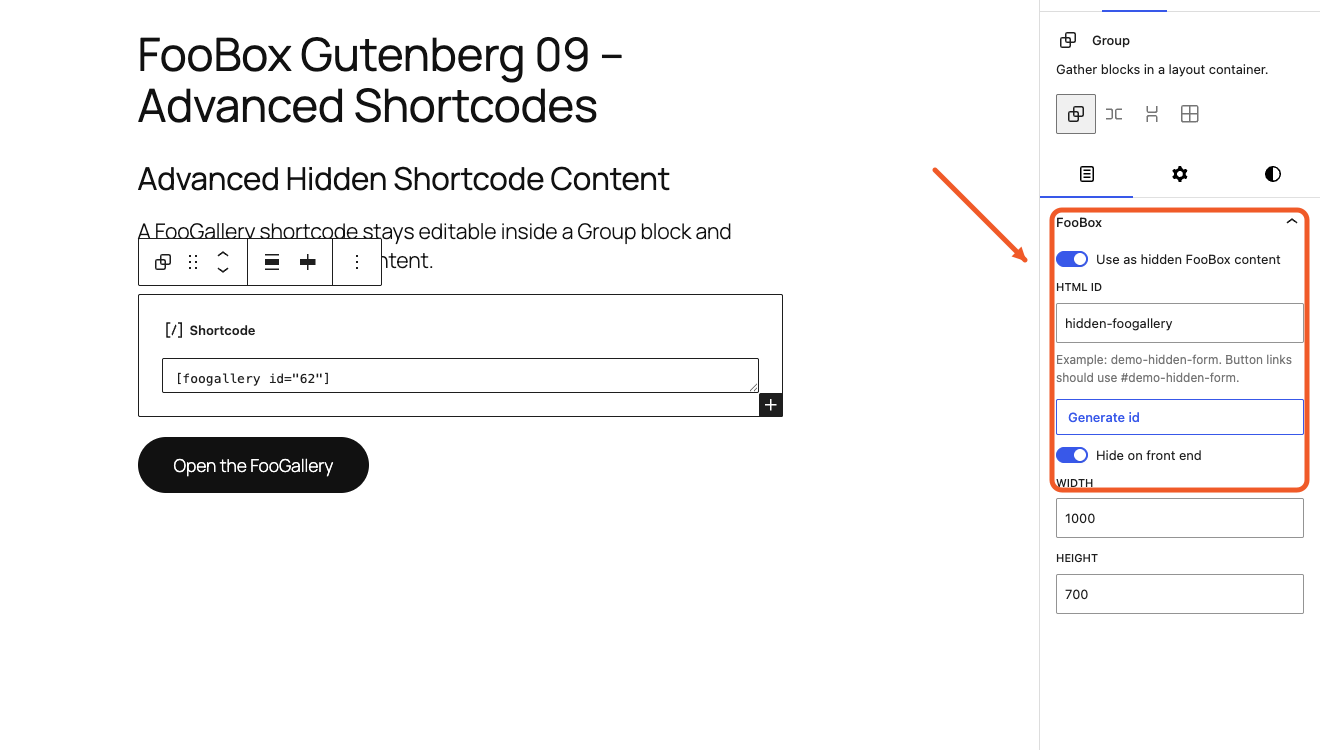
The shortcode remains editable WordPress content; FooBox does not require it to be copied into hand-written HTML.
2. Match the trigger to the Group
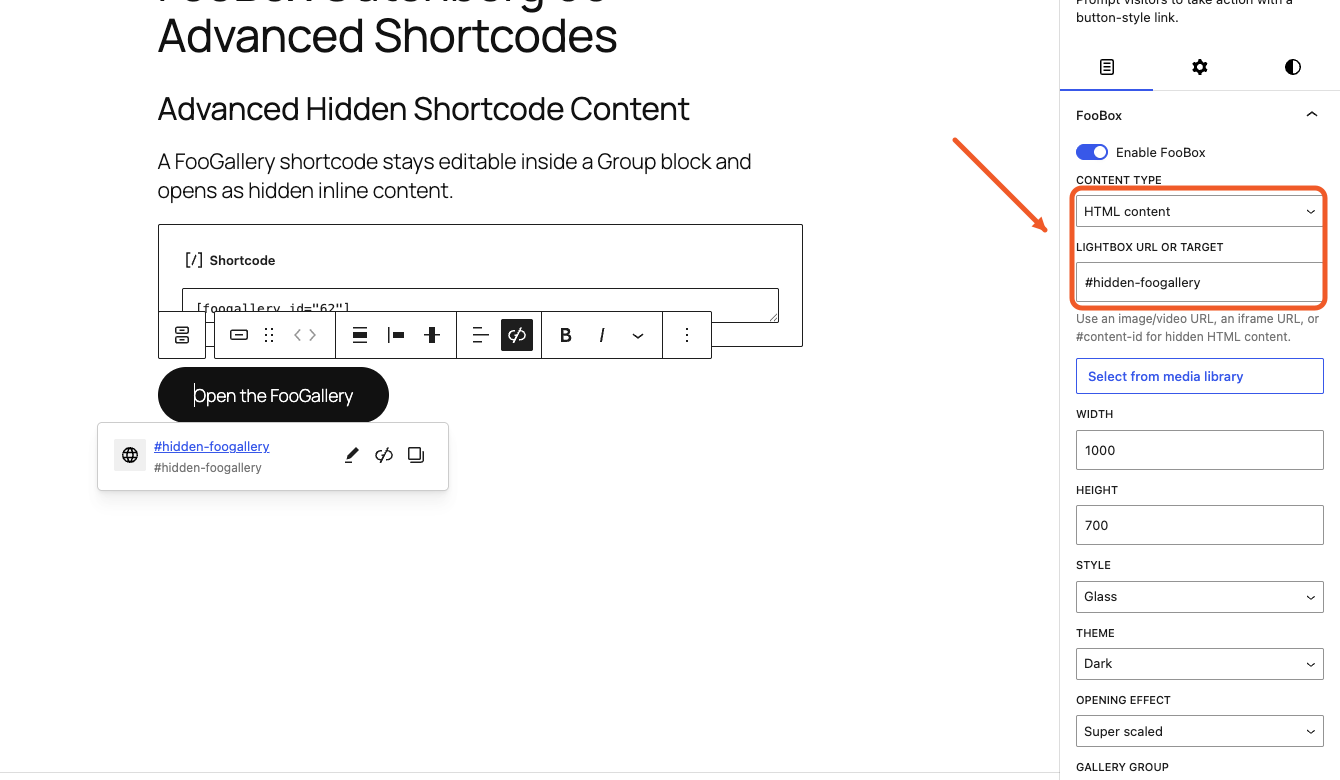
Add a Button, enable FooBox, and set:
- Content type: HTML content
- Lightbox URL or target:
#plus the hidden Group ID - Width and Height: large enough for the rendered shortcode output
For example, if the Group ID is hidden-foogallery, the Button target is #hidden-foogallery.
3. Preview the rendered shortcode
Preview the page and click the Button. The shortcode is rendered by WordPress in the hidden Group and then displayed inside FooBox.
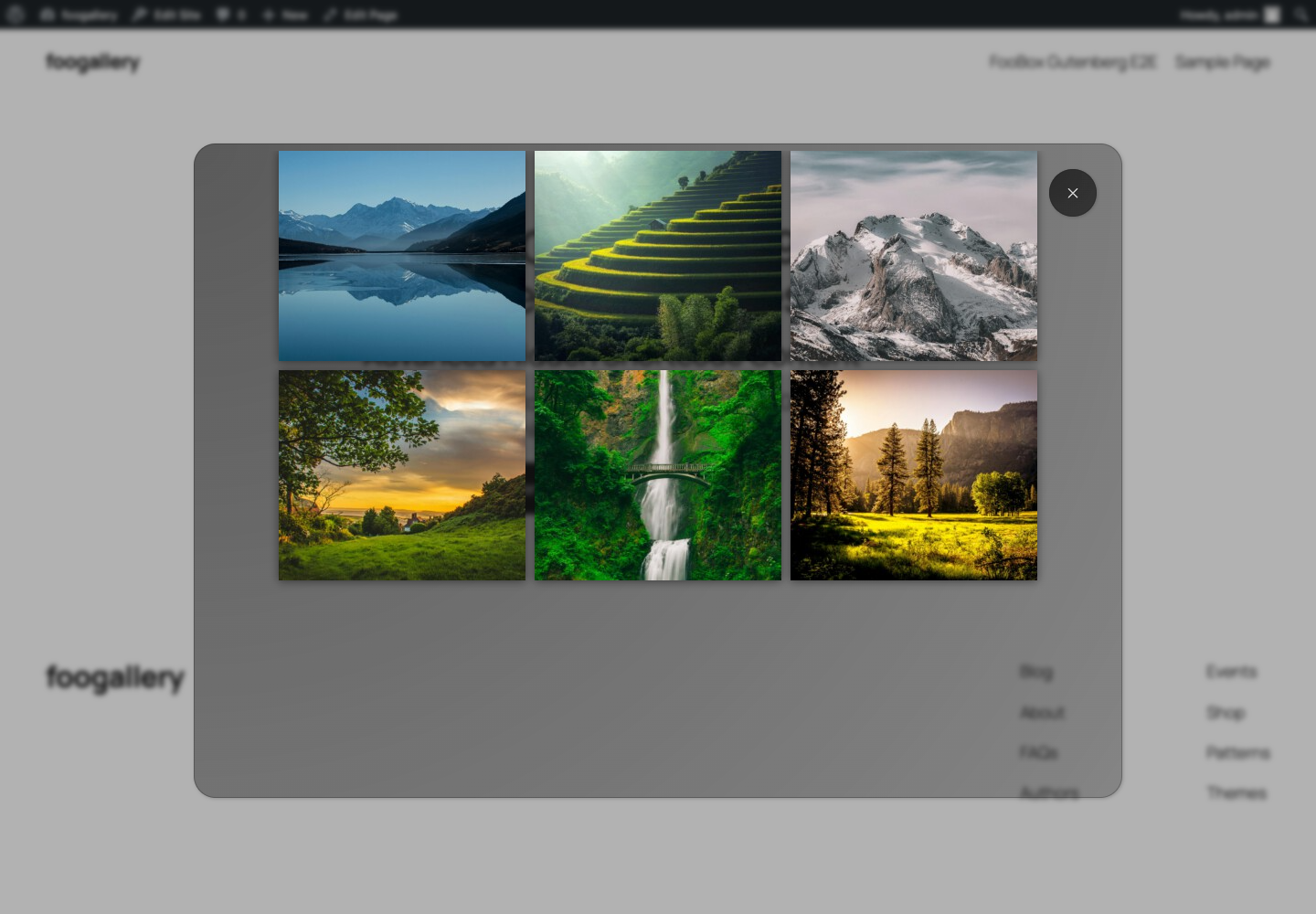
Test the shortcode’s own interactions inside the overlay. For a gallery, confirm thumbnails render and any nested links behave as intended. For a form, verify validation, AJAX submission, confirmations, and keyboard focus.
Form example
The same pattern can open a form shortcode:
[gravityform id="10" ajax="true" title="true"]Code language: JSON / JSON with Comments (json)Use a unique Group ID such as contact-form-lightbox and point the Button to #contact-form-lightbox. AJAX behavior depends on the form plugin supporting inline rendered forms.
Sizing shortcode content
- Begin with a width around
900–1000pixels for a gallery and a height around650–700pixels. - Use a smaller width for a simple form or text layout.
- Test at desktop, tablet, and phone sizes; FooBox constrains the lightbox to the available viewport.
- Avoid fixed-width child blocks that cannot shrink on smaller screens.
Troubleshooting
- The raw shortcode is displayed: confirm the shortcode’s plugin is active and the shortcode works in normal page content.
- Nothing opens: verify FooBox Pro, the Group ID, the leading
#, and the Button’s HTML content type. - The rendered content is cut off: increase the trigger dimensions or remove fixed dimensions from the nested content.
- A form does not submit: test it outside FooBox first, then check the form plugin’s AJAX and inline-rendering support.
- The Group appears in the page: enable Hide on front end on the outer Group.


