
FooConvert Pro lead integrations can send captured popup leads to email marketing platforms and automation endpoints, including Mailchimp, MailPoet, Brevo, and webhooks for Zapier, Make, n8n, or custom scripts.
Before You Start
- Create a test lead locally before enabling production automations.
- Have API keys, audience IDs, list IDs, endpoint URLs, and any other relevant info ready.
- Know whether the destination should double opt-in, tag, or segment new contacts.
Steps for Setting Up Lead Integrations
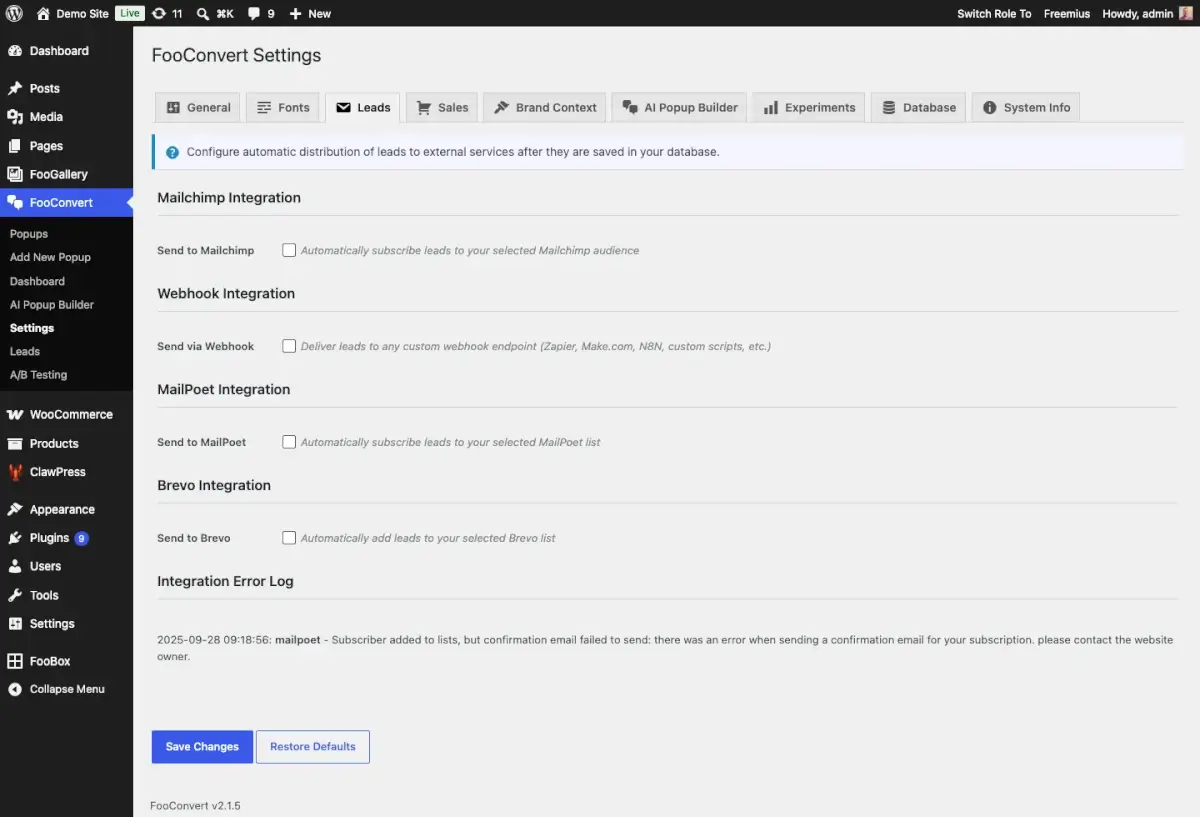
- Go to FooConvert > Settings > Leads.
- Enable your chosen platform to subscribe leads to your selected audience. FooConvert PRO includes integrations for Mailchimp, Brevo, MailPoet and Webhooks (to send lead emails to Zapier, Make, n8n, or a custom endpoint).
- Fill in the necessary fields for that platform, such as API keys, URLS, lists, etc.
- Use Test Connection for each integration after credentials are entered.
- Review the Integration Error Log when a destination rejects or partially handles a lead.
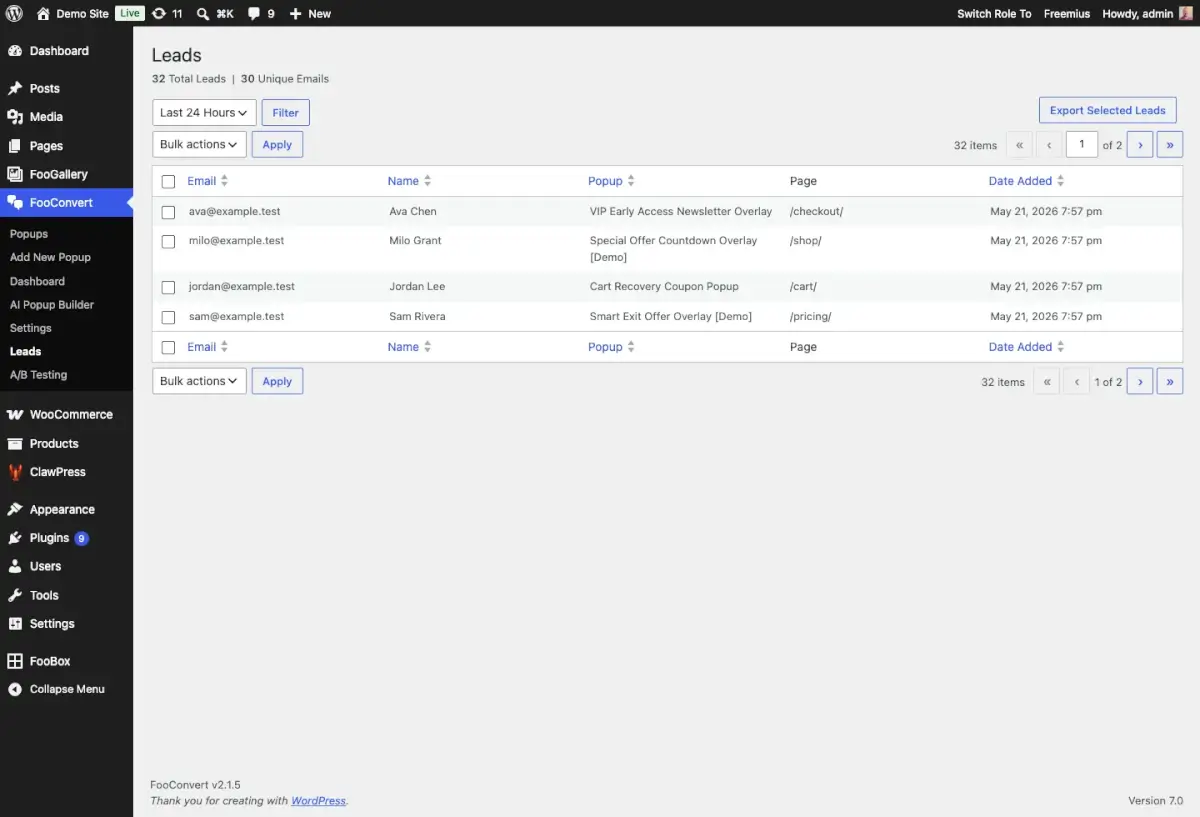
- Confirm that local Leads still store captured records for auditing and CSV export. This can be seen in the Leads tab of FooConvert, and will display emails, name (if required), the popup from which the lead originated and the page on which it was displayed.
Tips for Email Integrations
- Webhook headers are useful for tokens, signatures, or automation routing.
- Test with a unique email address so duplicate handling is obvious.
- Keep error logs in support tickets when a third-party service rejects a submission.


