

WooCommerce Integration for FooGallery
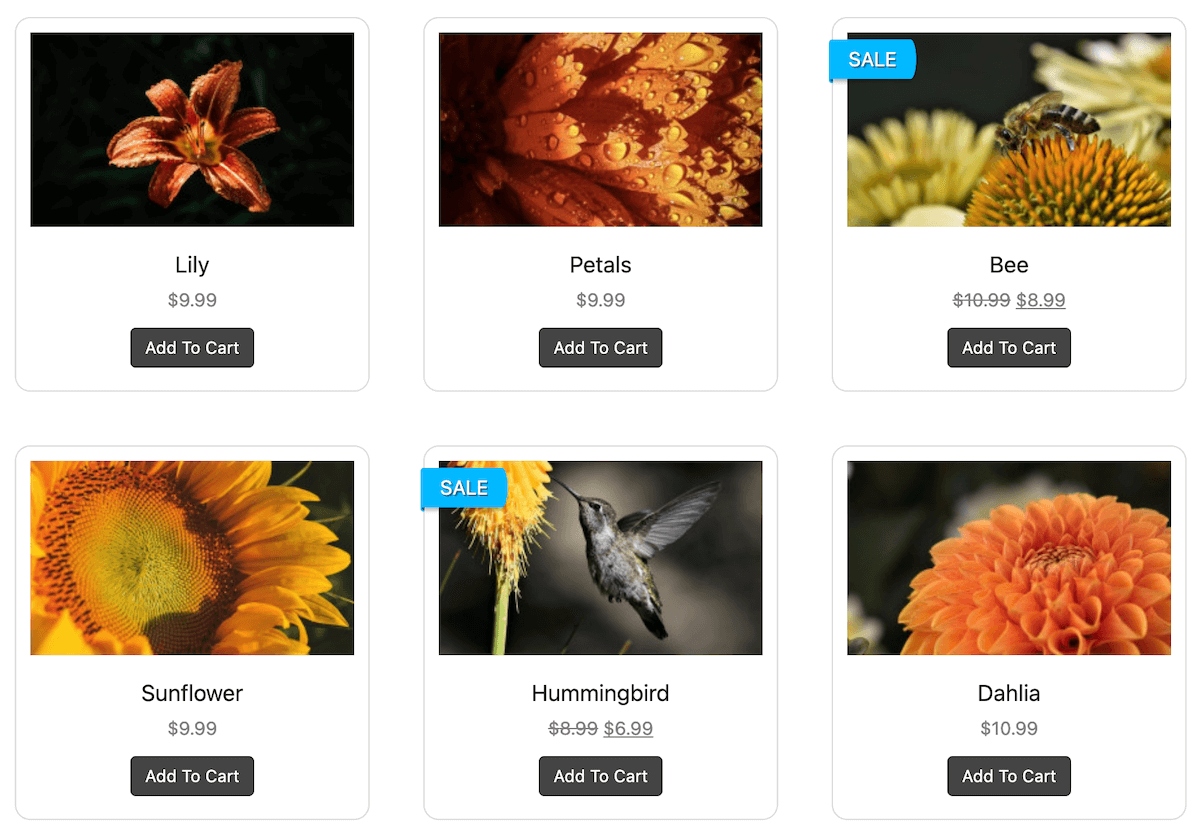
FooGallery PRO Commerce connects FooGallery with WooCommerce so you can display product images, build product galleries, and sell your photos.
Link images to WooCommerce products.
Sell images through a master product workflow.
Allow high resolution file downloads after purchase.
PRO Commerce required plan
100K active installs
4.8 / 5 rating
30-day guarantee
Live demo
WooCommerce Integration Demo
See the demo below to see how WooCommerce Integration behaves inside FooGallery.






The demo shows a gallery linked to a master product, which means you can sell all images in the gallery and only configure a single product and all of it’s variations.
Who this is for?
For stores that want galleries connected to products.
Use WooCommerce integration when gallery images should support product browsing, selling, or add-to-cart flows.
- Store ownersConnect product images with a stronger gallery presentation.
- PhotographersUse galleries as part of an image-selling workflow.
- Commerce teamsBuild product-focused galleries that support shopping decisions.
Availability
Check the FooGallery plan for this feature.
Check the minimum FooGallery plan, course, or add-on before choosing your next step.
Not included
Free
This feature is not included in FooGallery Free.
Not included
PRO Starter
This feature is not included in PRO Starter.
Not included
PRO Expert
This feature is not included in PRO Expert.
Minimum plan
PRO Commerce
PRO Commerce includes this feature.
Ready for the next step?
Read through the relevant documentation or head over to our pricing to get started
Related features
Compare Related FooGallery Features
Check out these related FooGallery features to improve your WordPress galleries

WordPress Video Gallery
FooGallery Pro Expert allows you to create amazing WordPress video galleries by importing videos from YouTube and other sources.

Animated Hover Effect Presets
FooGallery Pro Starter comes with a selection of pre-styled hover effects. These unique hover presets save you from having to style your own and add a unique style to your galleries.

Client Proofing
Let clients approve, reject, and leave notes on gallery images, then submit their final selection.
FAQs
Frequently Asked Questions
Answers to common questions about WooCommerce Integration.
FooGallery PRO Commerce connects FooGallery with WooCommerce so you can display product images, build product galleries, and sell your images directly through your gallery.
No. The WooCommerce integration is only available with FooGallery PRO Commerce. Use the compare plans page to see which features are available in each of the FooGallery plans.
Yes, you can populate a gallery with WooCommerce products if you use the WooCommerce product datasource.
Yes absolutely! You can either link each image to a WooCommerce product, or you can link your whole gallery to a single master product to streamline the process.
Yes, you can configure high resolution file downloads for each image which they have access to after purchase from their account page.
You can manually create a master product, or you can let FooGallery generate one for you. When you edit the gallery and select the Master Product, there will be a button in the modal to generate a master product. Read more in the documentation.
Ready when you are…
Ready to use the WooCommerce Integration?
Start building WooCommerce galleries with FooGallery