
![[Update] FooGallery 3.2.6: Automatic Watermarking, Autoplay Slideshows, and Smarter Image SEO](https://fooplugins.com/wp-content/uploads/2026/08/Foogallery-update-better-workflow.jpeg)
Until now, watermarking in FooGallery was a per-gallery decision. If you had forty galleries and wanted them all protected, you visited forty galleries. FooGallery 3.2.6 changes that: you can now watermark existing galleries in bulk and have new galleries protected automatically, without touching a setting.
That’s the headline, but it isn’t the only reason to update. This release also brings autoplay to the free Image Viewer layout, helps search engines find images buried on page three of a paginated gallery, and lets you build a gallery directly inside the block editor without saving one first.
Here’s what’s new.
Watermark Every Gallery at Once or Automatically
Watermarking lives in FooGallery PRO Commerce, and with this update it has become far less manual. Here’s what you can expect:
- Bulk watermarking: Apply watermarks across your existing galleries in one operation instead of editing each gallery individually.
- Automatic protection for new galleries: Turn it on once and every gallery you create from that point forward is watermarked by default.
- Live progress feedback: Generating watermarks for a large library takes time, so the process now reports progress via AJAX.
- Lazy generation and caching: Watermarked thumbnails are generated when they’re first needed and then cached, which keeps the initial run light and repeat page loads fast.
- ShortPixel compatibility: If you’re using ShortPixel as your image engine, watermark generation now plays nicely with it.
- Blueprint inheritance: Galleries that inherit settings from a Blueprint pick up your watermark configuration along with everything else.
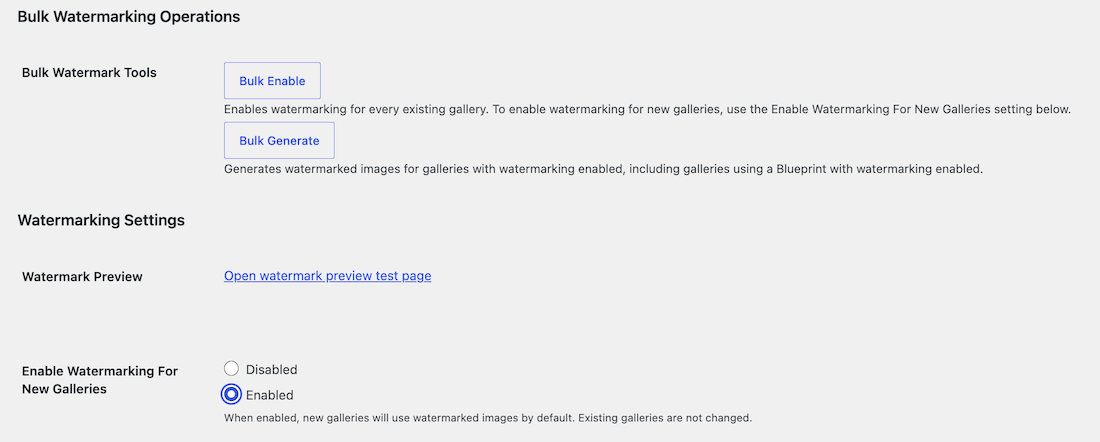
If you sell prints, shoot client work, or simply publish high-resolution images you’d rather not see reposted, this is the update to install.
Hands-Free Slideshows with Autoplay
Autoplay is no longer a premium-only feature. The Image Viewer layout, available in the free plugin, can now advance through images on its own, with configurable timing so you can set the pace to match your content.
Spotlight PRO (available in PRO Starter and up) gets autoplay too, along with a couple of refinements that make it usable in the real world:
- Pause on hover, so a visitor who stops to look at an image isn’t rushed past it.
- An optional Auto Progress button in the lightbox, letting visitors start or stop the slideshow themselves.
- Improved navigation choices, giving you more say in how viewers move through the gallery.










It’s a small change with an obvious use: portfolio headers, event recaps, and product showcases that keep moving without a click.
Search Engines can now Find Images Past Page One
Paginated galleries have always presented a discovery problem. If images two hundred through three hundred only load via JSON when a visitor clicks through, crawlers never see them.
Version 3.2.6 addresses that from several angles:
- A pagination fallback in core means search engines can discover images beyond the first page of JSON-paginated galleries. This one is available to everyone, not just premium users.
- Optional
ImageGalleryJSON-LD schema gives search engines structured context about your gallery. This is an Expert feature. - Search now covers unloaded images. On-page gallery search no longer ignores images that haven’t been fetched yet, so visitors find what they’re looking for on the first try.
- Filename captions give you another descriptive text source for images that arrived without titles or alt text.
- Polylang galleries now load media across languages correctly, which matters if your multilingual site was quietly serving incomplete galleries.
More Control over how Galleries Fit your Design
A handful of presentation changes for anyone doing careful layout work:
- Custom aspect-ratio dimensions for the Slider layout, so you’re no longer limited to the presets.
- A new 3:2 ratio, which matches most DSLR and mirrorless output.
- Independent background and tint controls in the Colors layout.
- Improved navigation presentation across layouts.
Build a Gallery without Leaving the Editor
The dynamic mode for the FooGallery block doesn’t require a previously saved gallery. Drop the block into a post, pick your images, configure it, and publish. No round trip to the FooGallery admin screens required.
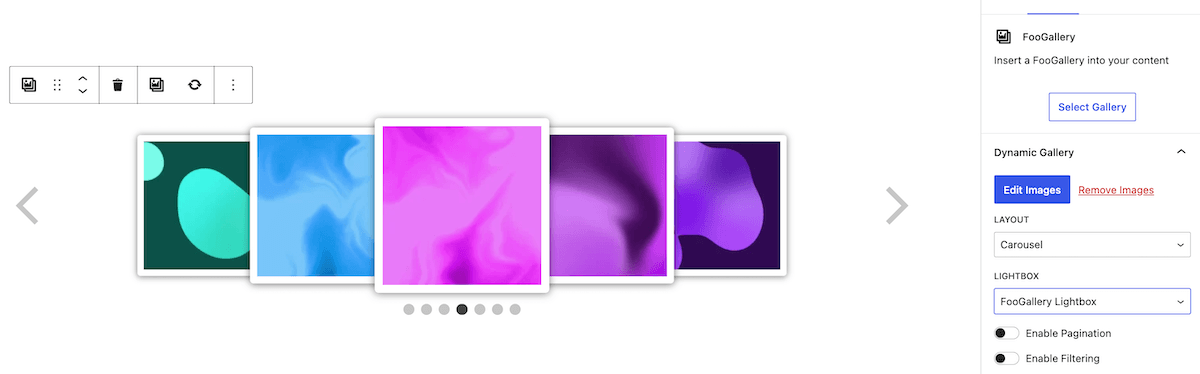
For block-editor users who mainly build one-off galleries inside individual posts, this removes a step that never really needed to be there.
Albums that Tell a Story
Albums are useful for organising galleries, but they’ve been light on context. Now you can add descriptions to album galleries, and those descriptions display in Responsive and Stack album captions.
Alongside that: All-In-One Stack captions are properly aligned, and links inside descriptions are handled safely, so you can point visitors to a booking page or a related post from within an album caption.
Everything Else in 3.2.6
Here are some of the smaller changes that solve real annoyances:
- Caption images automatically using their filenames.
- Sort galleries alphabetically by filename.
- Clear every generated thumbnail from a single settings button.
- Override Real Media Library folders via shortcode.
- Copy a selected subset of gallery settings instead of all of them.
- Image downloads now open correctly inside the Facebook and Messenger in-app browsers.
- Improved lightbox accessibility and keyboard focus ordering.
Update FooGallery Now
FooGallery 3.2.6 is available from your WordPress dashboard under Plugins → Updates, or as a fresh download from your account. As always, clear your caching plugin after updating so the new thumbnail and schema output isn’t served from an old cache.
If you run into anything unexpected, our support team is one message away.
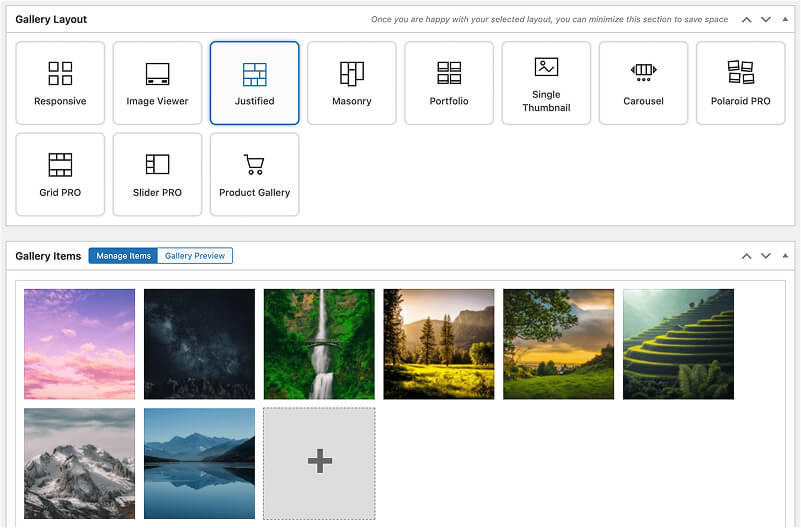
FooGallery WordPress gallery plugin
The Best WordPress Gallery Plugin
FooGallery is an easy-to-use WordPress gallery plugin with stunning gallery layouts and a focus on speed and SEO.