
There are instances where you may not want your popup to keep reappearing. Depending on your setup, your popup could be displaying repetitively to the same users, which could lead to frustration, causing them to leave your website.
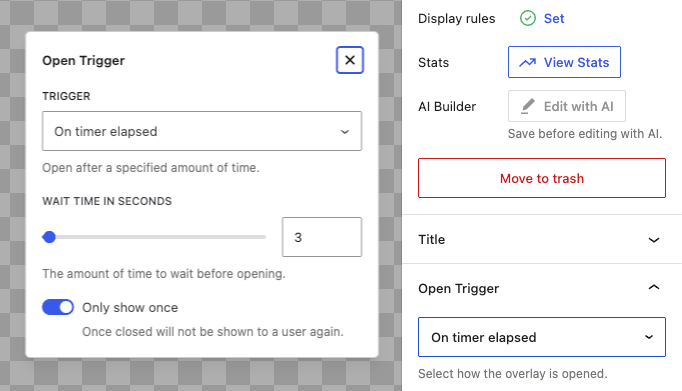
To prevent this from happening, you can enable the ‘Only show once’ setting. This will allow your popup to remember it’s state, and once it is dismissed it will not reappear.
This setting needs to be enabled for each individual popup, and can be found in the Trigger settings for that popup. Click on Open Trigger and select your preferred option, then enable the Only Show Once setting.
Note that this setting is not available for open triggers that require a user to click on an anchor or element.


