

Color Sorting For WordPress Galleries
Use FooGallery color sorting when a visual collection needs to be browsed by dominant color rather than only by title, date, or manual order.
Extract dominant colors from gallery images.
Sort images by dominant color.
Use color-aware presentation for visual browsing.
PRO Starter required plan
100K active installs
4.8 / 5 rating
30-day guarantee
Live demo
Color Sorting & Tinting For WordPress Galleries
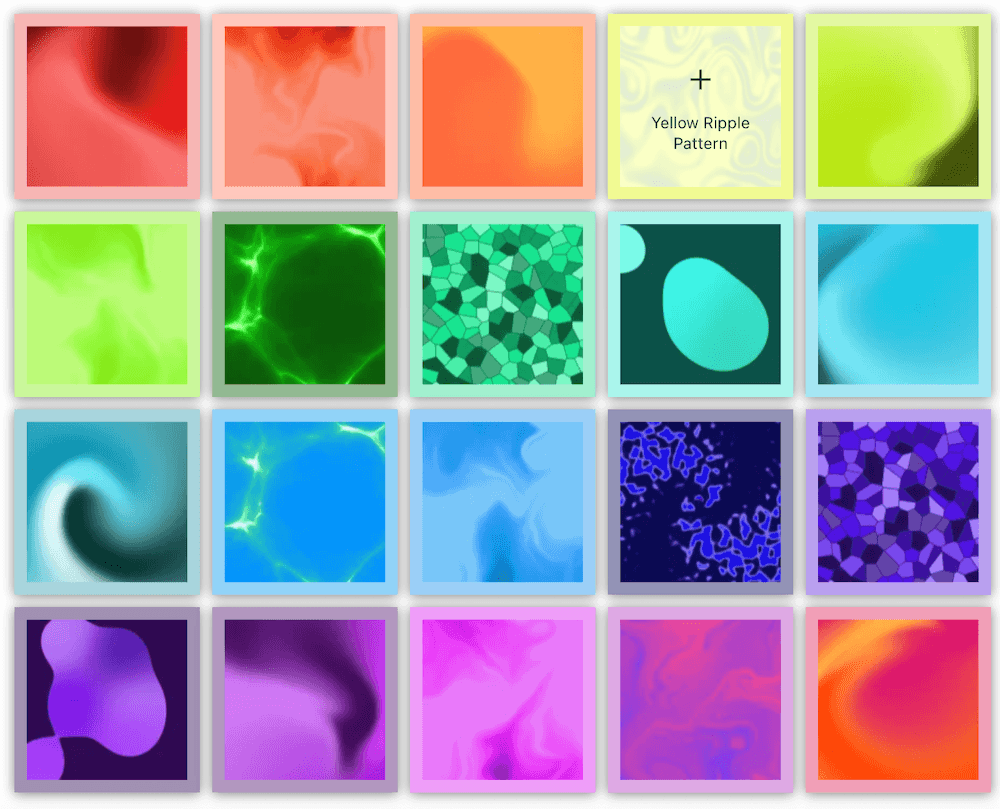
Use the demo below to see how Color Sorting & Color Tinting behaves in a real FooGallery layout.




















Each image is sorted by the dominant color. That color is also used to tint the thumbnail borders and lightbox background. Click on a thumb to open the lightbox to see the tinted background.
Who this is for?
For galleries where color is how visitors choose.
Use dominant color sorting when people browse by palette, mood, product shade, or visual style instead of filenames or dates.
- Creative portfoliosGroup artwork, photography, and design reference by dominant color so visitors can follow a visual theme without manual curation.
- Product and style catalogsHelp shoppers or clients scan color-heavy sets such as swatches, finishes, fabrics, interiors, or product variants.
- Inspiration librariesTurn large image collections into palette-led browsing experiences for mood boards, brand research, and creative planning.
Availability
Check the FooGallery plan for this feature.
Check the minimum FooGallery plan, course, or add-on before choosing your next step.
Not included
Free
This feature is not included in FooGallery Free.
Minimum plan
PRO Starter
PRO Starter includes this feature.
Also included
PRO Expert
PRO Expert includes all PRO Starter features.
Also included
PRO Commerce
PRO Commerce includes all PRO Expert features.
Ready for the next step?
Read through the relevant documentation or head over to our pricing to get started
Related features
Compare related FooGallery Features
Checkout related FooGallery features to see what else is available.

Custom Captions
Are you looking for a quick way to add custom captions? FooGallery PRO Expert allows you to add custom captions to images inside your WordPress galleries.

Dynamic Gallery
Dynamic galleries load gallery content from another source instead of requiring every image to be selected manually.

EXIF Metadata
With FooGallery PRO Expert, you can include EXIF data with your gallery images. This exif data tells you about technical aspects of the image and how it was taken.
FAQs
Frequently Asked Questions
Answers to common questions about Color Sorting.
FooGallery’s color sorting feature extracts dominant colors from gallery images and sorts according to this. You can use this to create a striking gallery, or when a visual collection needs to be browsed by dominant color rather than only by title, date, or manual order.
This feature is included in FooGallery PRO Starter. You can compare plans before choosing a license to find the best fit for your needs.
Once you’ve extracted the dominant color from your images, you can use this to sort your gallery, add the dominant color as a border (either opaque or tinted) and add a background color to the lightbox when viewing images. You can find out more about this in our color sorting document.
Ready when you are