

If you’ve built a WordPress site with a gallery on it, you’ve probably run into the same problems that everyone else faces: the tools you need are scattered. A proofing plugin here, a commerce add-on there, something else for letting visitors upload their own photos. Each one is its own purchase, its own license key, and its own renewal date to keep track of.
FooGallery Studio brings four of our most-used gallery tools together under a single 3-site license: you get FooGallery PRO Commerce, and the Social, User Uploads, and Client Proofing add-ons. Instead of piecing together what you need add-on by add-on, Studio gives you the full set from the start.
Designed for Creatives
We put together the FooGallery Studio bundle with creative entrepreneurs and small business owners in mind. Here’s why this bundle is the ideal fit for these creators:
Photographers and Creatives who Work Directly with Clients
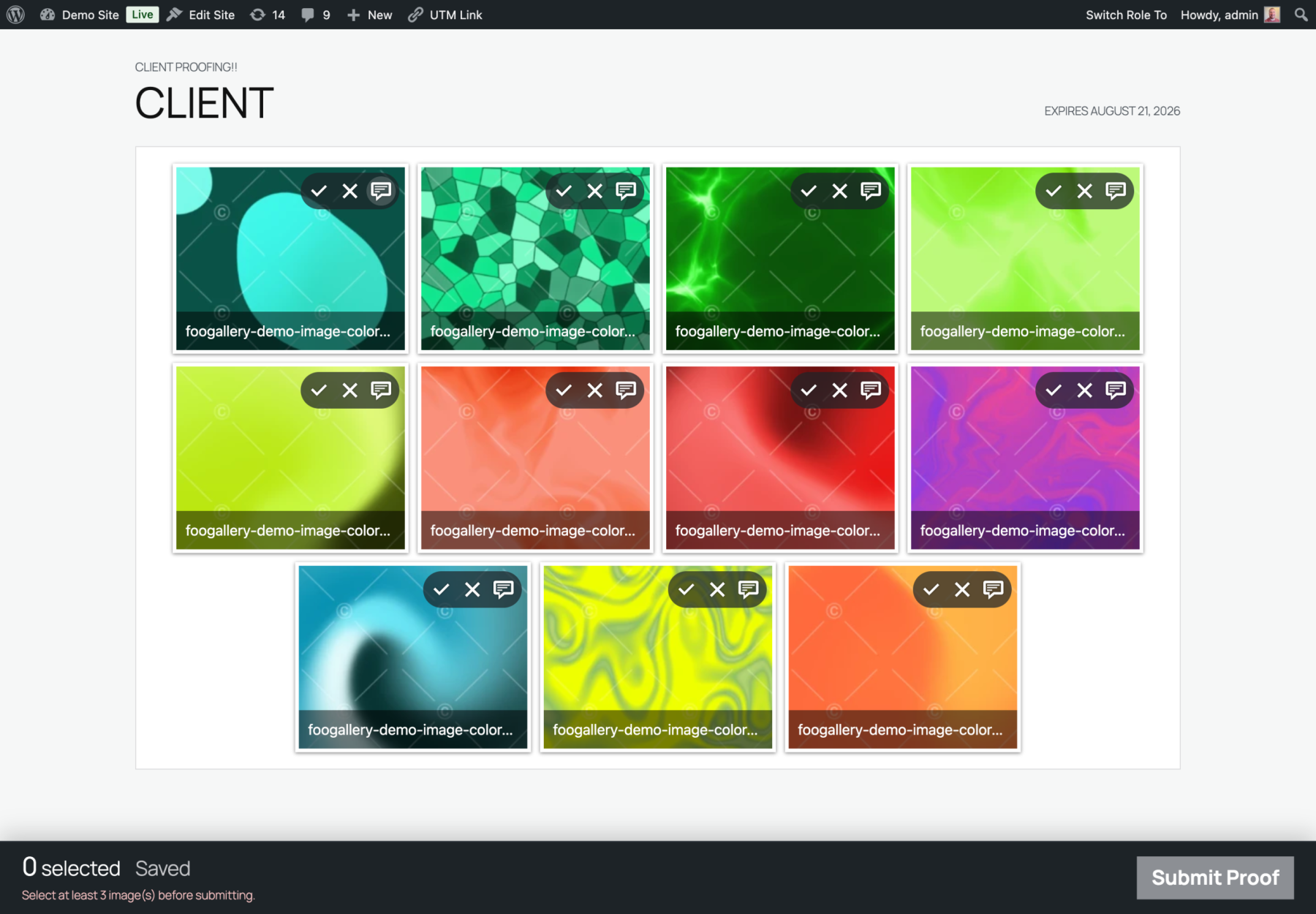
If your workflow involves sending clients a set of images to review, waiting on their picks, and then delivering or selling the final files, FooGallery Studio covers that entire path in one place. Client Proofing gives clients a private gallery where they can approve, reject, and leave notes on individual images. Once they’ve made their selections, PRO Commerce lets you sell prints, digital downloads, or packages straight from the same gallery. There’s no separate storefront, no exporting a list and re-uploading it somewhere else.
Site Owners Building Community Around Visual Content
Not every gallery is one-directional. If you run a site where visitors contribute their own images, for example, a local event page, a club or hobby community, or a brand running a photo contest, User Uploads lets people submit directly from the front end, and Social adds the layer that makes it feel alive: likes, comments, shares, and download counts on each submission. Together, they turn a static gallery into something people actually come back to.
Anyone Managing a Handful of Sites who’s Tired of Juggling Separate Tools
If you’re already running FooGallery across two or three sites and have been buying add-ons one at a time as the need comes up, Studio is worth a look simply for the consolidation. With one license, one renewal date, and four tools, there’s no need to track separate purchases and expiry dates for each.
What’s Included in FooGallery Studio
The bundle includes FooGallery PRO Commerce and 3 FooGallery add-ons, giving you all the tools you could need for setting up advanced galleries on your WordPress site/s.
FooGallery PRO Commerce
The PRO Commerce plan turns any gallery into a storefront. Visitors can buy prints, digital downloads, or any WooCommerce product directly from the gallery they’re already looking at, with support for multiple pricing tiers and variable products. For photographers, this is a game-changer, especially when coupled with proofing — clients pick their favorites and check out without leaving the page. For anyone selling stock imagery, event photos, or print products through WooCommerce, it removes the need for a separate product pages, instead funnelling everything through the gallery.
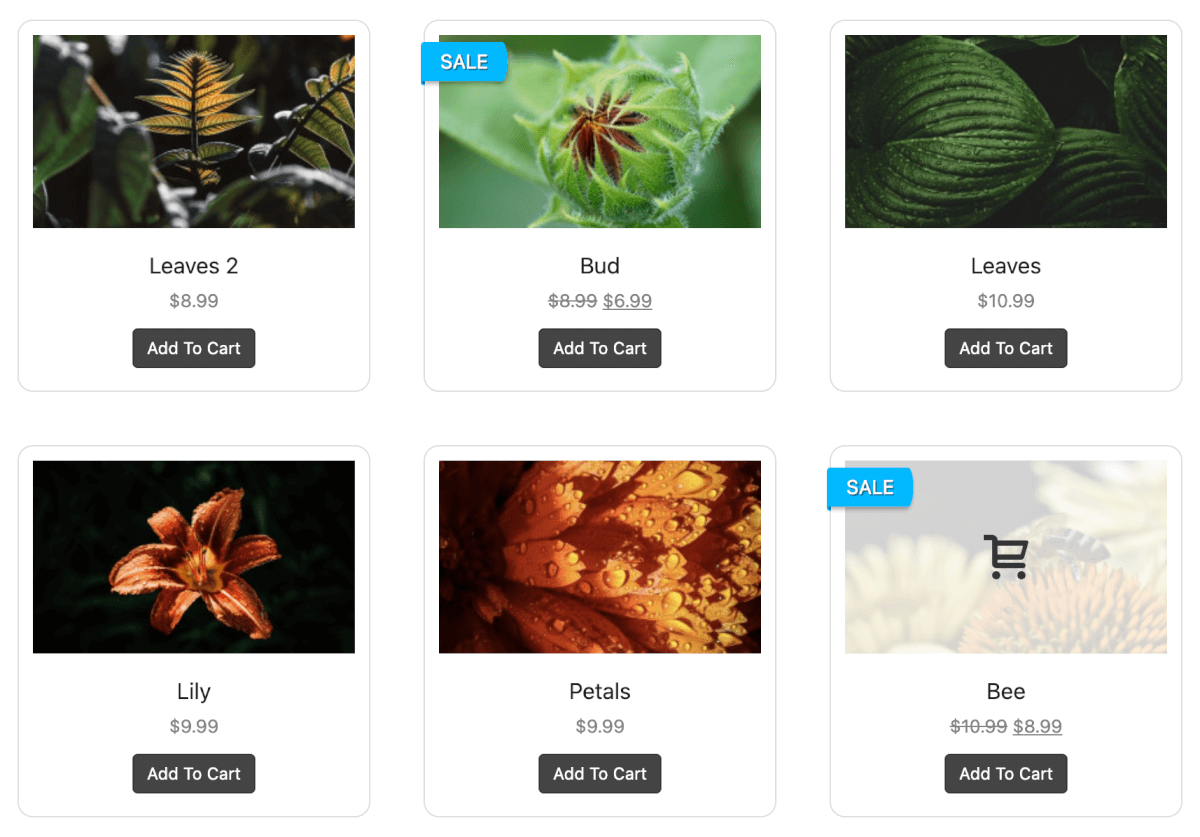
PRO Commerce also comes with advanced features such as:
- Watermarking
- Right-click image protection
- Gallery Blueprints (copy styles across galleries for better brand consistency)
- Master products
Social Add-on
With Social, you can enable likes, comments, shares, and download counts to individual images. It turns a gallery from something people glance at into something they interact with, making it useful for community and contest-style sites where engagement itself is the point, and also handy on portfolio or client sites where visible interaction (comment counts, share numbers) adds social proof.

User Uploads Add-on
Visitors can submit their own images directly from the front end, no admin access required, with the User Uploads add-on. This makes community-based, crowd-sourced galleries possible: a photo contest, a community event page where attendees add their own shots, or a client-facing site where multiple contributors need to add images without being given WordPress logins. Plus you maintain control over who submits, and quantity, size, etc. of submissions.

Client Proofing Add-on
Create private, password-protected galleries where clients can review a shoot, approve or reject individual images, and leave notes directly on specific photos. Built to replace the back-and-forth of client work (such as a shared spreadsheet or email thread), Client Proofing keeps the whole review process in one place, and feeds straight into FooGallery once the client has made their selections. Couple it with Watermarking in PRO Commerce, and you have a protected, private gallery from which clients can select the prints they want.
Site Coverage
Studio covers up to 3 sites on a single license, so all four tools are usable across a main site plus a couple of additional properties without buying separate licenses for each.
FooGallery Agency Bundle
Looking for more sites?
The FooGallery Agency Bundle gives you the tools to manage galleries on 50-, 75- or 100-sites.
Studio Bundle Pricing
The FooGallery Studio bundle is normally $199 per year, for the full bundle. This includes:
- PRO Commerce (usually $109.99 per year for 1 site)
- 3 Add-ons (usually $39.99 each per year for 1 site)
- 3 sites
Buying each of these separately would cost you $229.96 for 1 site. For 3 sites, it would be $689.88. With the bundle selling $199, you save over $490!
For the month of October, however, the bundle is available at $169 (no coupon code required), giving you 4 products for just under $57 per site. If you’ve been meaning to pick up one or more of these add-ons anyway, this is a good time to do it as a bundle rather than separately. We’ve also reduced our Lifetime price for the bundle to just $499, saving you $100.
If any of the use cases above sound like your site, check out FooGallery Studio and see how easy it can make gallery creation.
FooGallery Studio Bundle
Every tool you need for advanced gallery creation
The FooGallery Studio Bundle simplifies your gallery workflow and your plugin admin.