
Client feedback, without the email detective work
FooGallery Client Proofing
Stop chasing filenames through email and WhatsApp. Send clients a private gallery where every approval, rejection and note stays attached to the right image.
Choose a 1, 5, or 25-site license.
Every plan includes a 30-day money-back guarantee.
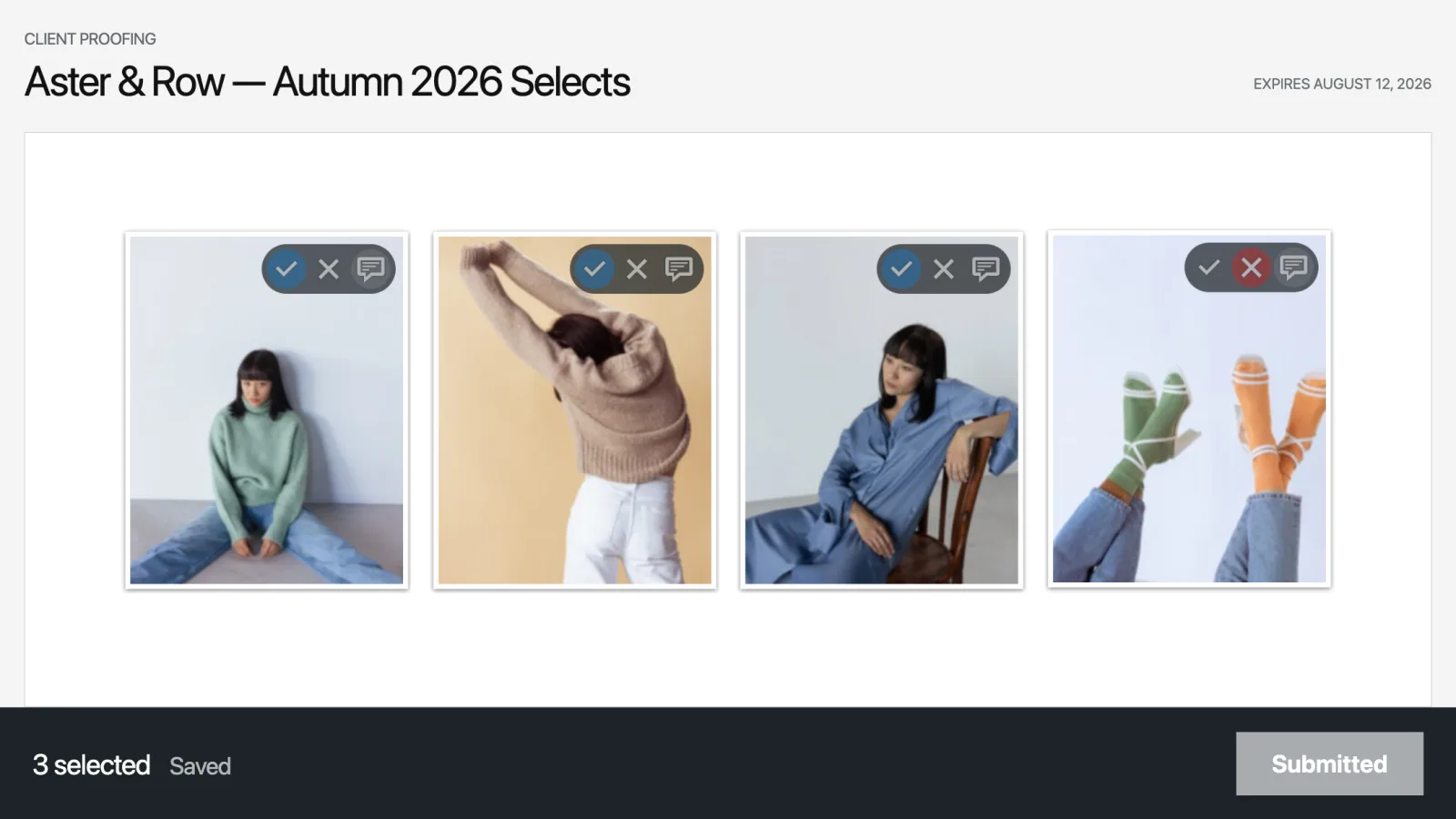
The problem
Client proofing should not create more admin
You already built the gallery. The review should not send you back to email threads, spreadsheets or a second gallery system.
Scattered feedback
Feedback is scattered everywhere
One image is approved by email. Another gets mentioned in WhatsApp. A comment refers to “the close-up by the tree.” You are left matching every message to the right photograph.
Lost progress
Clients lose their place
A refreshed tab or dropped connection should not mean choosing every photograph again. Client Proofing saves progress while the client works and keeps pending changes locally if the connection fails.
Unclear handoff
The final selection is unclear
Vague filenames and mixed messages make approval harder than it needs to be. Keep each choice and note attached to the image, then review one submitted result.
A clearer workflow
Keep the review connected to the gallery
Clients open a private link, review the gallery and submit their choices. You can see exactly what they approved, rejected or commented on without translating a thread of messages.
Approvals
Know which images made the cut
Clients approve or reject the actual image from the gallery or lightbox. You do not need to match a filename from another message.
Notes
Keep every note with the right image
Clients can leave a note on a specific photograph, so questions and revision requests stay in context.
Session controls
Set expectations before the review starts
Set minimum and maximum selection limits, control access and choose when the proofing session expires.
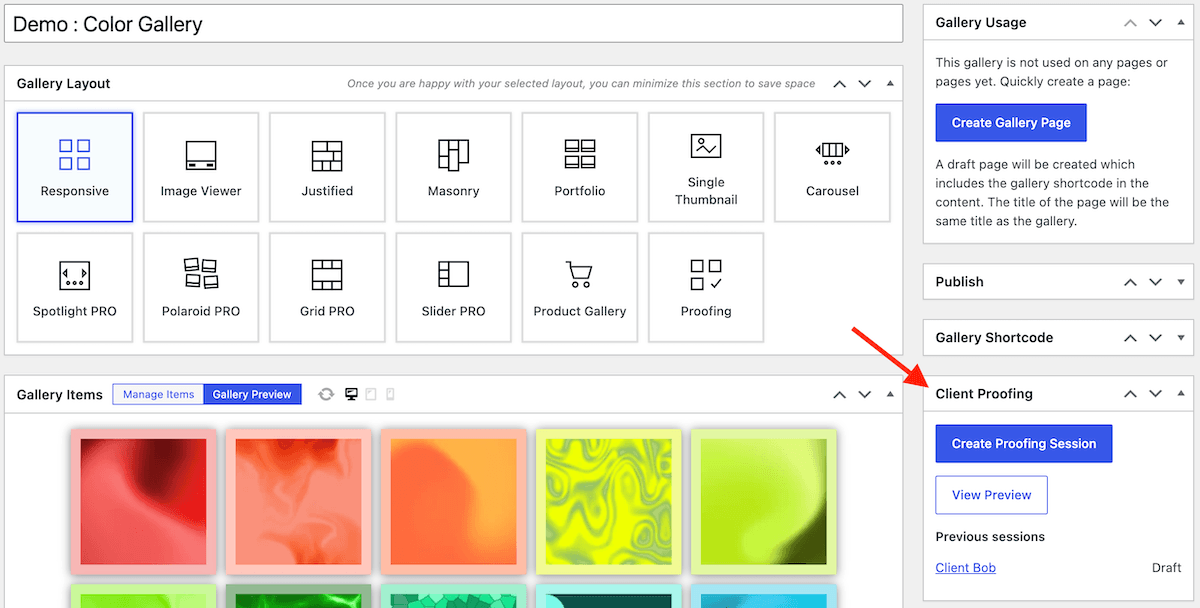
Create a proofing session from any gallery
Use the FooGallery gallery you already built, then copy its private proofing link and send it however you prefer. Client access does not depend on WordPress email being delivered.
- Create more than one proofing session for the same gallery.
- Set minimum and maximum selection limits.
- Control access with a private link and choose an expiry date.
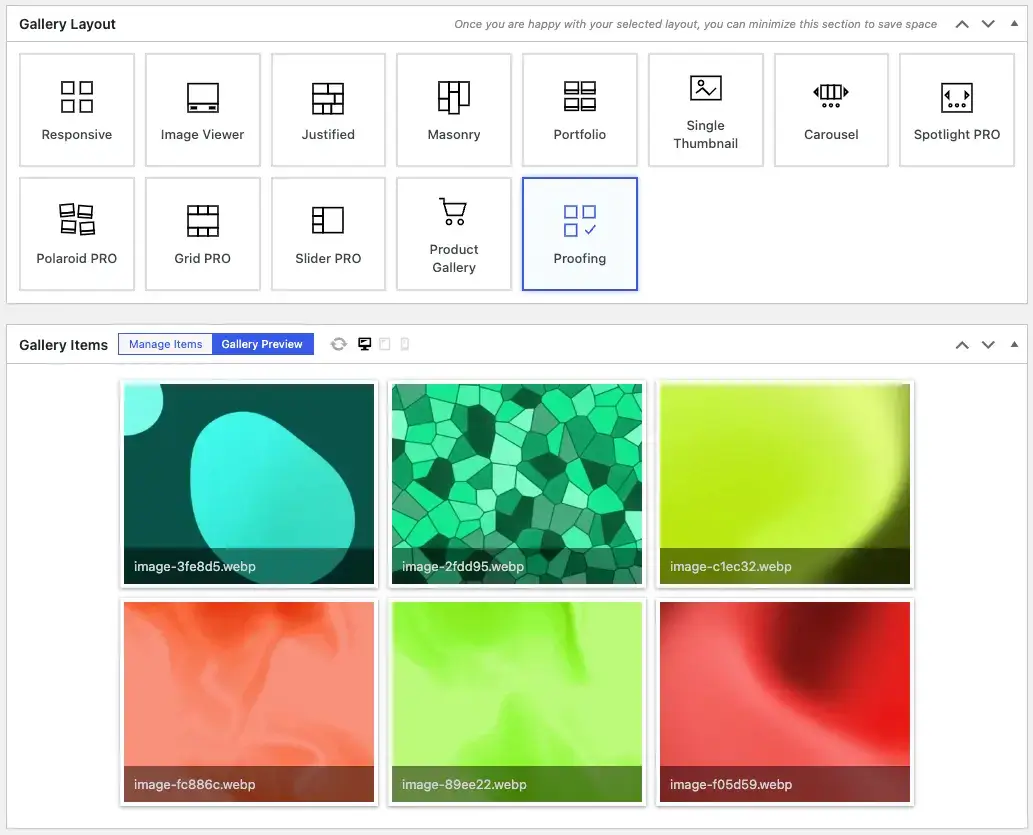
Start with a layout built for client proofing
Client Proofing includes a purpose-built FooGallery layout with the recommended settings already enabled, so you can prepare a gallery for review without configuring every option from scratch.
- Start with the recommended proofing settings already enabled.
- Give clients a layout focused on viewing, selecting and commenting on images.
- Adjust the gallery if needed, then share the private proofing link.
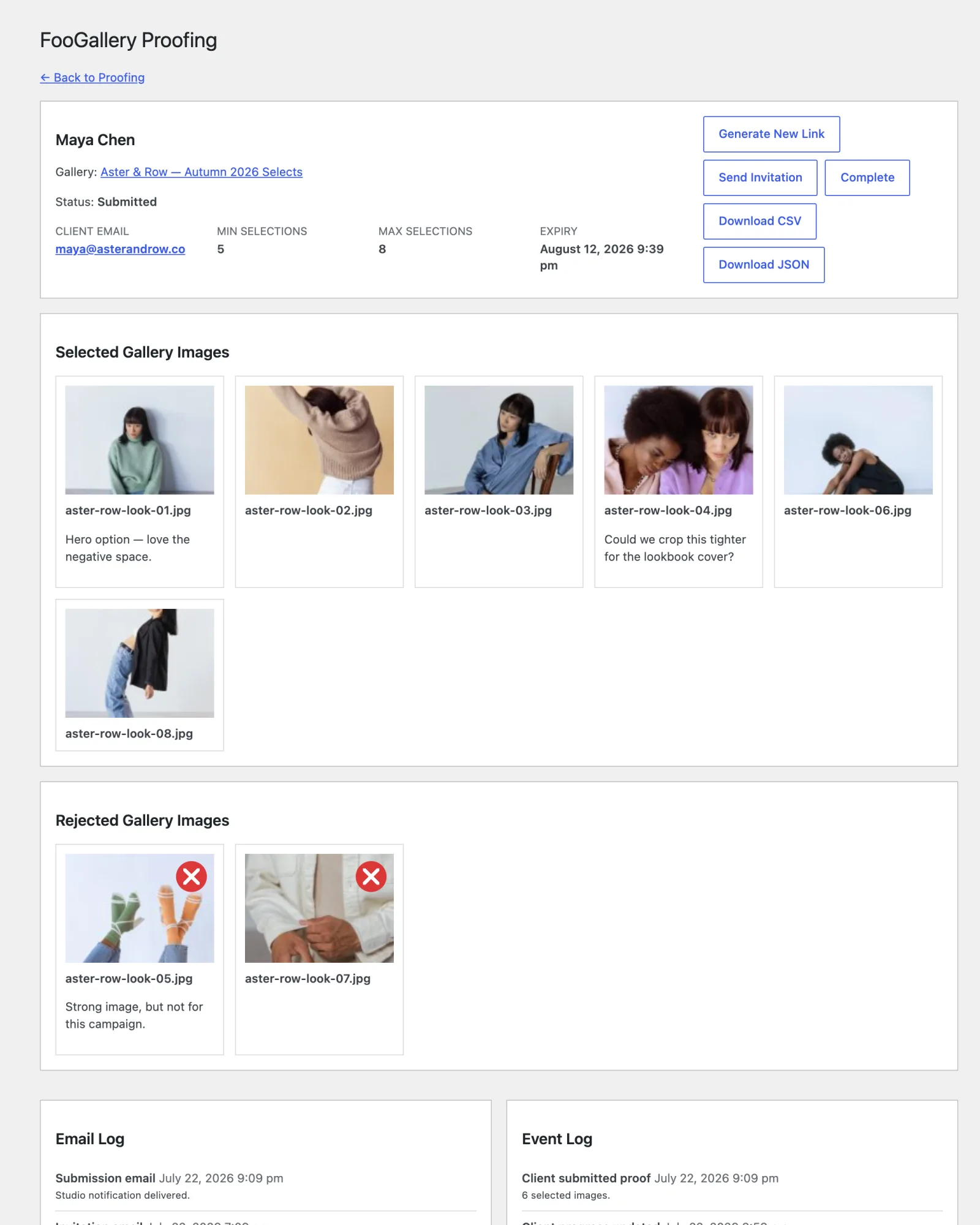
Review one submitted result
Every choice and note arrives with the image it belongs to, giving you a clear handoff when the client submits.
- Clients approve, reject and add image-specific notes from the gallery or lightbox.
- Progress autosaves, with local recovery when a request fails.
- Download CSV or JSON with filenames, selections, rejections and image-specific notes for a clear production handoff.
Simple for the client. Clear for the photographer.
Clients do not need to create another account, remember another password or go through a checkout. They open the private link, make their choices and submit. You receive feedback tied to the correct images in the gallery you already use.
No separate proofing platform and no duplicate gallery setup.
Private proof pages stay out of search results and are not stored in shared caches.
Really innovative and useful plugin, and a great complement to FooGallery! Speaking as a professional photographer, I’ve found that FooGallery Client Proofing solves an age-old challenge of efficiently managing the back-and-forth photo proofing interactions with clients. I like that I can send a client a private link to a production photo web gallery and allow the client(s) to easily Accept, Reject, and append comments to specific photos without impacting other website viewers in the process. It’s totally transparent to other visitors but secretly working in the background. A must-have for anyone licensing or selling digital photography assets online. Greatly reduces the reliance on endless email chains, while keeping a record of what was agreed to, client actions and comments. I’m sold! 🙂
P D
Compatibility
Works with FooGallery Free and every Pro plan
Add Client Proofing to an existing FooGallery gallery. Free users get the core proofing workflow, while Pro users can combine it with their existing layouts, video, watermarking and commerce capabilities.
Pricing
Choose the Client Proofing license that fits your workflow
Client Proofing is sold annually for 1, 5, or 25 sites.
Every plan includes a 30-day money-back guarantee.
Single Site
FooGallery Client Proofing – 1 Site
Private client proofing for one WordPress site.
Use any existing FooGallery gallery
Private client proofing links
Image approvals, rejections and notes
Autosaved progress with local recovery
Minimum and maximum selection limits
Session expiry controls
CSV and JSON result exports
$39.99
$
39
.99
/ year
For one WordPress site.
Lifetime is a one-time payment for the selected plan and site allowance.
30-day money-back guarantee
FAQ
Frequently Asked Questions About Client Proofing
No. Client Proofing works with FooGallery Free and every PRO plan when the Client Proofing add-on is installed and licensed. Separate PRO-only gallery features still require the relevant FooGallery PRO plan.
Yes. Create a proofing session from an existing FooGallery gallery instead of rebuilding the gallery in another system. You can also create more than one proofing session for the same gallery.
Clients can approve or reject images from the gallery or lightbox, leave a note on a specific image, and submit their completed selection for review.
No. Clients open the private proofing link, review the gallery, and submit their choices without creating an account, remembering a separate password, adding anything to a cart, or completing checkout.
Client choices autosave while they work. If a save request fails, pending changes are kept locally in the browser so they can be recovered instead of forcing the client to start again.
Yes. Set minimum and maximum selection limits for the session and choose when the private proofing link expires.
Generate a private link, then copy it or send the invitation from WordPress. Proof pages are kept out of search results and shared caches, and client access does not depend on WordPress email being delivered.
Open the submitted session to review selected, rejected, and commented images together. Download the result as CSV or JSON with attachment IDs, filenames, titles, selection status, and image-specific notes.
Keep Every Client Decision With the Right Image
Choose a 1, 5, or 25-site license and keep every approval, rejection, and note attached to the right image.