

Most partner pages are a maintenance nightmare. You add a partner, upload their logo, and update the page. You get an email asking you to change their description. Repeat forever. It doesn’t have to work this way.
With FooGallery Pro Starter and FooGallery User Uploads, you can build a partner directory where companies submit themselves, and you approve them. No custom development, complicated directory plugins, or manual page edits.
How to Create a Partner Logo Gallery in WordPress
Create a new gallery in FooGallery and name it Partners. A single image represents each partner. Their logo is the image, and the information obtained from the User Uploads add-on will be displayed with the image. Select Responsive as the gallery layout.
Set the gallery to 3-5 columns, depending on your theme. For fooplugins.com, we’ve set the thumbnail size to 300X300, but again, it’s dependent on your theme. Set the mobile columns to auto. Thumbnail links should be set to a Custom URL. This is the URL that visitors will go to when they click on a company logo.
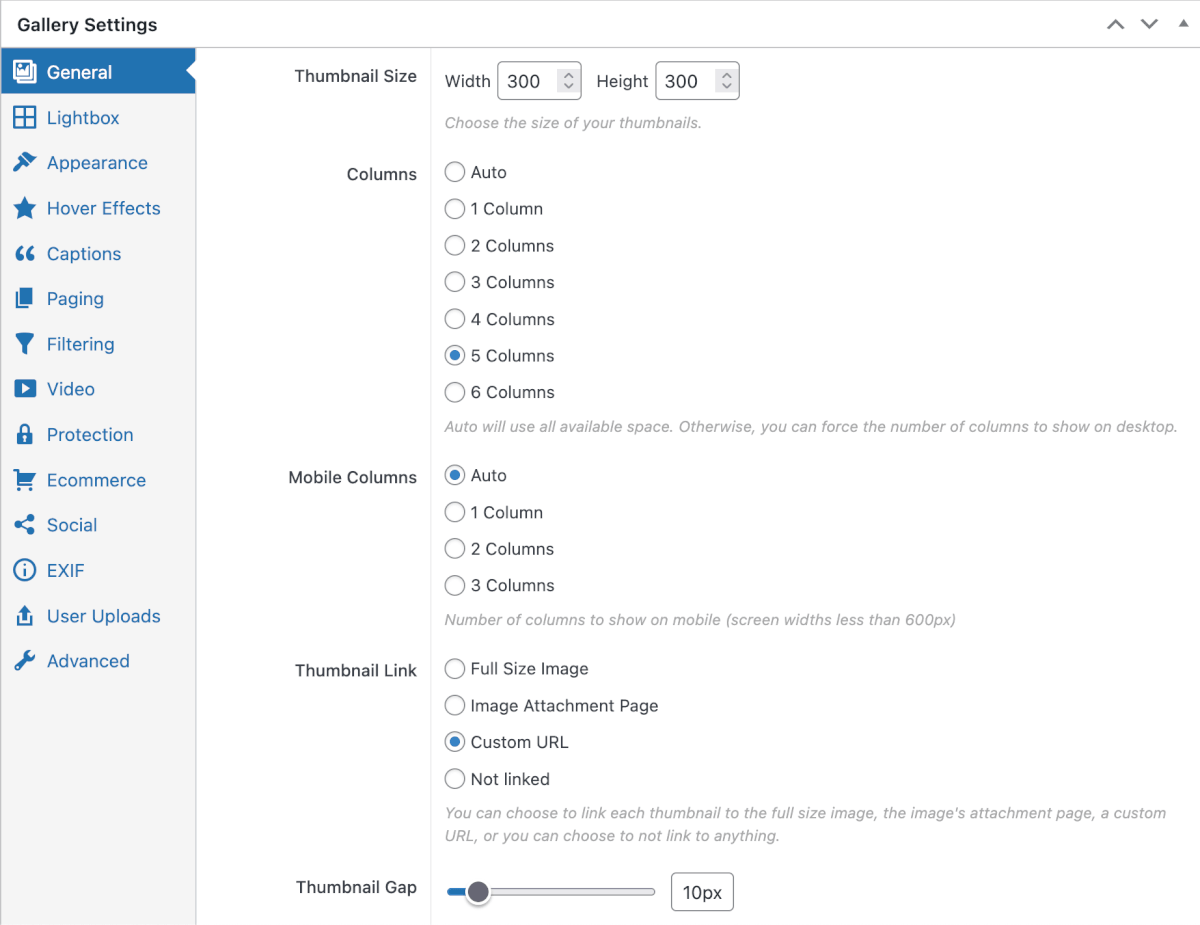
Disable aggressive cropping so logos keep their natural proportions. Aspect ratios vary wildly from one company to the next, and you don’t want everything looking squashed. What you end up with is a clean logo wall that’s easy to scan.

How to Let Partners Submit Logos From the Frontend
Now for the part that saves you hours of work.
Enable frontend submissions with FooGallery User Uploads. This lets companies submit their own logos and details directly from your website.
Once it’s enabled, you can display the submission form below the gallery, or drop it anywhere on the site using a shortcode.
Configure the form to collect what matters:
Required fields:
- Display Caption (This will be the company’s description that is shown when hovering over an image)
- Display Name
- Display Email
- Display Custom URL (This is the URL of the company’s site)
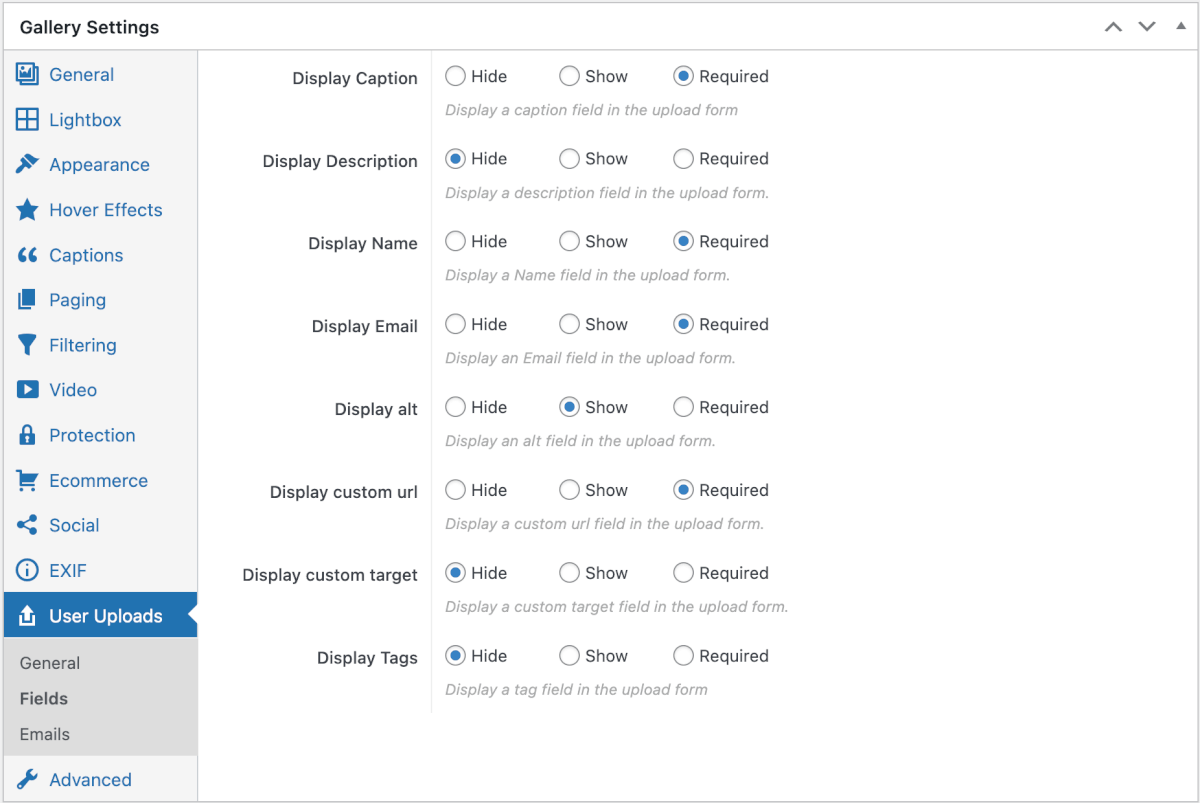
When a partner submits the form, their logo is uploaded and held in the gallery queue. Nothing goes live until you say so.
How to Moderate Partner Submissions in WordPress
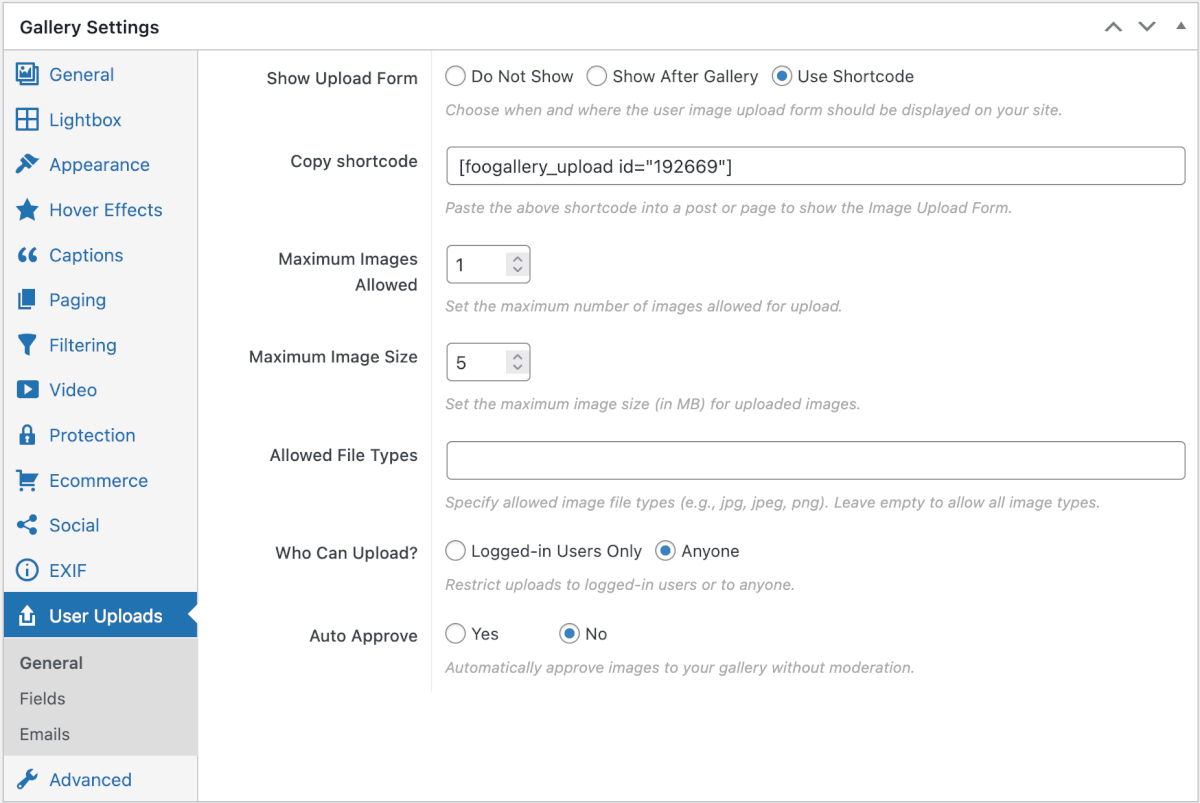
Allow anyone to upload an image if you don’t want to require a user account. Allow one image per upload with a maximum size of 5MB. You probably don’t want submissions appearing instantly on your site. Disable auto-approval so every entry goes through a quick review first.
The workflow becomes simple:
- Partner submits their logo and info
- Entry appears in your moderation queue
- You review it
- Click approve
- They’re live in the gallery
Optional: Organize Partners with Tags or Categories
As your partner ecosystem grows, organization matters. You can use media tags or categories to group partners together. Things like Hosting, Agencies, Plugins, Integrations, or Featured Partners. Once tagged, you can create filtered views that display only specific groups.
This lets you structure the page into sections without creating multiple separate directories or galleries. One gallery. Multiple views.
Why Use a Gallery Instead of a Directory Plugin
Most partner directories are built with heavy directory plugins or custom development. This is overkill.
A partner directory is really just a logo, a description, and a link. This makes a gallery the perfect structure for it. It’s literally built around these three things.
Using FooGallery Pro with FooGallery User Uploads gives you something better than a static page:
- Partners submit themselves
- You stay in control with moderation
- The gallery updates automatically on approval
- The page scales to hundreds of partners without any extra effort
Build the system once, and it runs itself.
Ready to set this up? FooGallery Pro Starter and the FooGallery User Uploads add-on are everything you need to get started.