
Many photographers will be familiar with this scenario: you email a client a folder of images and then try to piece together their feedback from three separate replies, a text message, and a phone call. But this usually just results in friction between “here are your photos” and “here’s what the client actually wants”, meaning everyone is left frustrated.
Client Proofing, the newest add-on for FooGallery, is built to close that gap by moving the entire approval process into the gallery itself. Let’s take a look at why you need this and how it works.
The Problem with Proofing by Email
Delivering images for approval sounds simple, but the back-and-forth around it rarely is. A client opens a folder of fifty images, has opinions about a dozen of them, and then tries to communicate those opinions over email or text. “The third one from the top, not the one with the dog, the other one” is quite possibly a real sentence photographers have had to decode. Comments get attached to the wrong image, feedback arrives in pieces over several days, and by the time you’ve reconciled it all, you’ve spent more time interpreting the client’s message than editing their photos.
None of this is a client’s fault, or the photographer’s. Without a tool built for the job, there simply isn’t a clean way to say “reject this one” or “I like this but can you brighten it” directly on the image in question. FooGallery’s Client Proofing add-on gives them that tool. Not only does it help build an effiecient workflow for photographers, but it makes life easier for the client as well.
Client Proofing: A Better Workflow
FooGallery Client Proofing effectively turns your gallery into a private proofing session. The add-on works with any of the FooGallery plans, including free, so once the plugin and add-on are activated, the workflow is simple:
- Create a gallery with the client images and enable Client Proofing to create a private session.
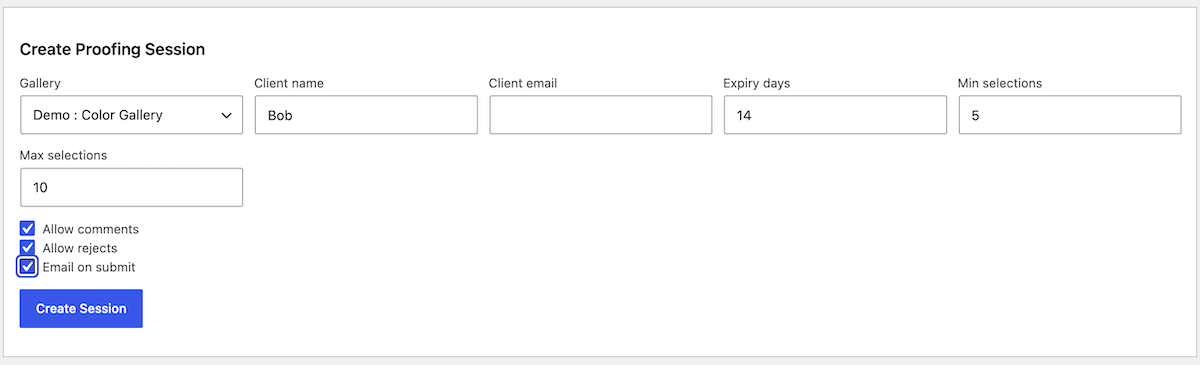
- Set up the requirements for the client. For example, the minimum and maximum number of images that can be approved.
- Invite the client to the session, or send them the unique URL.
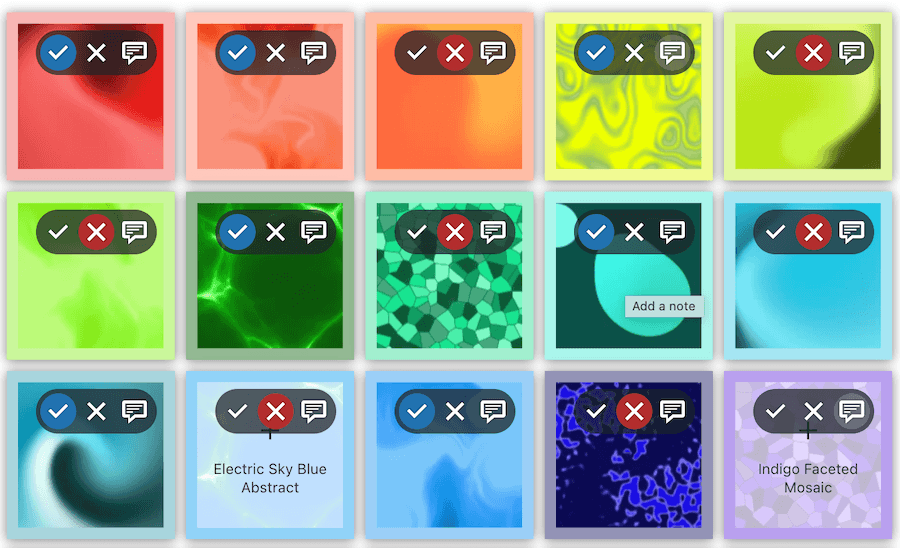
- The client can then provide feedback in the form of approving or rejecting images or adding notes to individual images.
- Once they are done, they submit the proof and you receive their feedback.
There are no long message threads, no confusion about which image the client is referring to and no misinterpretation. It’s clean, simple and effective.
How Client Proofing Helps the Client
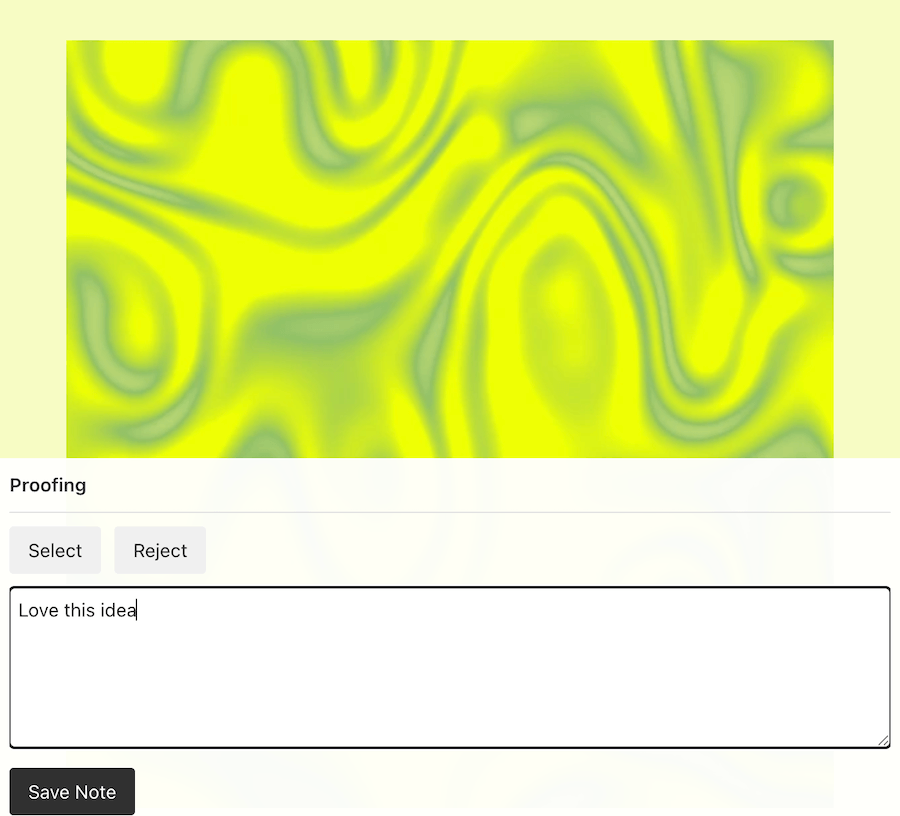
Once you invite someone into a proofing session, the gallery becomes an interactive review space rather than a static page of thumbnails. Clients can approve or reject each image right from the gallery grid or from the full lightbox view, so their decision is attached to the exact photo, not described in a separate message. If an image needs more context, they can leave a note on it directly, whether that’s “love this one for the album cover” or “can we try a different crop”. When they’re finished, they submit everything as one consolidated round of feedback, so you’re reviewing a single, organized response instead of assembling one from scattered threads.
The result is feedback you can act on immediately: no translating vague descriptions into image numbers, no cross-referencing an email against a folder, no missed comments buried in a reply-all.
Control Stays with You
Proofing sessions are invite-only, and you decide the terms of each one. You can set a minimum and maximum number of images a client is allowed to approve, useful if a package includes a set number of final images. You can set an expiry date so feedback windows don’t linger indefinitely. And each session gets its own unique access code, so only the people you’ve invited can view or respond to it, without needing to create accounts or manage client logins on your site.
You can also run more than one proofing session on the same gallery, which is useful for staged reviews: an initial round for rough picks, a second round for final touches, each with its own limits and its own timeline. This also works if multiple clients need to review the same gallery, giving you feedback from different parties on the same images.
Tip
Quick win
Use the Proofing Layout for added efficiency
FooGallery’s Client Proofing add-on includes a Proofing layout that is set up with client proofing top of mind. It makes use of a simple grid, displaying filenames as captions to make it easier for all parties to identify the images.
FooGallery + Client Proofing for Photographers: A Natural Fit
FooGallery has always been about giving you real control over how your images are presented, without forcing you into a workflow you didn’t ask for. Client Proofing extends that same philosophy to what happens after the gallery is published: it works with FooGallery Free as well as all three PRO tiers (Starter, Expert, and Commerce), so however you’ve already set up your galleries, Client Proofing layers on top without requiring a rebuild. There’s no separate proofing platform to learn, no client accounts to manage, and no exporting images somewhere else just to collect a decision. The gallery your clients are already looking at becomes the place where they respond.
For anyone who delivers photos for sign-off, whether that’s a wedding photographer waiting on album picks or a studio managing multiple shoots at once, that’s less time spent chasing feedback and more time spent on the work itself.
For photographers using WordPress, FooGallery and the Client Proofing add-on make sense. Simplify your professional workflow and try Client Proofing now.

FooGallery Client Proofing FooGallery proofing add-on
Keep Every Client Decision With the Right Image
Stop chasing filenames through email and WhatsApp. Send clients a private gallery where every approval, rejection and note stays attached to the right image.