
What if you could describe the popup you want … and get one that already looks like it belongs on your site. That’s what FooConvert V2 does. We just shipped the AI Popup Builder, and it changes the way you create popups, flyouts, and announcement bars in WordPress.
The updated FooConvert reimagines WordPress conversions. Our biggest addition is the AI Popup Builder – the easiest way to craft attention-grabbing popups for your WordPress website using natural language. Plus, this comes with a Brand Context extractor. We’ve also changed things up, swapped them around and added a ton of features to make conversions simple and effective. Below we take a look at what this means for FooConvert Free and PRO.
FooConvert Free vs PRO
Before we go into the details, here’s a quick look at what you now get in the free and pro versions of FooConvert.
| FooConvert Free | FooConvert PRO |
| – AI Popup Builder – Brand Context Extractor – Bar, Flyout and Overlay popups – Triggers and display rules – Over 15 predesigned templates or build your own – Signup, Countdown, and Coupon blocks – Add your own Google fonts – Basic popup analytics – Basic lead capture | – Everything in Free – Advanced popup analytics – A/B Testing – Predesigned WooCommerce popups with preconfigured rules and triggers – WooCommerce display rules and triggers – Background image generator – Advanced lead capture integrations |
FooConvert Free: More features, Easier Conversions
We’ve shifted the focus of FooConvert PRO to be more about ecommerce, and helping your online store convert visitors into customers. But what does that mean for the free version? As we had developed a number of features for the original FooConvert plugin, we decided to keep all of these, just in FooConvert Free.
This means that with the free plugin, you now get over 15 predesigned popup templates for CTA’s countdowns, lead generation, newsletter signups, and more. You also get all of the blocks that come with these, such as the countdown and click-to-copy coupon block. There’s also the signup block, which you can use to generate leads (although the mail provider integration is only available in PRO).
Plus, there are 2 big additions to the free version: the AI Popup Builder and the Brand Context Generator.
FooConvert: An AI Popup Builder
The problem with AI-generated anything is that, when you ask an AI tool to create something, what you get back looks generic. Wrong colors. Wrong tone. A font you’d never use. You spend as long fixing it as you would have starting from scratch.
We built FooConvert’s AI differently.
Before the AI generates a single pixel, FooConvert learns your brand. Through our Brand Context Extractor, you save your:
- Color palette: primary, secondary, accent, background colors.
- Typography: your heading and body fonts, sizes, weights.
- Controls: button styles, border radius, spacing preferences.
- Voice and offer style: how your brand speaks and sells.
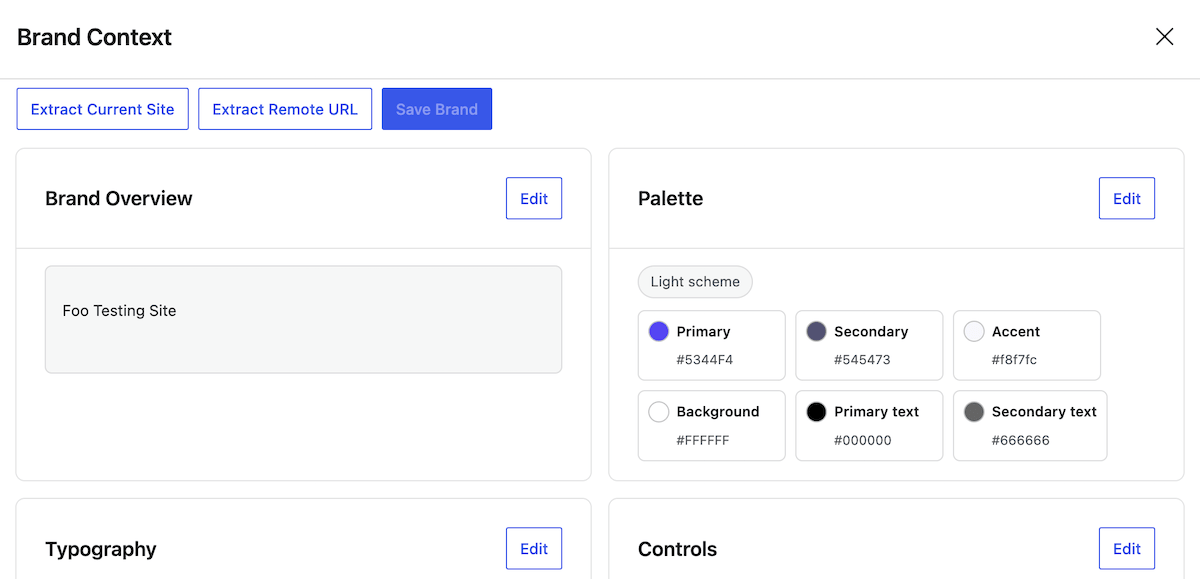
Every popup the AI creates uses this context. The result doesn’t look AI-generated; it looks like yours.
How the AI Popup Builder Works
Using the builder is simple. Here’s a quick rundown of how to create your own popups:
- Set up Brand Context: Save your brand details in FooConvert’s settings (one-time setup).
- Describe what you want: Use your own words or pick one of the starter prompts for common campaigns.
- AI builds your popup: FooConvert generates a complete bar, flyout, or overlay with copy, layout, styling, triggers, and display rules – all matching your brand.
- Refine with natural language: Don’t like the headline? Want a different trigger? Just tell AI what to change. No need to dig through settings.
- Generate a background image: Need a polished background? AI generates one in styles like gradients, textures, patterns, or colorful shapes, sized for your popup type.
- Publish: Everything lives in the block editor you already know. Tweak anything manually, then go live.
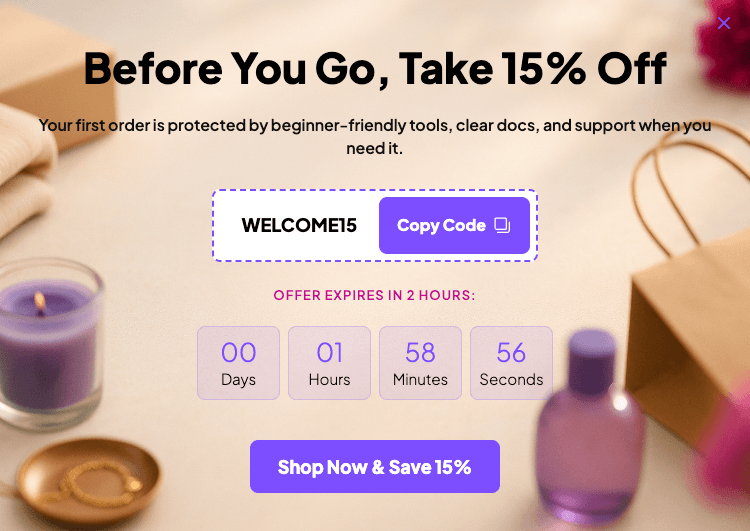
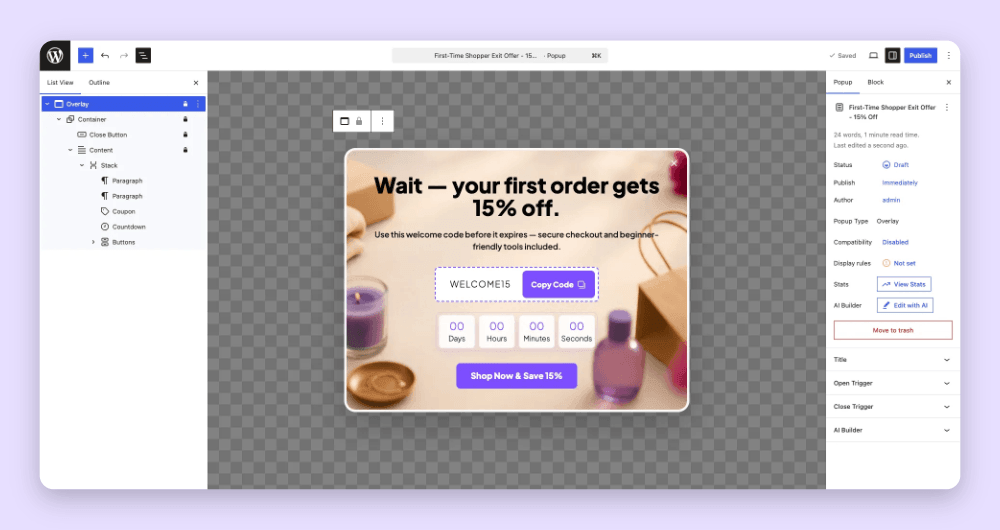
Below is an example of a popup created using the AI Popup Builder.
What You Can Create
The AI Popup Builder works across all three popup types:
- Bars: Top or bottom announcements, promo strips, newsletter signup bars, sticky CTAs.
- Flyouts: Slide-in lead magnets, sidebar messages, content upgrades.
- Overlays: Modal popups for forms, coupon offers, exit-intent captures, embedded content.
And it handles the details that matter:
- Copy and layout: Headlines, body text, CTAs, block arrangement.
- Triggers: Page load, exit intent, scroll depth, timers, element clicks.
- Display rules: Which pages, which users, which exclusions.
- Styling: Colors, fonts, spacing, borders — all pulled from your Brand Context.
Built on WordPress 7.0’s AI Foundation
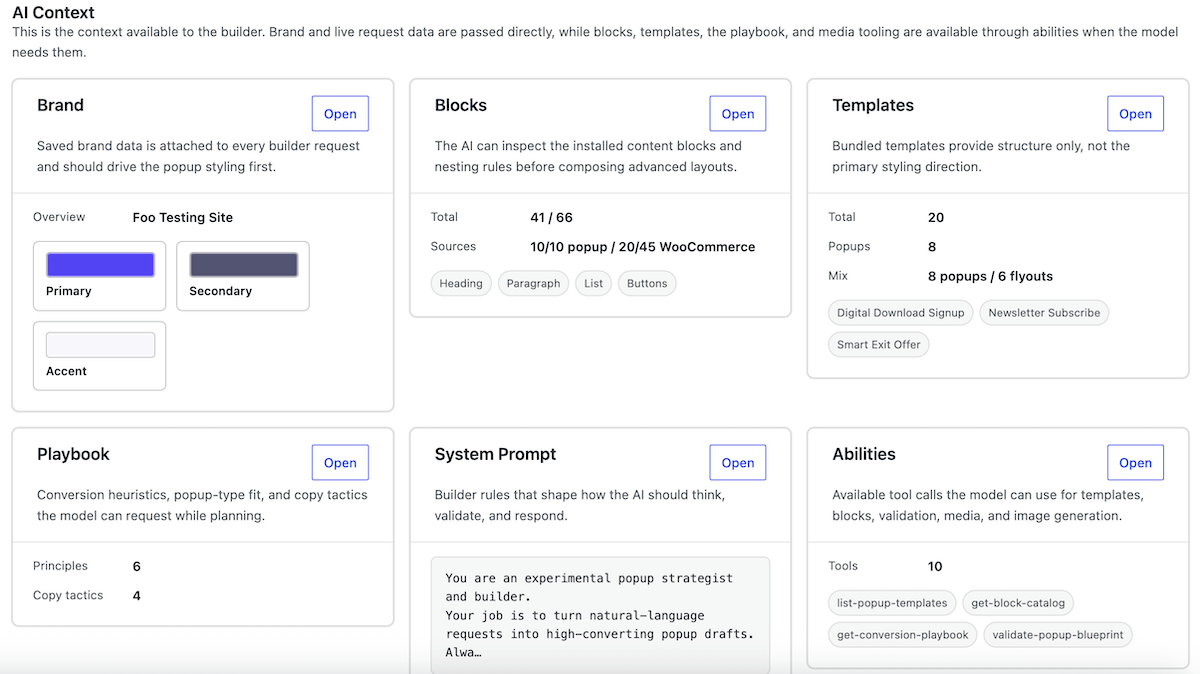
FooConvert doesn’t bundle its own AI model or charge an AI subscription. It uses the AI Client built into WordPress 7.0, the same framework that powers AI features across the WordPress ecosystem.
What this means for you:
- Your AI provider, your choice: OpenAI, Anthropic, Google, OpenRouter, or any community-built provider.
- One API key for everything: configure it once in WordPress Settings > Connectors, use it everywhere.
- Image generation included: if your AI connector supports image generation, FooConvert can generate popup backgrounds directly.
- No extra cost from FooConvert: you only pay for AI usage on your own API key.
Still on WordPress 6.x? Every other FooConvert feature works without AI. The 15 bundled templates, all blocks, triggers, display rules, lead capture, and analytics are fully available on WordPress 6.5+.
Note that you will need to set up an AI model for this, which can be done in FooConvert Settings > Connectors (available in WordPress 7+). It’s also possible to override the model in the AI Builder settings.
The New FooConvert PRO: For WooCommerce Stores and Serious Marketers
The premium version of FooConvert has shifted focus to become an ecommerce-based conversion tool. After all, this is where conversions matter. You can still create different types of popups, but the PRO popups now integrate directly with WooCommerce, eliminating the need for manual workarounds.
There are several pre-built popups, such as the Cart Unlock Flyout or the Checkout Exit Save Popup (with more on the way). All of these have preconfigured triggers and display rules making it very easy to set up and display your ecommerce popups.
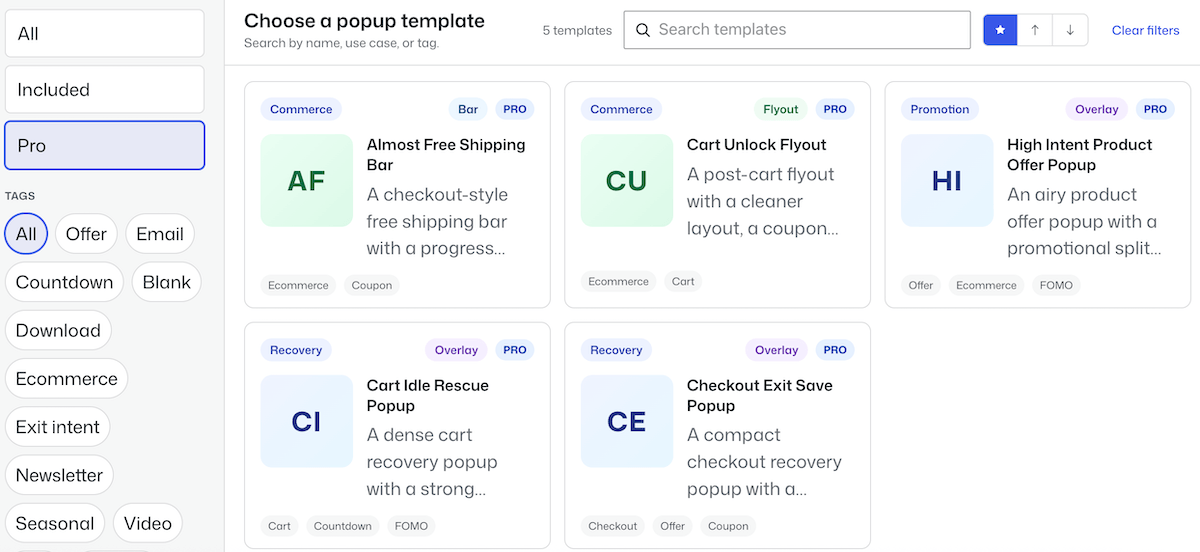
You are also able to create and design your own popups. With FooConvert PRO, you get additional blocks including the Apply Coupon, Free Shipping Progress and the Confetti block. These can be used in the predesigned templates, or in any of the popups that you create. You will also have access to the display rules, which include WooCommerce-specific pages, and the WooCommerce triggers, including cart adds/removes, cart value thresholds, checkout exit intent, coupon events, product interest signals.
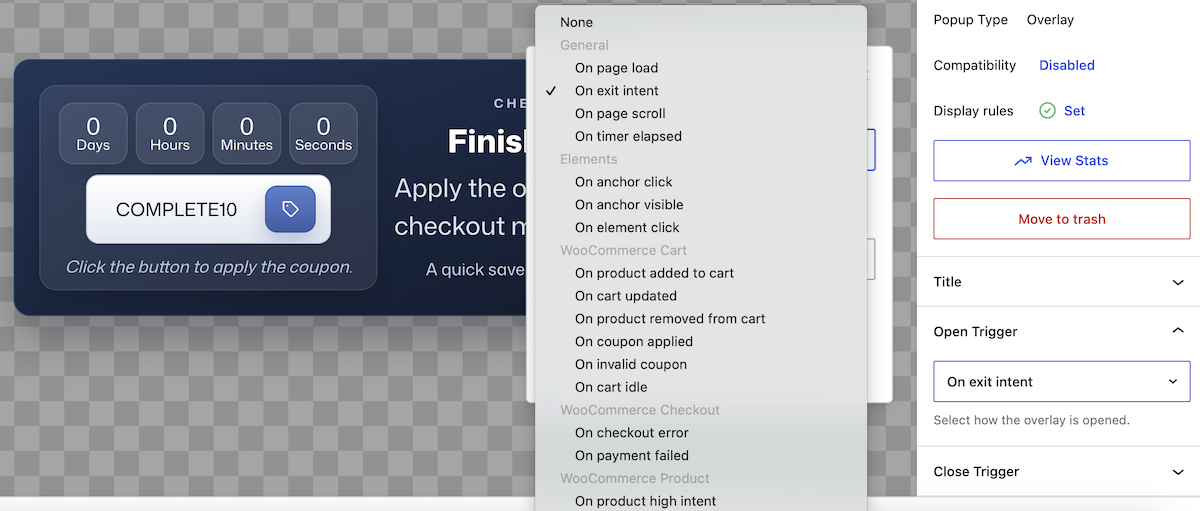
FooConvert PRO now also includes a background image generator, allowing you to spin up a background for any of your popups. Choose from various patterns and then play around with the colors, variation, distortion, swirl and so on.
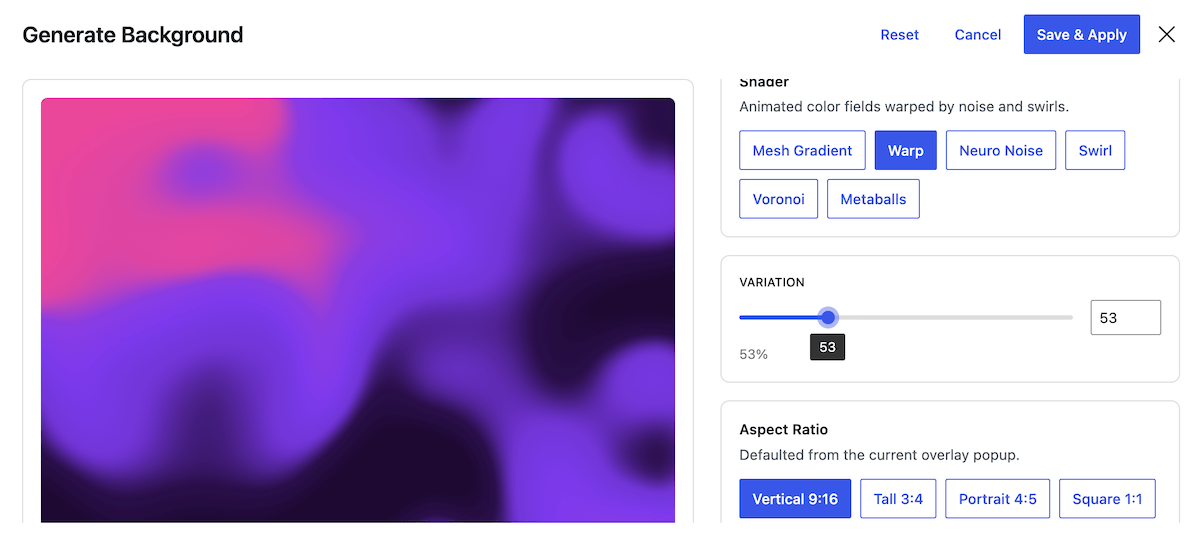
Saving the background will save the image to the media library, so you can apply this to other popups as well.
Generate Leads
While FooConvert Free allows you to gather leads, it doesn’t include the integrations available in PRO. In other words, you would need to manually export your leads to your mailing list. The premium version now includes mailing list integrations with several services, including Mailchimp, MailPoet and Brevo, as well as a Webhook integration.
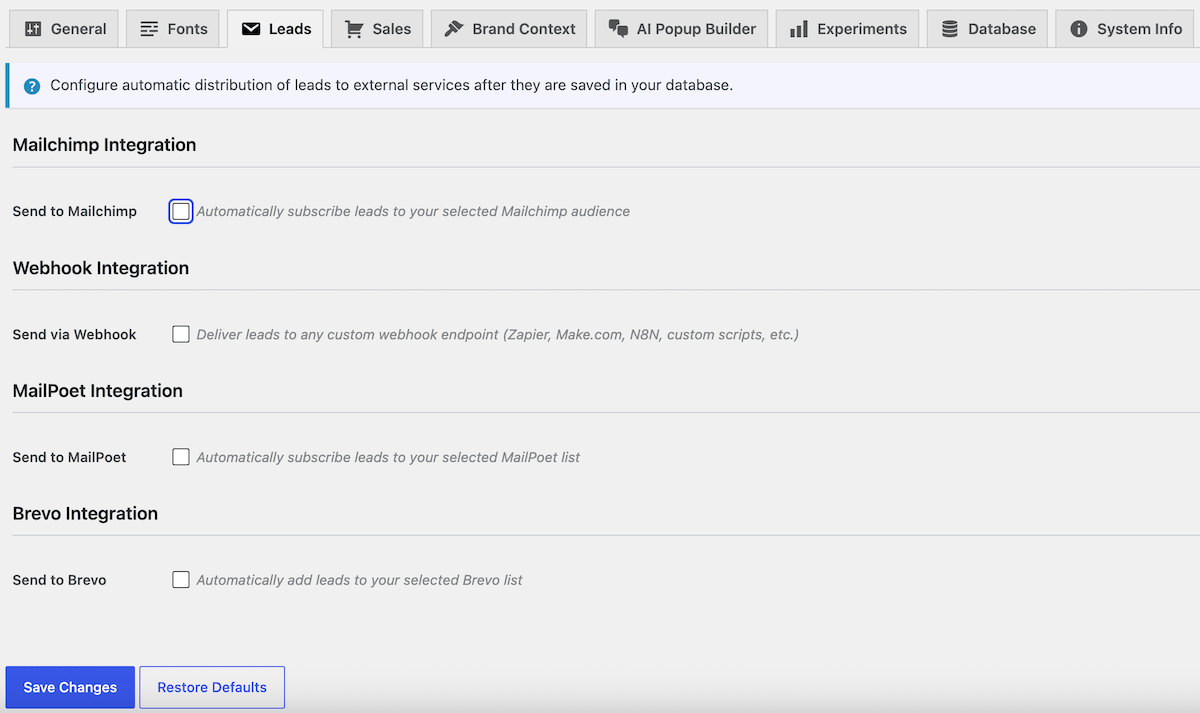
Setting this up will send leads directly to your chosen mail provider.
Analytics and Testing
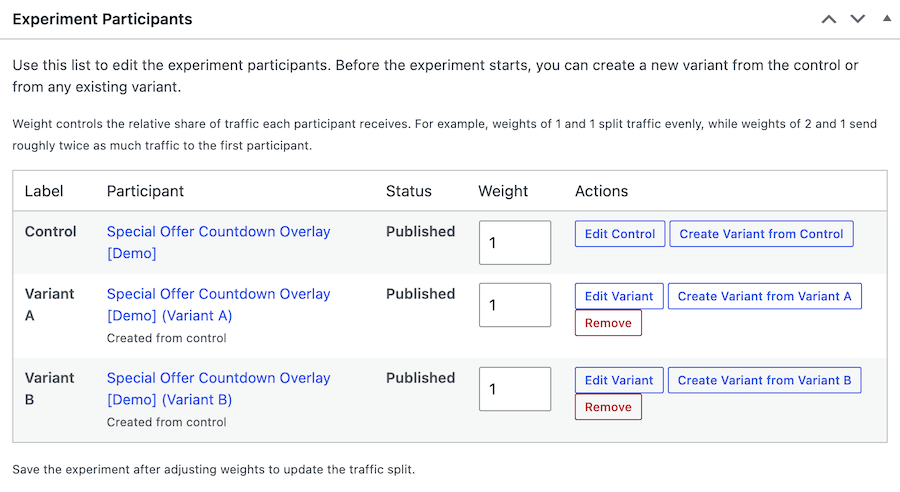
One of the major additions to FooConvert PRO is the A/B testing, or Experiments, where you can test headlines, offers, layouts, and timing with an automated winner selection.
With this feature, you can set up a control popup and configure your experiment. For example, you can set the goal (clicks, leads or conversions), minimum views, end date, and the auto winner threshold. From here, you can create variants of the control (or of the other variants) changing one or two elements on each to determine which leads to a better result.
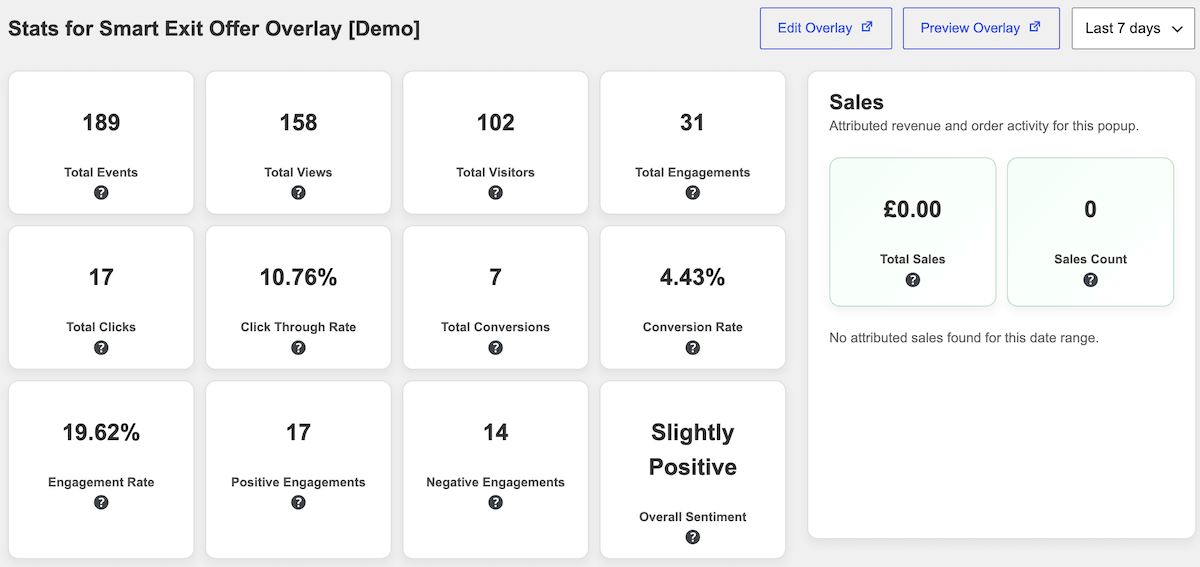
As before, popup-specific analytics are available for all popups and allow you to see everything from total views to engagement and conversion rates. What is new is the Sales analytics, showing WooCommerce revenue attribution so you can see which popups actually drive sales. These numbers show you the number and value of sales attributed to that specific popup.
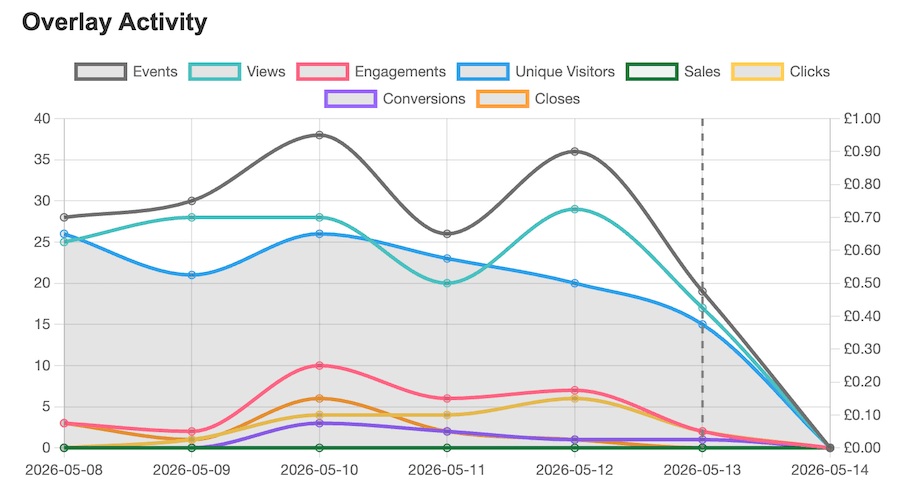
As before, you will also see a graph of these figures on the stats page. This now also shows the Sales figures.
Start Converting Visitors with FooConvert Today
Whether you are looking for simple but effective popups, or something more hard-hitting for your WooCommerce store, FooConvert offers the ideal solution. Use a predesigned template to add a quick exit-intent CTA, or spin up your own AI-built popup complete with your brand’s color and font. With all of the options available to you, boosting your conversions is simple with FooConvert.
Ready to use AI to build your popups? Update to WordPress 7 and try FooConvert Free – there are no limits on popups or views.
Need powerhouse popups for ecommerce conversions? Get started with FooConvert PRO.
FooConvert WordPress conversion plugin
The Best WordPress Conversion Plugin
FooConvert is an easy-to-use WordPress conversions plugin, draw attention, increase sales and engagement.