
FooGallery Client Proofing turns an existing FooGallery gallery into a private review session. A photographer shares a secure link, the client selects or rejects images and adds notes, and the photographer reviews or exports the finished proof.
Requirements
- WordPress 6.0 or newer.
- PHP 7.2 or newer.
- FooGallery 3.1.31 or newer, installed and active.
- FooGallery Proofing 1.0.1 or newer.
- An active FooGallery Client Proofing license or trial is required to create new sessions.
If the Client Proofing license or trial expires, existing sessions are not deleted. Existing active sessions can still be shared, viewed, and submitted until their configured expiry, but new sessions cannot be created.
How client proofing works
- Create a normal FooGallery gallery or choose an existing one.
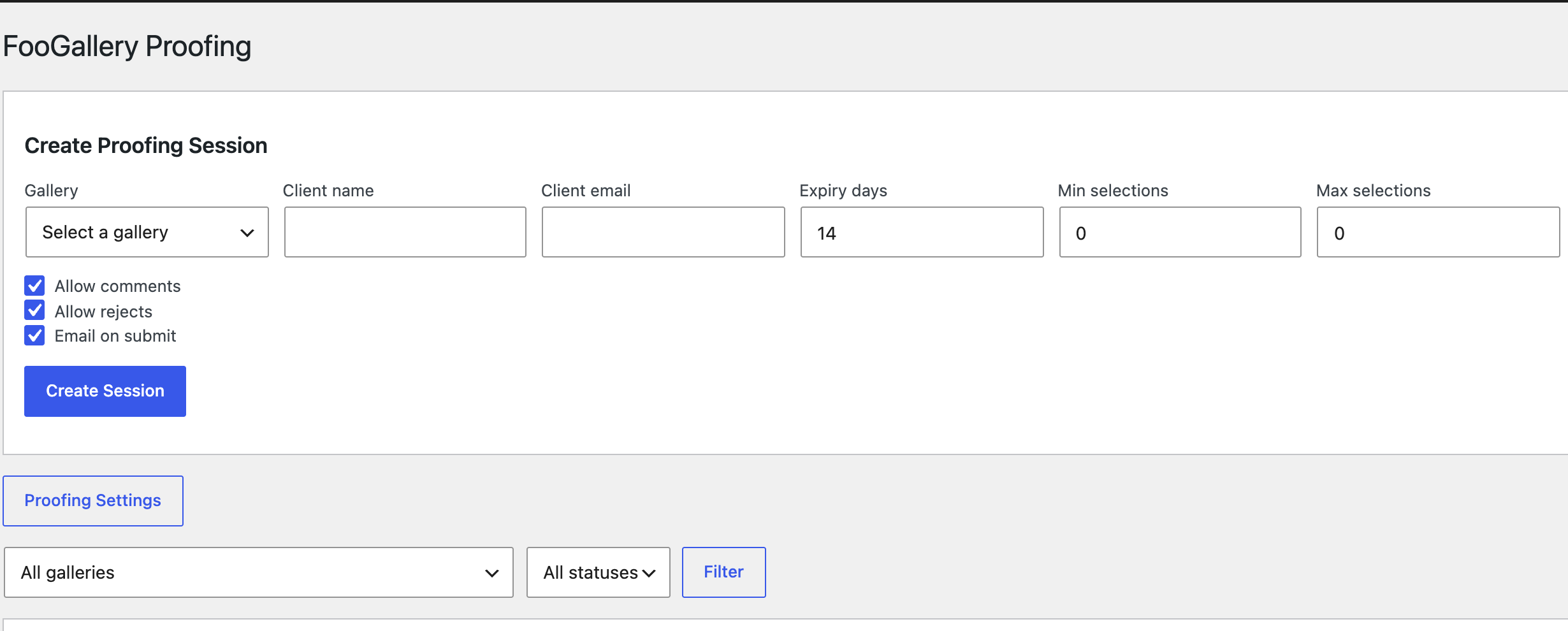
- Create a proofing session for a client.
- Copy the private link or send the invitation email.
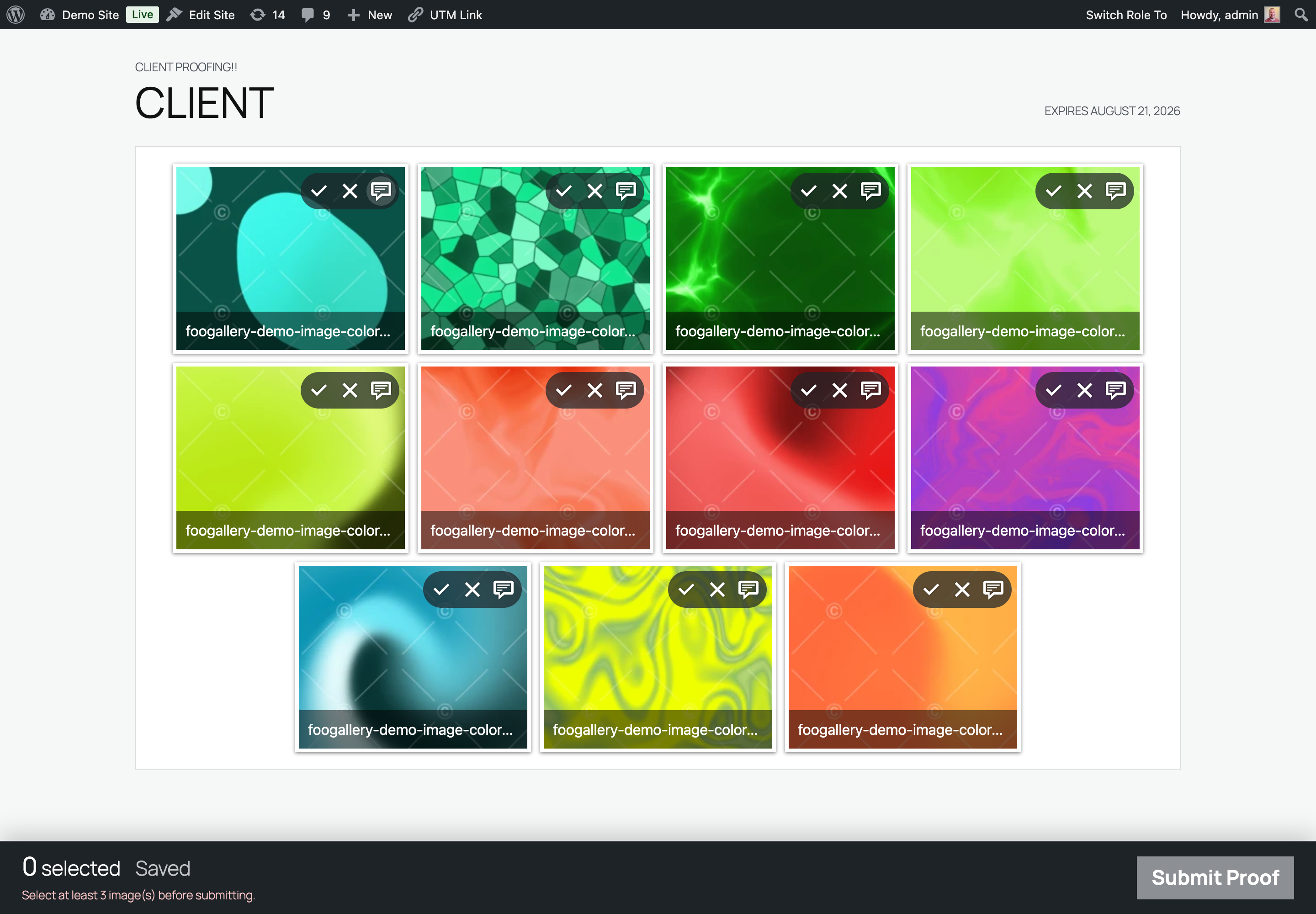
- The client selects, rejects, comments, and submits.
- Review the result, export it, and complete the session.
Documentation
- Create and share a proofing session
- The client proofing workflow
- Review, manage, and export results
- Configure email and frontend language
- Privacy, security, and troubleshooting
Where to find the controls
- Go to FooGallery > Proofing to create, filter, and manage sessions.
- Edit a gallery and use the Client Proofing panel to create a session for that gallery or preview the proofing experience.
- Go to FooGallery > Settings > Proofing to configure notification email, email templates, data retention, and frontend language.
Documentation test environment
These instructions and screenshots were verified on a local test site using WordPress 7.0.2, PHP 8.3.23, FooGallery 3.2.1, FooGallery Proofing 1.0.1, and the Twenty Twenty-Five theme.


