
Changing The Background Color

If you would like to change the background for FooBox from transparent to opaque, you would need to add some custom CSS. You can add this into the “Custom CSS” field under the “JS & CSS” tab in your FooBox settings.
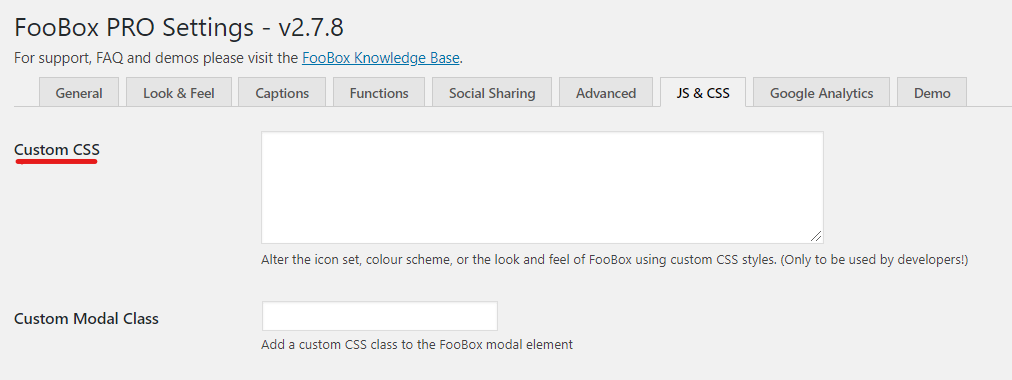
custom css

In the CSS field, you would need to add the below line:

div.fbx-modal {
background-color: YOUR_COLOR;
}

Then you can simply replace the YOUR_COLOR part with a CSS color of your choice. For example:

div.fbx-modal {
background-color: #222222;
}

Resources

Find the right next step

Use this grid for documentation indexes, support routes, account links, affiliate resources, and download pages.

Documentation

Search setup guides, product docs, and troubleshooting articles.

Support

Open a ticket with product details so we can help quickly.

Licensing

Review account, renewal, refund, and license information.

NEW BUNDLE ALERT

5 Tools, 50+ Sites
1 License

The FooGallery Agency Bundle is now available with both annual and lifetime payment options

Launch Discount Included