
Safely collect, moderate, and showcase visitor photos with FooGallery’s powerful User Uploads Add-on!
Discover a comprehensive set of features, all geared towards driving User-Generated Content.

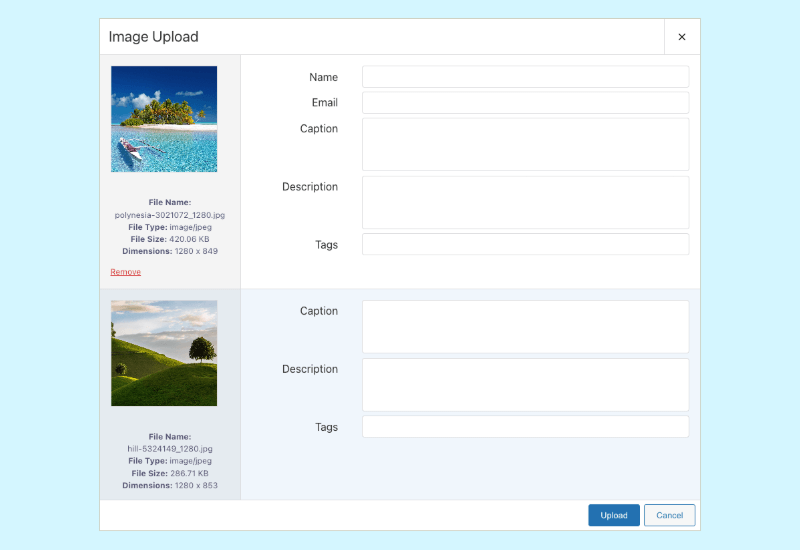
Grow your website and your community with User Generated Content. You decide what info you want, and let your community do the rest.
With your upload forms, you can:
Access fresh content and increase engagement, while connecting with and recognizing your audience.
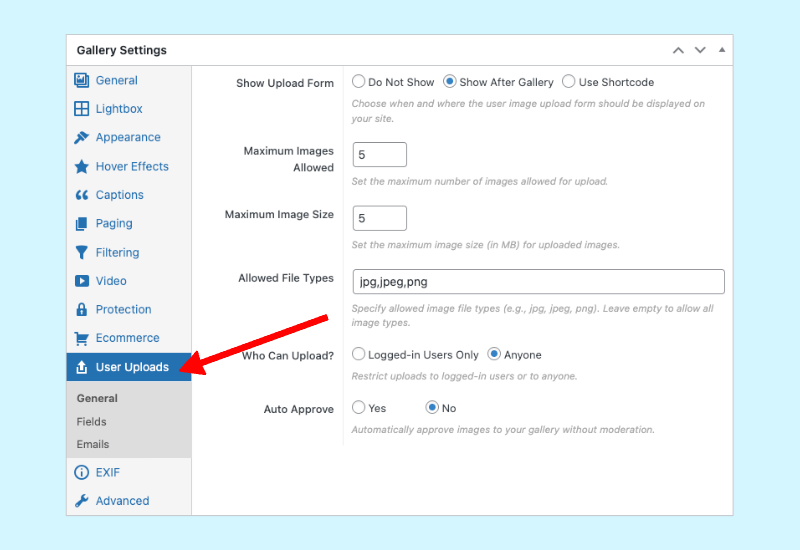
User Uploads makes image management easy! Website administrators maintain control over image curation, avoiding problems like overly large file uploads, or potential spamming.
You can take control by:
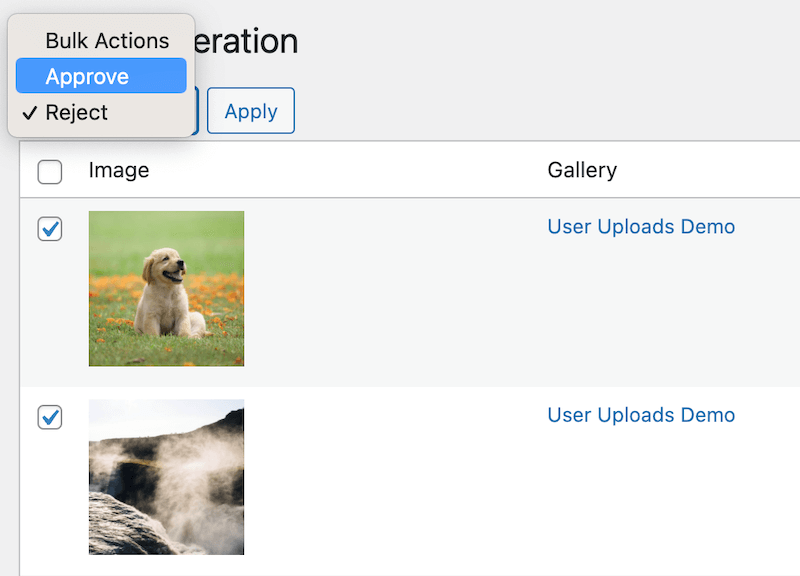
Image Moderation is a key factor in FooGallery’s User Uploads, and we’ve made it as simple as possible! You can access image moderation in each gallery or from the central Moderation tab.
To moderate:
PLUS: if you don’t want to moderate images at all, simply set your User Uploads to Auto Approve. Images will bypass moderation and be added directly to the gallery.
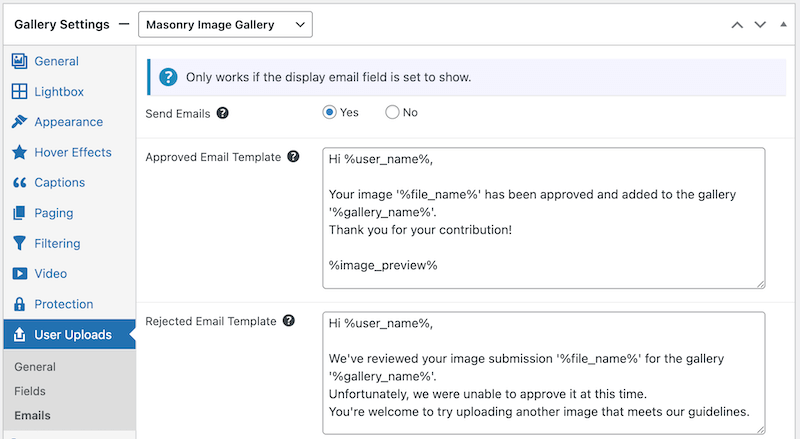
Gather leads with User Uploads by collecting user email addresses. With this, you can connect to your audience and grow your user base through direct communication and marketing.
With email addresses you can also use the Email Confirmation tool built into User Uploads. Simply opt in to sending emails and users will receive:
Plus, you can customize email responses to suit your needs!
We measure our success by our clients’ success. Read their stories and experiences below.


from Infinite Uploads

Company Owner
Find the perfect plan for you and get premium support and software updates for the duration.
/Year
/Lifetime
/Year
/Lifetime
/Year
/Lifetime
Not sure if this is the right fit for your WordPress site? Try our 7-day, no-obligation, free trial.
Find answers to common questions about FooGallery User Uploads, from installation to advanced features.
No. User Uploads is a FooGallery addon, which means that it only works with FooGallery, but you need to purchase it separately. You will need FooGallery to be installed and activated on your site for User Uploads to work, but the addon works with any of the FooGallery plans as well as FooGallery Free.
You can find out more about how it works in our User Uploads documentation.
Yes, you can moderate all aimages before they are added to a gallery. You can approve or reject any images that have been uploaded. Once approved, images are added to your media library and the relevant gallery. Rejected images are deleted and will not appear in the gallery pr your media library.
User Uploads also includes a Bulk Approval feature – this allows you to approve or reject multiple images at once.
Yes, User Uploads does include an auto-approval setting which can be enabled for any gallery with User Uploads enabled. In this scenario, all images will be automatically added to your media library and the relevant gallery without needing to be approved.
With User Uploads you can control how many images can be uploaded at once, and the maximum size of the images. You are also able to specify whether anyone can upload images, or just logged in users. This, along with the moderation feature, gives you maximum control over your galleries and the images displayed in them
With User Uploads, you can choose to collect a variety of details from users when submitting images. You can ask for a name and email address – this can be used to contact users for administration purposes, or as a toll for lead-generation.
We’ve also made it possible for you to collect image metadata, such as a caption, description and alt text, along with a custom URL, target URL and image tags.
You can choose to enable the fields you feel are relevant to your image curation and/or your gallery.
User Uploads is available as an add-on for FooGallery, but can be used with any FooGallery plan (including the free version).
The User Uploads add-on license is available for one site, 5 sites or 25 sites. You can choose to pay yearly or as a once-off lifetime payment.
We’re confident that you will! But if it isn’t what you’re looking for, we have a ‘No-Questions-Asked’ refund policy. So if you’re not happy with FooGallery User Uploads after 30 days, you can get a full refund on both annual and lifetime licenses.
We also have a 7-day free trial period. That way, if you’re not sure User Uploads is for you, try using it for a week and see what you think. Following the end of teh trial, you can choose to purchase a license or, if it’s not the right fit for you, simply disable and delete the plugin. Start your free trial today.